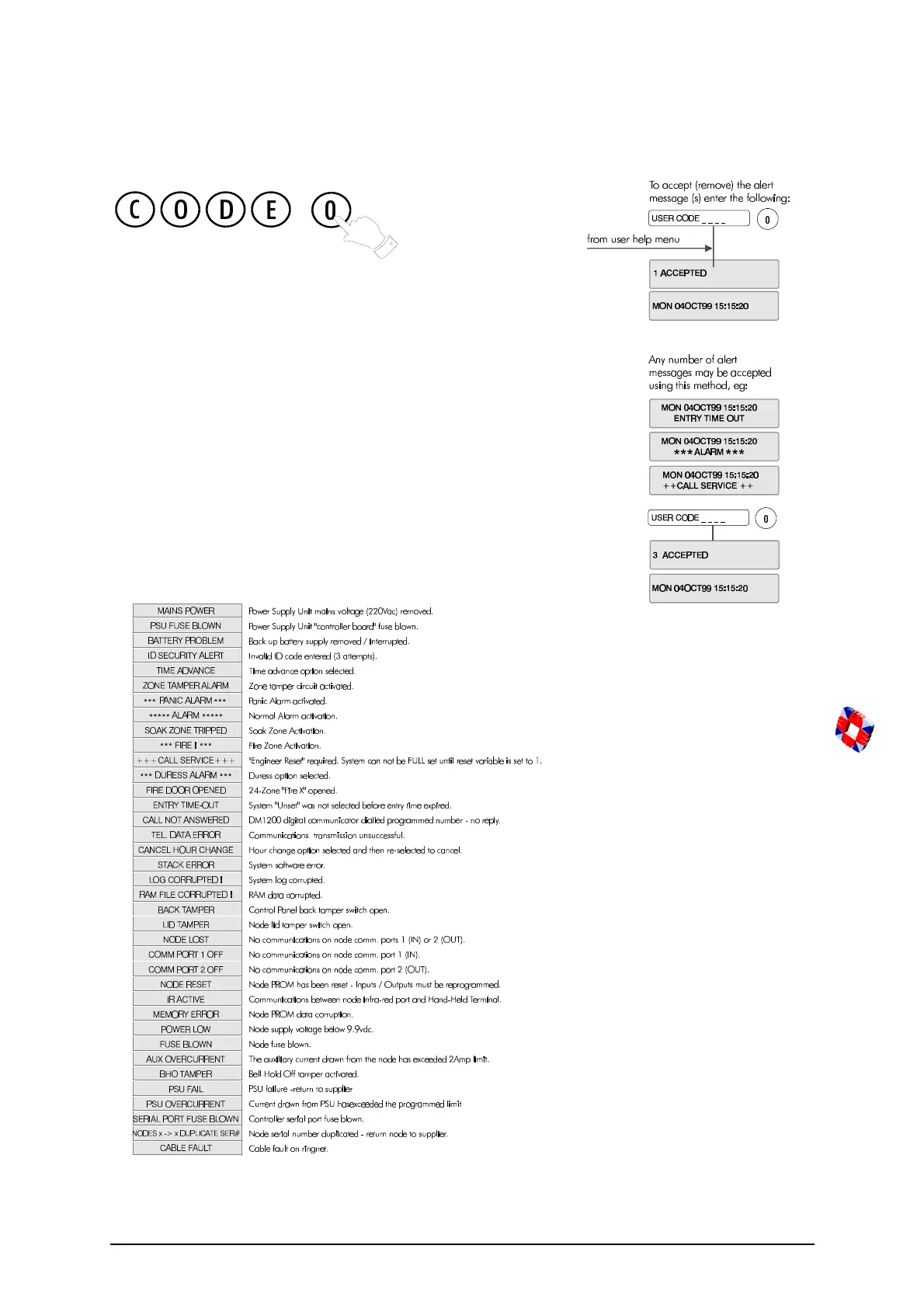
Accept all Alerts
9
Accept all Alerts
Alert messages are flashing messages displayed to alert the user
that a particular condition exists/existed on the system.
Accepting the alert will remove the message and silence the
buzzer. When the Alert accept option is selected, all alert messages
which are currently displayed are accepted (removed).
If the condition that caused the alert message still exists, a steady
warning message will remain on the display until the condition
indicated no longer exists.
ALERT ACCEPT is logged along with the identity of the user.
Some examples of Alert Messages



 To Next Page