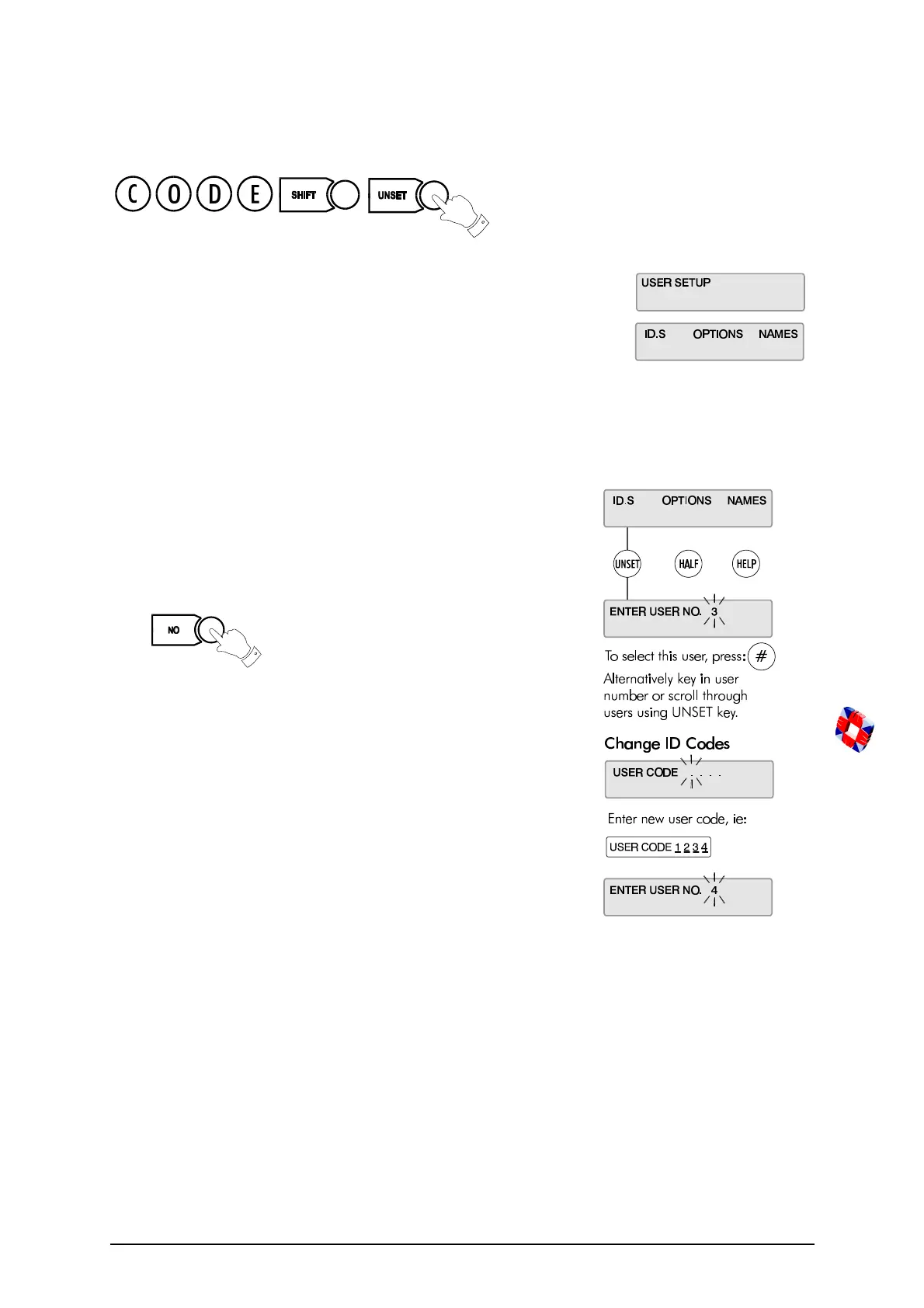
User Setup
19
User Setup
This menu is used to set up new users on the system, entering their names and
assigning ID codes and options.
Changing User ID Codes
This option allows the Master User (user 2) to change individual ID
codes for all other system users (3 - 126).
✍ User ID codes must be 4 digits in length.
The new ID code is accepted and functioning as soon as you enter it.
Press at the user number prompt to exit the
ID
codes
menu when finished.
You should now give the user the required options.



 To Next Page