Radio PA Assign
23
Radio PA Assign
3GS allows for up to 126 3-button Radio Hold-Up handsets. This option is used to setup Radio PA (RPA)
units for use on a 3GS system. Each RPA unit must be given a system ID number and a description (optional),
and can be assigned up to five different functions, for example, SUSPICION, RAID etc.
Adding a new RPA to the system
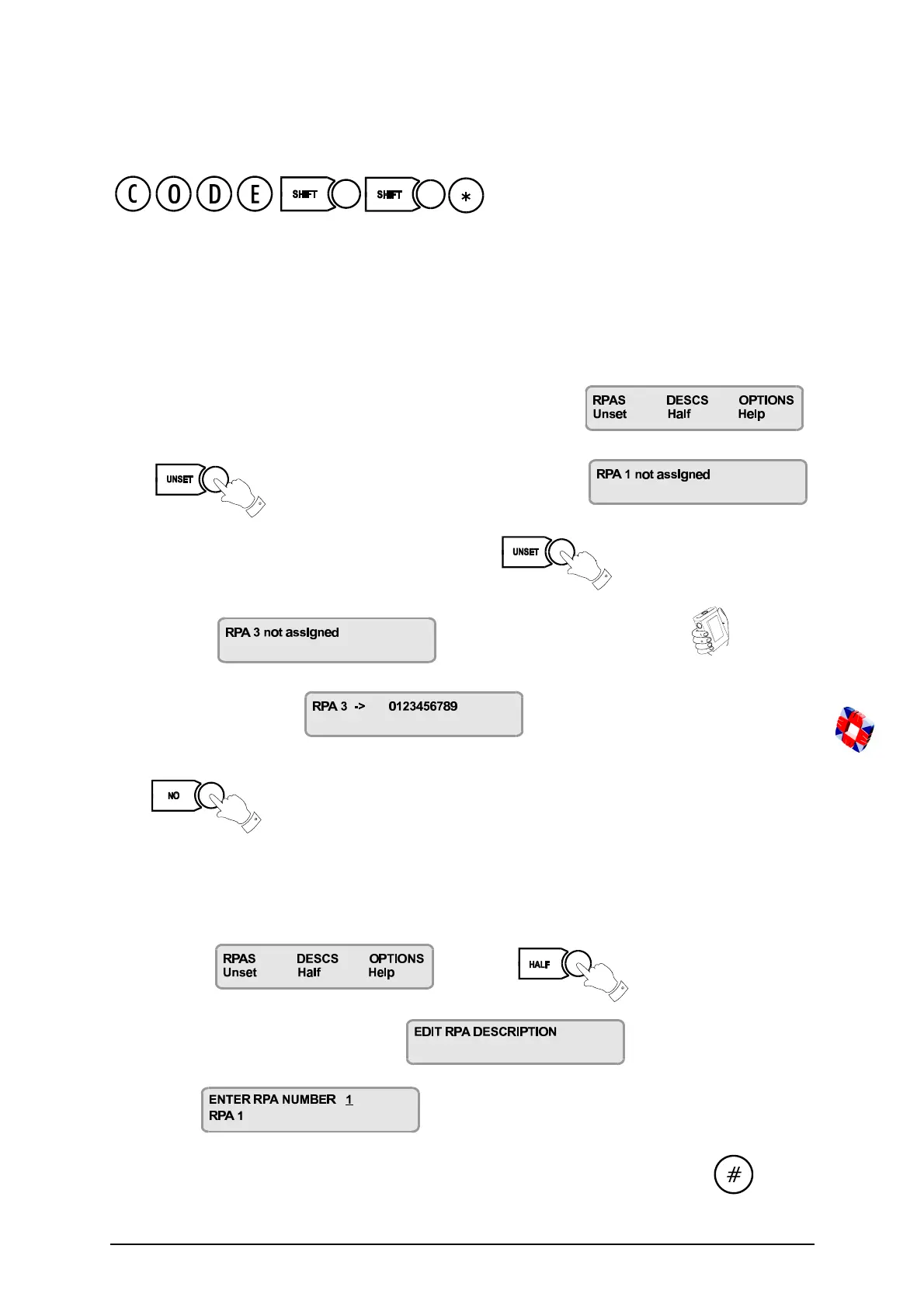
When you key in your code plus SHIFT SHIFT *, the display will show:
Press to enter the RPAs menu. The display will show:
In this example we will add RPA 3 to the system, so use the key to scroll forward until the
display shows: Now press any button on the RPA
The display will now show: where the 10-digit number is the serial
number encoded into the unit at the factory. This unit has now been entered into the system as RPA 3.
Press to return to the RPA menu.
Giving the RPA unit a Description
At the prompt press the key to enter the
Descriptions menu. The display will show
followed by:
Key in the number of the unit to which you want to give a description (e.g. 3) and press the key.



 To Next Page