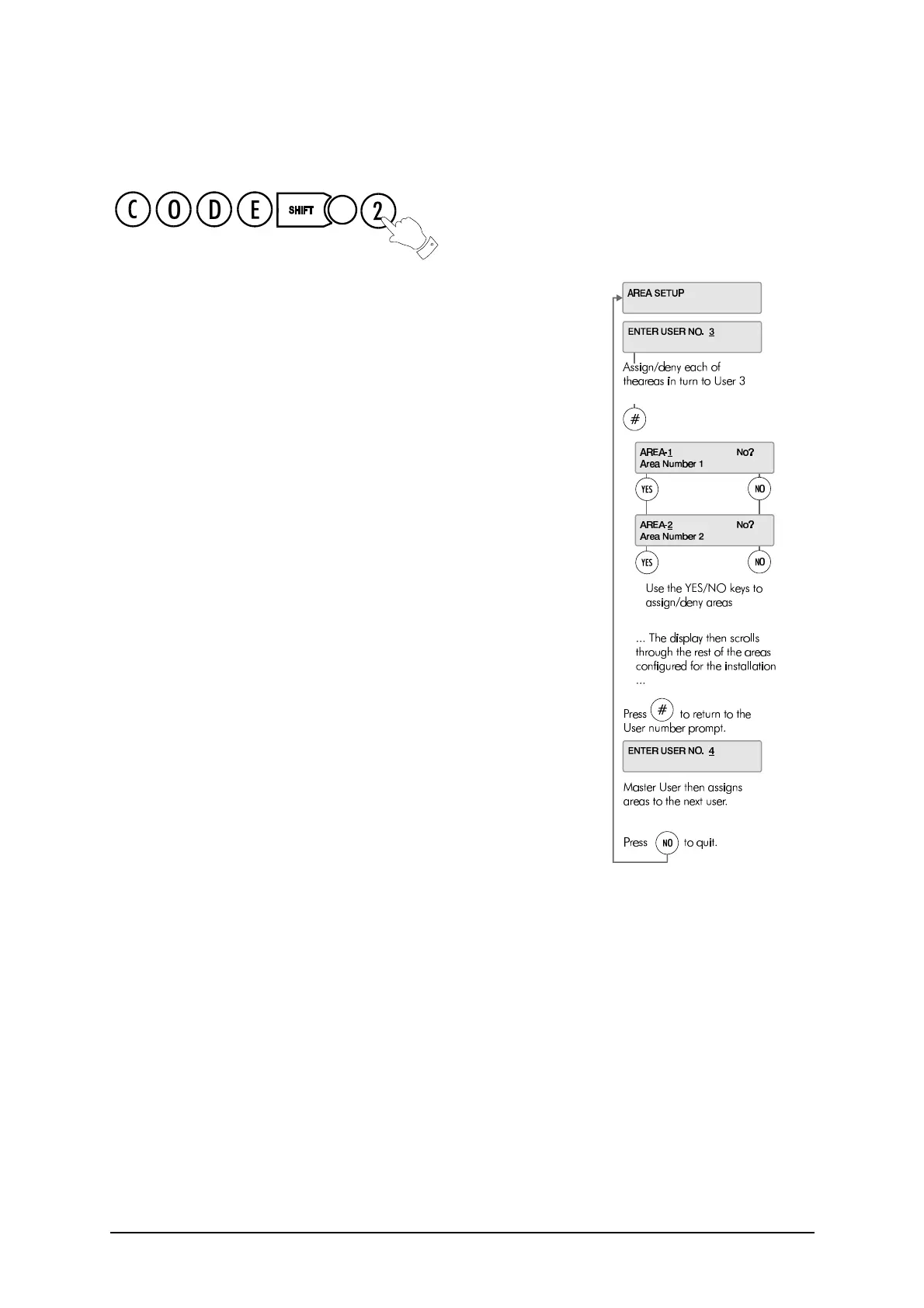
Area Setup
22 3GS User Guide
Area Setup
The Area Setup menu allows a Master User to assign areas to the system
users (3 to 126).
✍ The option to set or unset an area is configured by the Master
User in the User Setup menu (see page 19).
The number of areas to be used in the system is configured by the installer,
– the Master User assigns areas to users.
✍ User descriptions and PIN codes are set up in the User Setup
menu, which is described separately on page 19.
The system currently allows for up to 32 areas. The Master User enters the
number of the user to whom the area is to be assigned, and then scrolls
through each area in turn, assigning or denying that area to that user.
✍ To be able to set/unset an area, the user must be given:
the Part/Area Unset and Half/Area Set options,
and the Set/Unset option for that area,
using the User Setup menu on page 19.



 To Next Page