IMPORTANT:
• Check the expiration date printed on the test strip bottle and its
package. Do not use expired test strips.
• Use each test strip immediately after removing it from the bottle.
• Do not use wet or damaged test strips.
• Keep away from direct sunlight and heat. Store the test strip bottle
in a dry, cool place.
• Record the "date opened" on the bottle label. Discard the bottle
and any remaining test strip after 6 months from date of opening.
• Test under the temperature range of 50˚F to 104˚F.
Your meter will not work outside these ranges.
• Must insert test strip properly.
• Must see a flashing blood drop icon if the test strip has
been fully inserted.
Step 2:
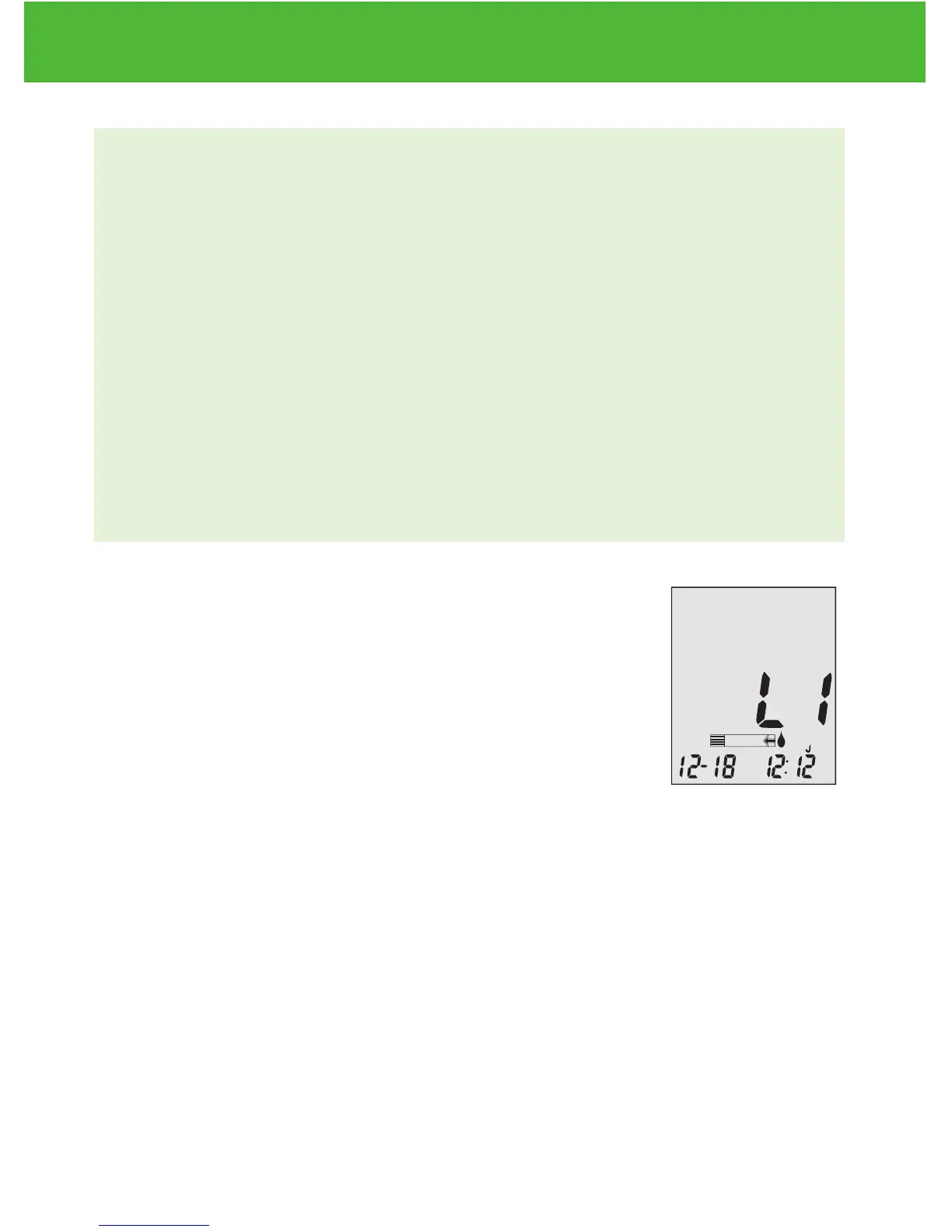
Wait until the flashing blood drop and arrow
icons appear on the meter display screen. The
meter will also announce, “Please apply blood
onto the test strip” if you have the voice feature
turned on. Press
▲
or
▼
to enter L1(LOW) control
solution testing.
Step 3:
ctl icon will appear next to the test strip icon and L1 will appear on the
meter display screen. The meter will also announce “L1 control solution
test, please apply control solution onto the test strip.” If you decide not
to do a control solution test, Press
▲
or
▼
until ctl disappears from the
meter display.
EvenCareG2
Control Solution Testing
26


 To Next Page