30 NexLog Recorder User Manual v2.2.0
To search instead by a relative time window:
1. Go to "Filter Query" as before, and click the Mode button. It will change
from "Date" to "Rel", for Relative mode.
2. Click the "Previous" down-arrow to select a timeframe ranging from the
present.
3. Enable "Update with Live Results" (the checkbox will turn yellow) to have
the query list continually and automatically update as new recordings
arrive. Or, disable it (the checkbox will be grey) to skip this feature.
4. Click "Go" to run the query.
3.1.2 Playback
The NexLog Front Panel can be used to playback recordings on the logger.
1. Click the Main Menu “e” button and choose Replay. This changes the
view to the Replay screen.
2. Search for recordings as described above
3. Click any row to begin playback of a single recording at a time.
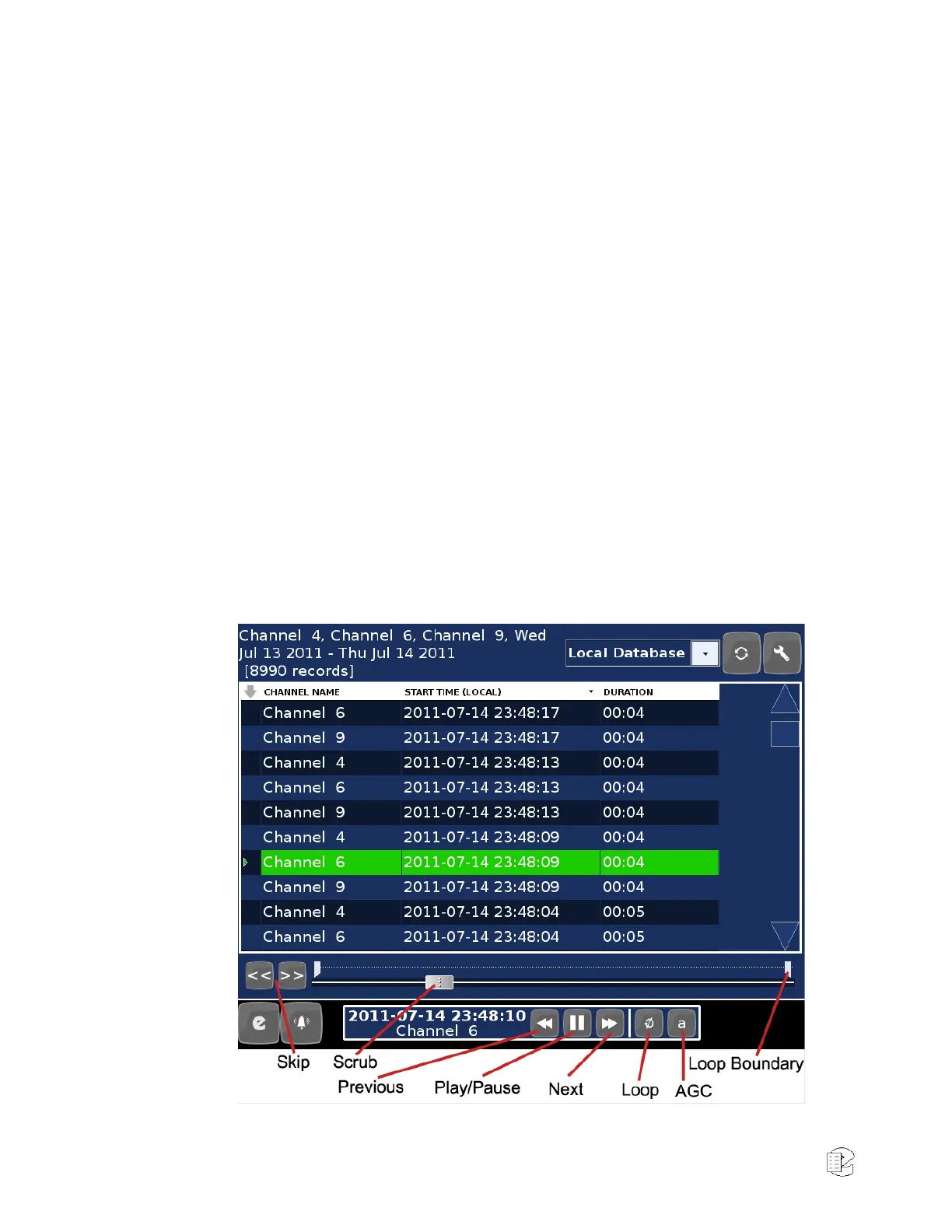
The buttons in the scrub control and “transport” at the bottom of the screen can
be used to control playback.
Figure 12—Replay Transport



 To Next Page