36 NexLog Recorder User Manual v2.2.0
3.3 Info Screen
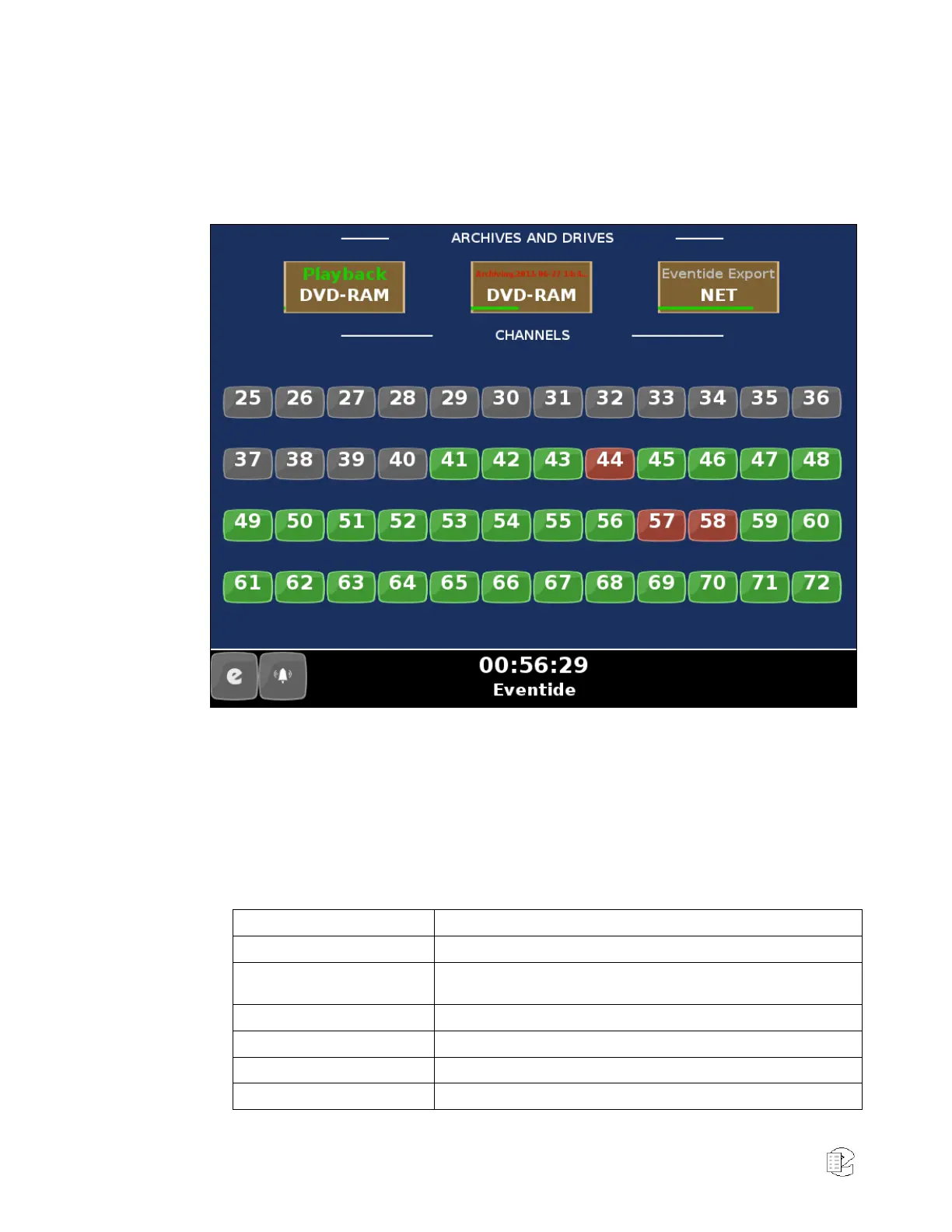
The INFO screen allows you to view and set parameters for your archiving tasks,
check individual channel status, and live monitor channel audio.
Figure 18—Info Screen
The top portion of the screen shows a summary status of your archiving drive or
drives. Each archive drive will have an individual status indicator that looks like
a brown rectangle with a white boarder. It displays the current status, the
archive drive type (DVD-RAM, USB, NAS, Removable Hard disk), and a green
line indicating the percentage full. Clicking or pressing on an archive drive will
pop up a box with more information and actions you can take regarding the
drive.
Table 4—INFO Screen Messages
A medium has been loaded and the recorder is scanning it to learn
its status.
A medium is being ejected.
An unformatted medium is inserted.
A formatted, blank medium is inserted.
Idle, Used Eventide Media
A medium with one or more recorded calls is inserted.



 To Next Page