38 NexLog Recorder User Manual v2.2.0
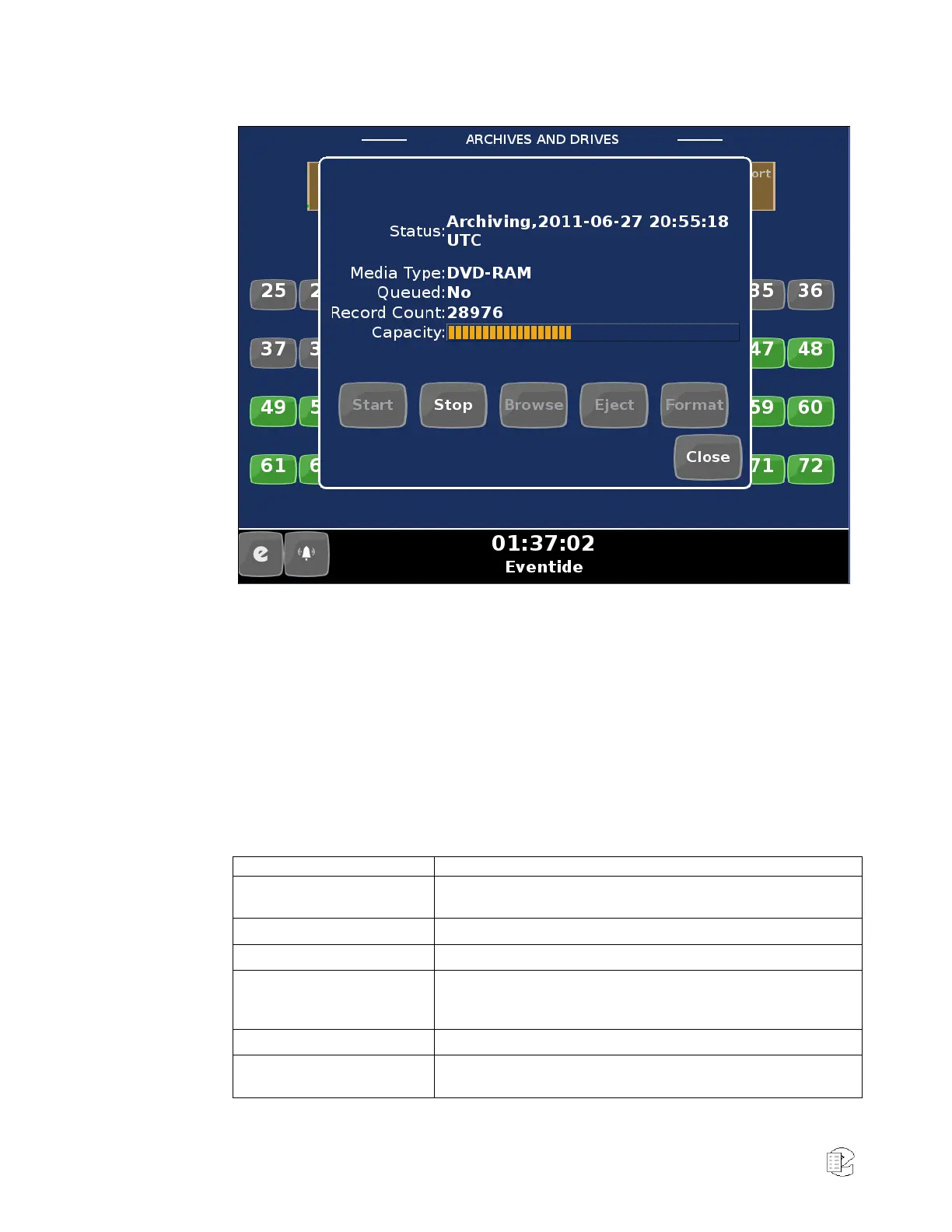
Figure 19—Archives and Drives Display
Touch any archive in Info Mode to display detailed information and control
basic archive behavior for the selected archive. All common archive
operations can be performed from this dialog. Touch “Start” or “Stop” to
initiate or pause archiving on the device. Touching “Browse” will activate the
archive, making it available for searching and playback in Replay Mode.
Touching “Eject” will remove the archive from the drive (if it is on a physical
drive, the media will be ejected; if it is a network attached archive, it will be
detached from the network). Touch “Format” to re-initialize the archive
media (WARNING: all data on the archive will be lost if you choose this
operation).
Table 5—Archive dialog information
Display the current archive status, including the availability for
continued archiving, or the current playback mode.
Displays the type of archive drive (DVD-RAM, USB, etc.)
Displays the type of archive media (DVD, network drive, etc.)
Indicates the position of the archive within the archive queue. If
another archive drive is filled to capacity, the next archive in the
queue is activated.
Displays the number of recordings on the archive, if available.
Gives a rough visual representation of the remaining space left on
the archive.



 To Next Page