50 NexLog Recorder User Manual v2.2.0
corresponding Configuration Manager page. Each page is designed to allow the
user to configure or view the status of an aspect of the recorder's configuration.
The categories and their contents are listed below. Following the list is detailed
description of each page.
4.3. SETUP: System
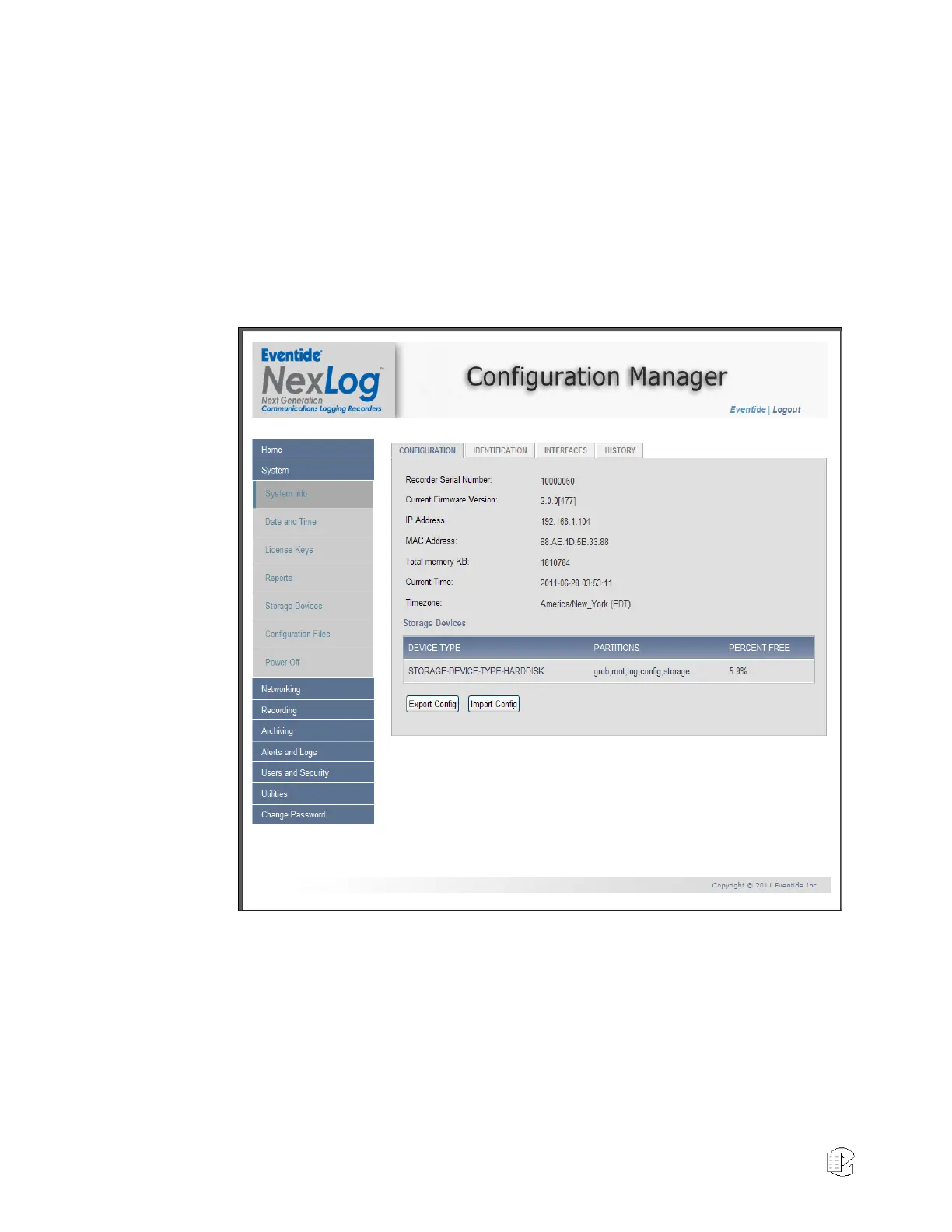
4.3.1. System Info
Figure 31—Web browser System Info
This screen has 4 tabs labeled CONFIGURATION, IDENTIFICATION,
INTERFACES, and HISTORY. Clicking on a tab header will activate that tab.
CONFIGURATION
Recorder Serial Number: Assigned by the Eventide factory to identify a
recorder.
Current Firmware Version: Software version and build number running on the
recorder.



 To Next Page