42 NexLog Recorder User Manual v2.2.0
Press Next to play the next audio recording, in descending sequence. Press
Previous to play the previous recording. Press Pause to pause playback for the
current recording.
Press the Looping icon to toggle looping of the call playback.
Press the AGC icon to enable AGC.
Searching for Recordings
By default, Replay Mode will display all available recordings across all channels
for the last 24 hours. In addition, channels are monitored for activity, and new
recordings will automatically appear in the results list. Perform more advanced
searches by selecting “Filter query” from the menu button at the top of the
display.
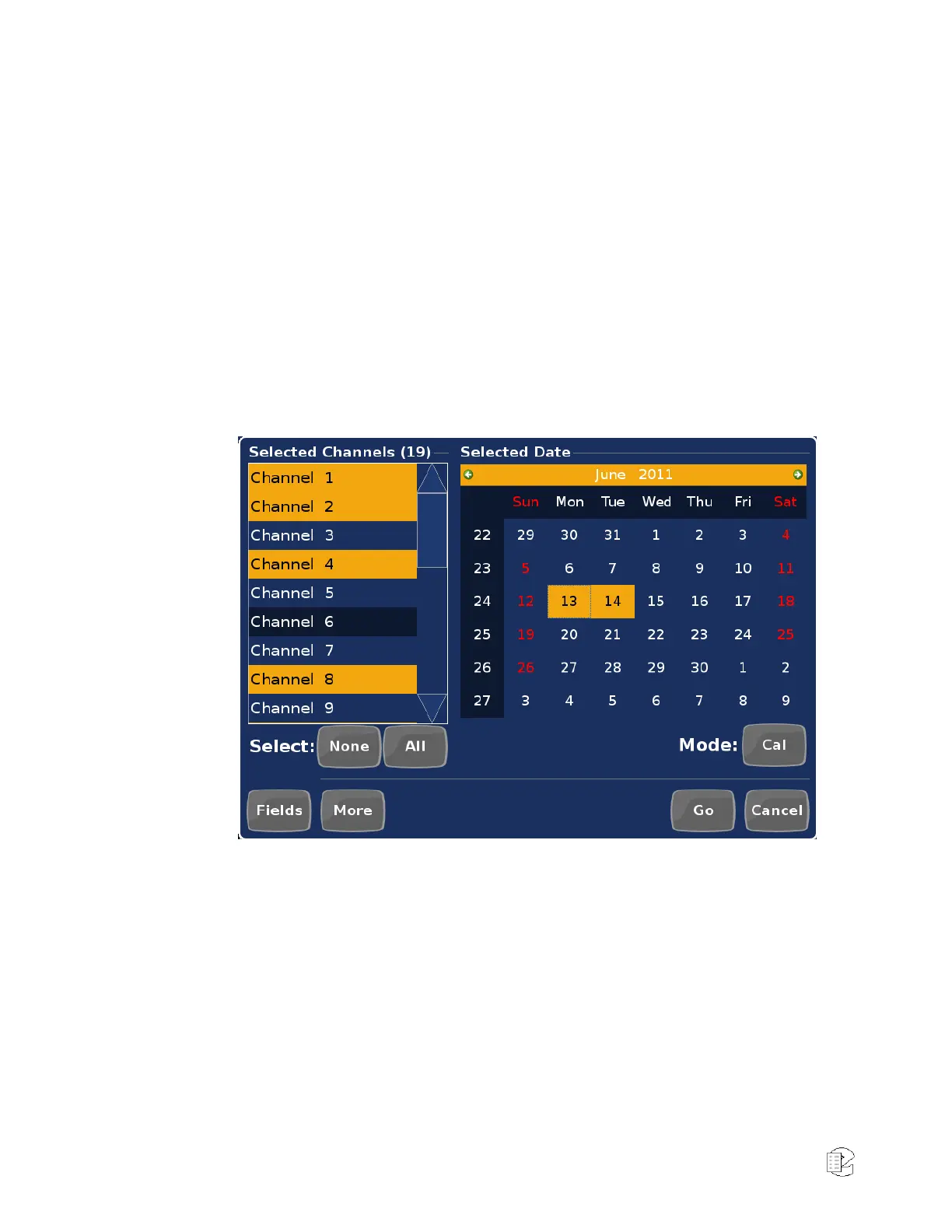
Figure 23—Calendar Mode Search
Use a combination of all available filters to refine your search to find exactly the
set of recordings you’re looking for. A basic query involves two parts: a channel
filter and a date filter. Touch “Fields” or “More” to limit queries further by
specifying other additional filter parameters.
To select the channels for the query, simply touch the desired channel name in
the “Selected Channels” list. To deselect a channel, touch it again. Shortcut
buttons for selecting “All” or “None” are located below the channel list. Only
channels for which you have permission to view are included in the list.
Select date filters for the query in one of three ways. Change the date selection
mode by pressing the “Mode” button repeatedly until you find a date selection
method which works best for the query you are attempting.



 To Next Page