66 NexLog Recorder User Manual v2.2.0
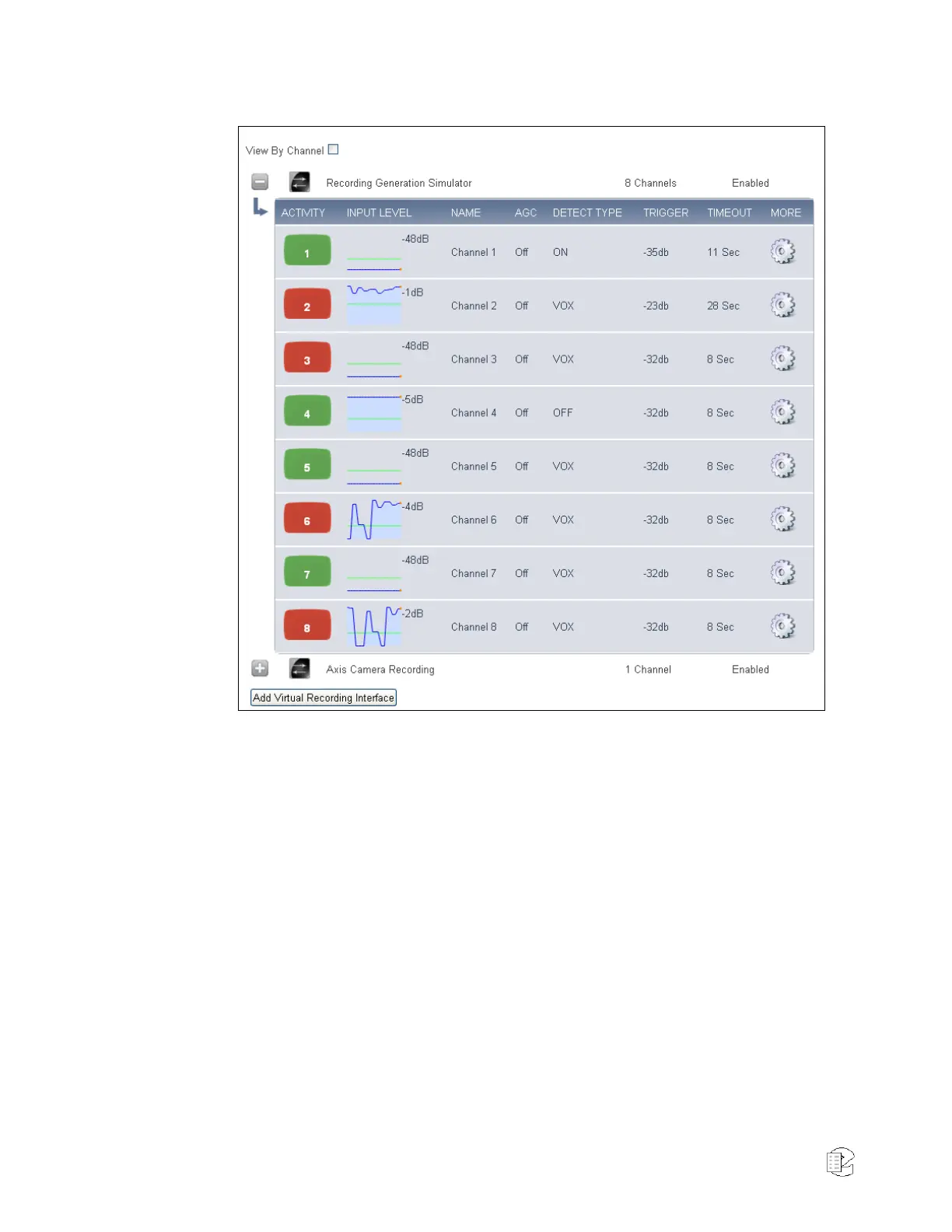
Figure 38—Boards and Channels page view by board
Navigation
With View By Channel disabled, the Boards Channel will show one Installed
Board Per row. The left most icon that looks like a Plus sign will expand the
board so that all of its channels can be viewed below it and the plus sign will
turn to a minus sign. Clicking that minus sign will "roll up" the channels into
the board. Clicking on the Boards row will bring you to the “Board
Configuration" page where board settings for the can be modified. The 'Edit
Board' page will be discussed in detail below. The next two columns display the
board type (e.g., Analog, or Voice over IP), and the number of channels on the
board. There will also be a column that tells if the board is enabled or disabled.
Boards that are disabled are not currently recording. For physical boards there
is an additional field that tells if a board is "Missing" or "Present". A Missing
board is one that was previously in the system, but has been removed. The
board configuration and all configuration settings for it remain in the database.
To remove the configuration settings and board entry for the missing board, you
can delete the board from the 'Edit Board' page.



 To Next Page