84 NexLog Recorder User Manual v2.2.0
Deleting a Resource Group
You can delete resources from a group in two ways:
Select the Group in the left column, and click the X button between the
columns.
Right-Click on the group and select Delete Group from the pop up menu.
In both cases, you will be prompted to be sure that you really want to delete the
group.
User Groups and Default Resource Groups
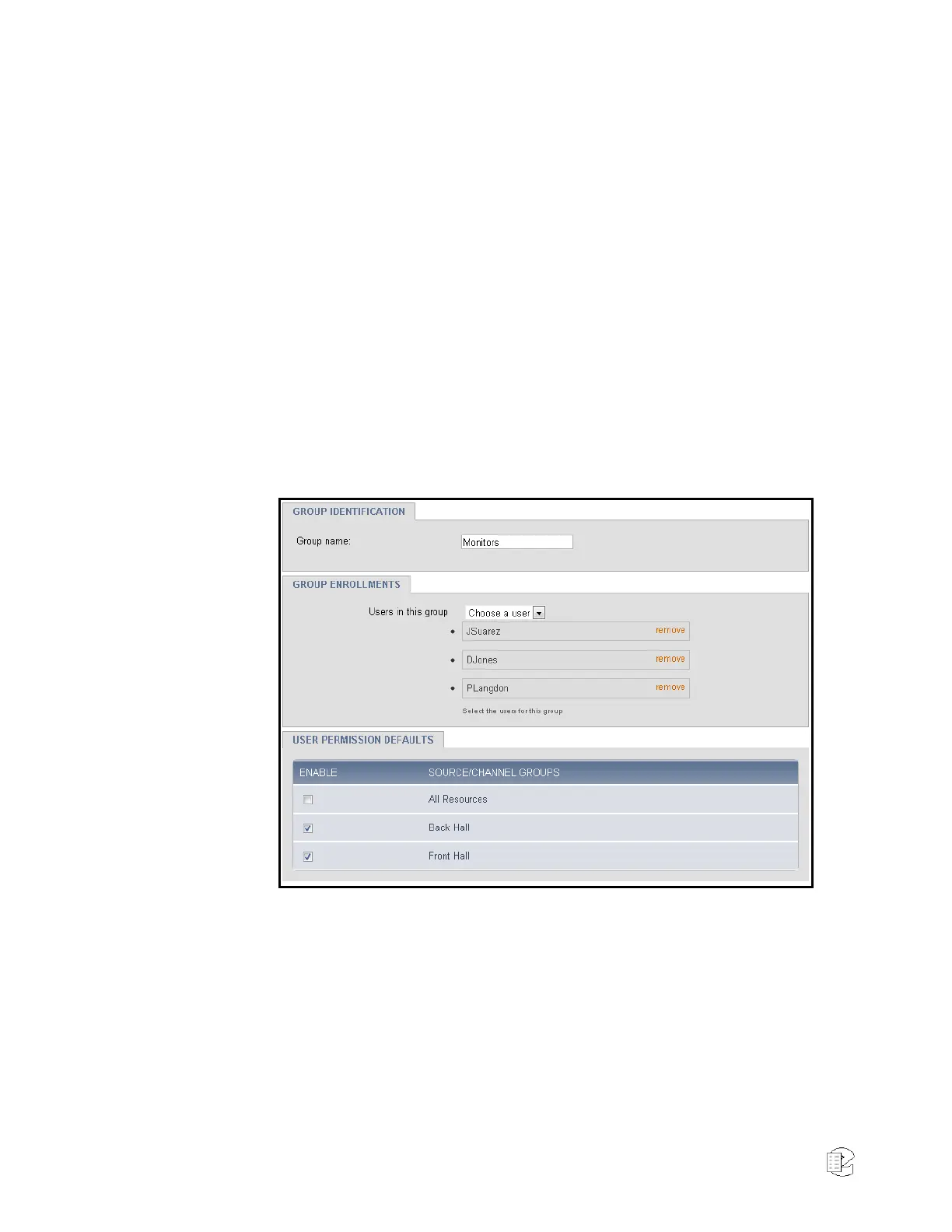
Resource Groups integrates with User Groups, in that a User Group can be
configured to have User Permission Defaults. These defaults are a template
rather than an active rule set. Defaults are granted to users when they are
added to the group, but if the group’s defaults are updated, the changes are not
applied to the current members of the group.
Figure 49—User Group Edit
Following the behavior of previous NexLog versions the Browse, Exporter,
Researcher and Monitor groups by default have All Resources as a Default
Permission. Unless configured otherwise, all users in those groups will have
access to all local resources on the recorder.
User Specific Resource Permissions
In addition to permissions granted by a Resource Group with Permission Rules
including them, a User can be configured to have specific resource permissions.
A user may need to be given permissions to fewer resources than are granted by



 To Next Page