User Guide System Mode
37
flashing (if it’s not, press the Left Footswitch to select this field) showing this to be
the selected field for editing.
To assign the switches, first select the parameter or function (the
destination) that you want to externally control (Intensity for example) and then
select the Aux Switch that you want to control it with (the source).
The default settings for the Aux Switches are:
TIP - BYPASS
RING - HOTSW
TIP+RING - TAP
To Setup Parameter Destinations
Turn the Encoder knob to select an external control destination. Destinations
include the parameters and functions that can be controlled by one of the
Aux Switches. The choices are:
BYPASS – Toggle Bypass/Active. (Bypass type selected in BYPASS)
PRE+ – Increment Preset number switch function.
PRE - – Decrement Preset number switch function.
TAP – Tap tempo switch function.
HOTSW – Toggle or enable the HotSwitch function
PLY/PRE – Toggle between Play and Preset Mode.
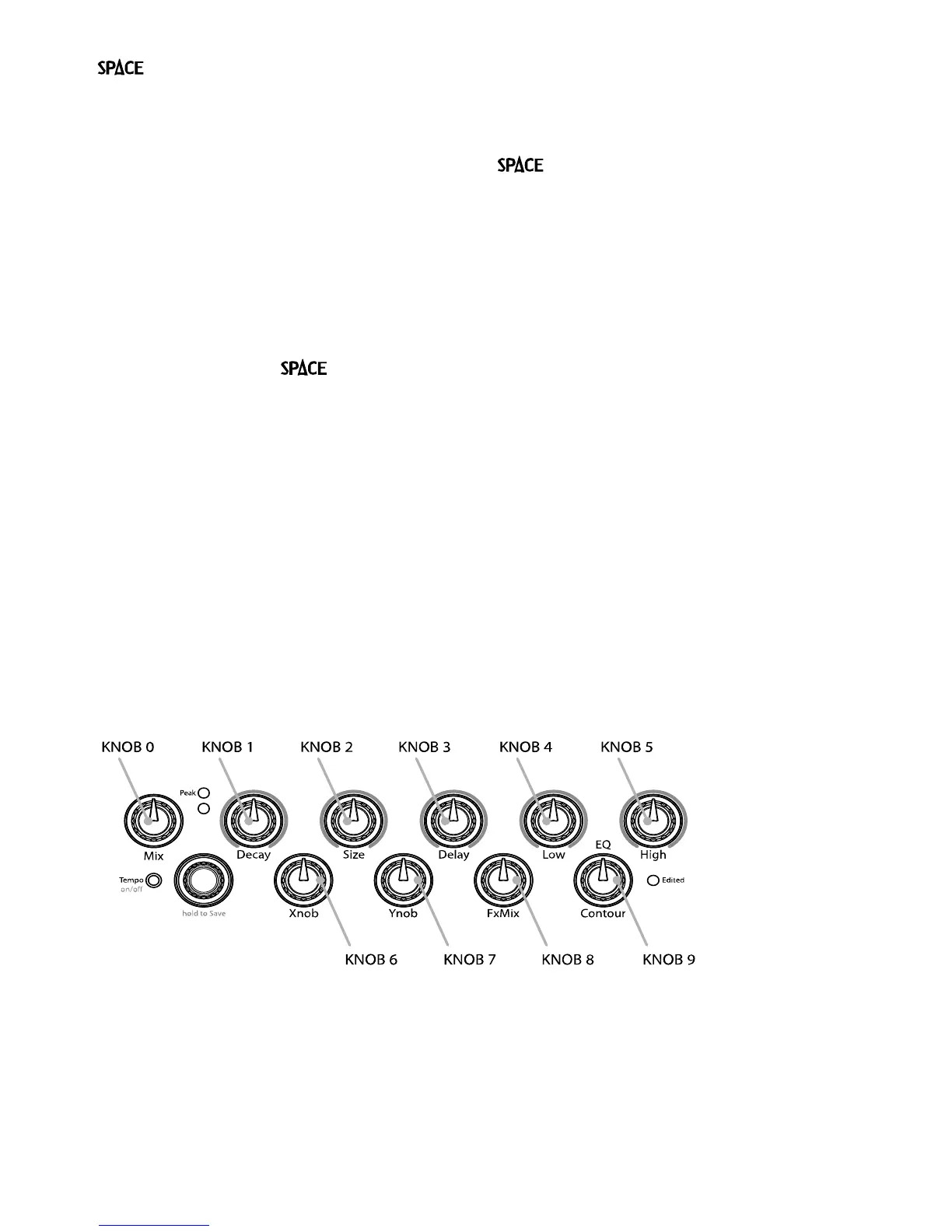
KNOB0…9 – Because of the limited characters in the Billboard display, the
Parameter Control Knob names cannot be meaningfully displayed. Instead, for
display purposes, we’ve numbered the knobs from 0 to 9 as indicated below.
FS1 – Left Footswitch in alternate mode (i.e., if in PLAY, operates in PRESET)
FS2 – Middle Footswitch in alternate mode
FS3 – Right Footswitch in alternate mode
PEDAL – Expression pedal
The notion of using an On/Off control source like an Aux Switch to control a variable
parameter needs some explanation. Consider a variable parameter like Intensity.
After you’ve selected a Parameter Control Knob, you can set two values for the parameter; a
minimum value [MIN VAL] and a maximum value [MAX VAL]. Each time the assigned switch
is pressed, the parameter value instantly toggles between the minimum and maximum value.



 To Next Page