EVERFOCUS ELECTRONICS CORPORATION
¾ e
ange this, simply use the arrow keys on the DVR which also
represent the CH1, CH2, CH3 and CH4 keys (These are the top four left
¾ P
RS232/RS485 ID: This entry is used to assign each device its own ID cod
if more than one unit is used through the RS232/RS485 connection. The
ID codes are available for the DVR: from 001 to 200. The default is set to
001. To ch
buttons). Use the up and down arrow keys to make your selection.
lease Note: Settings for remote keyboards :
RS-485 baud rate: 9600, Stop bit: 1, Parity: none, ID range: 1~200.
: Press or to move the cursor to the left or right.
: Press or to change the value.
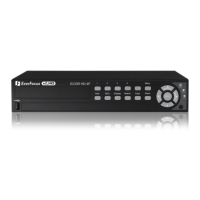
These keys are located at the top left row of keys (same keys
as channel 1-4).




 To Next Page