EVERFOCUS ELECTRONICS CORPORATION
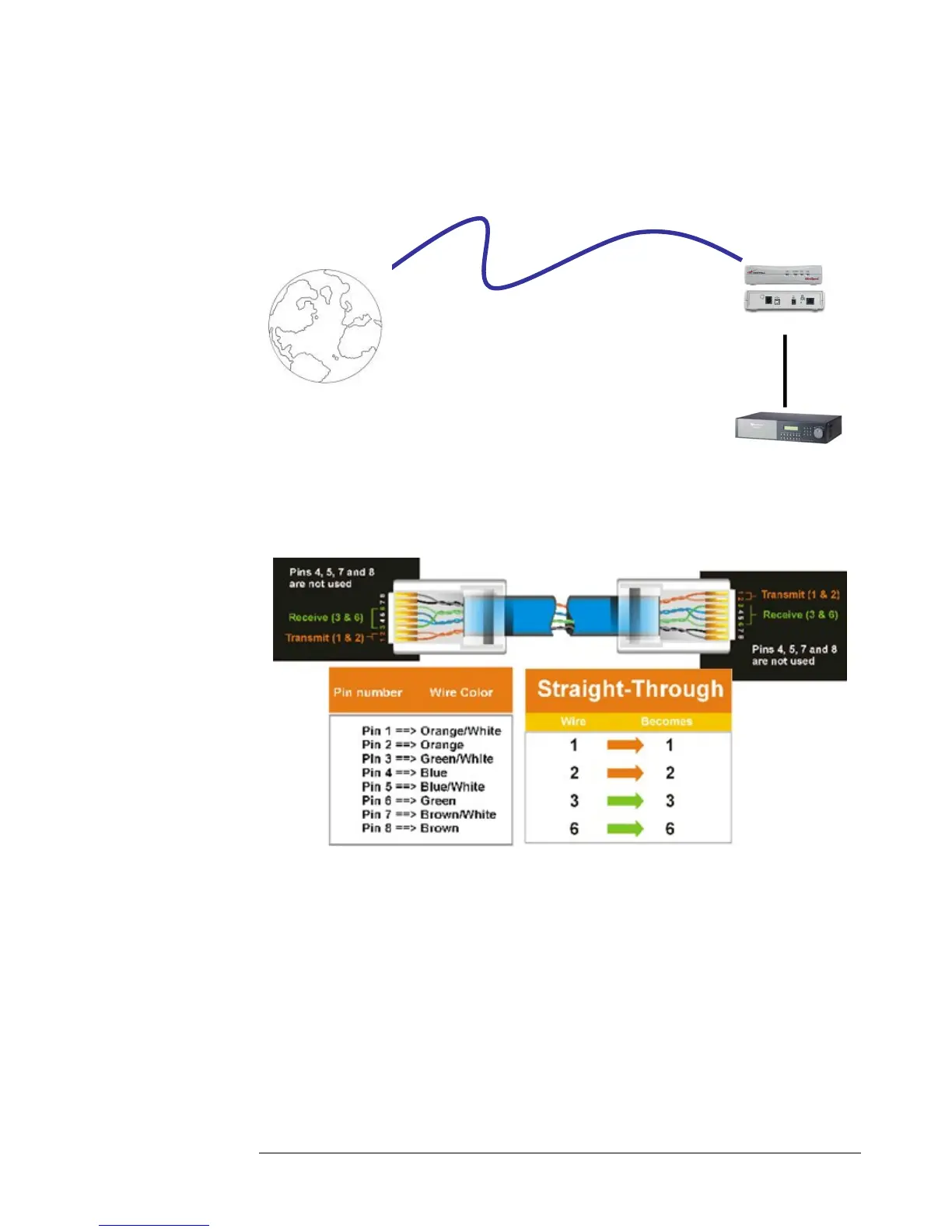
Direct High Speed Modem Connection
Straight Through Ethernet Cable Pin outs:
The Diagram below shows the pin configurations for a straight cable.
Hi-speed modem
DVR
Cat 5
Straight Through Cable
Internet
Diagram 32
Connection Procedure:
¾ The First step is to purchase or make a straight through cable. We
recommend purchasing one if you have never made a straight through
cable. Please remember you can not use a cross over network cable for this
application
¾ Once you have a straight through cable plug one end into the LAN port
on the back of the recorder and the other into the high speed modem.














 To Next Page