EVERFOCUS ELECTRONICS CORPORATION
Network Setting Menu
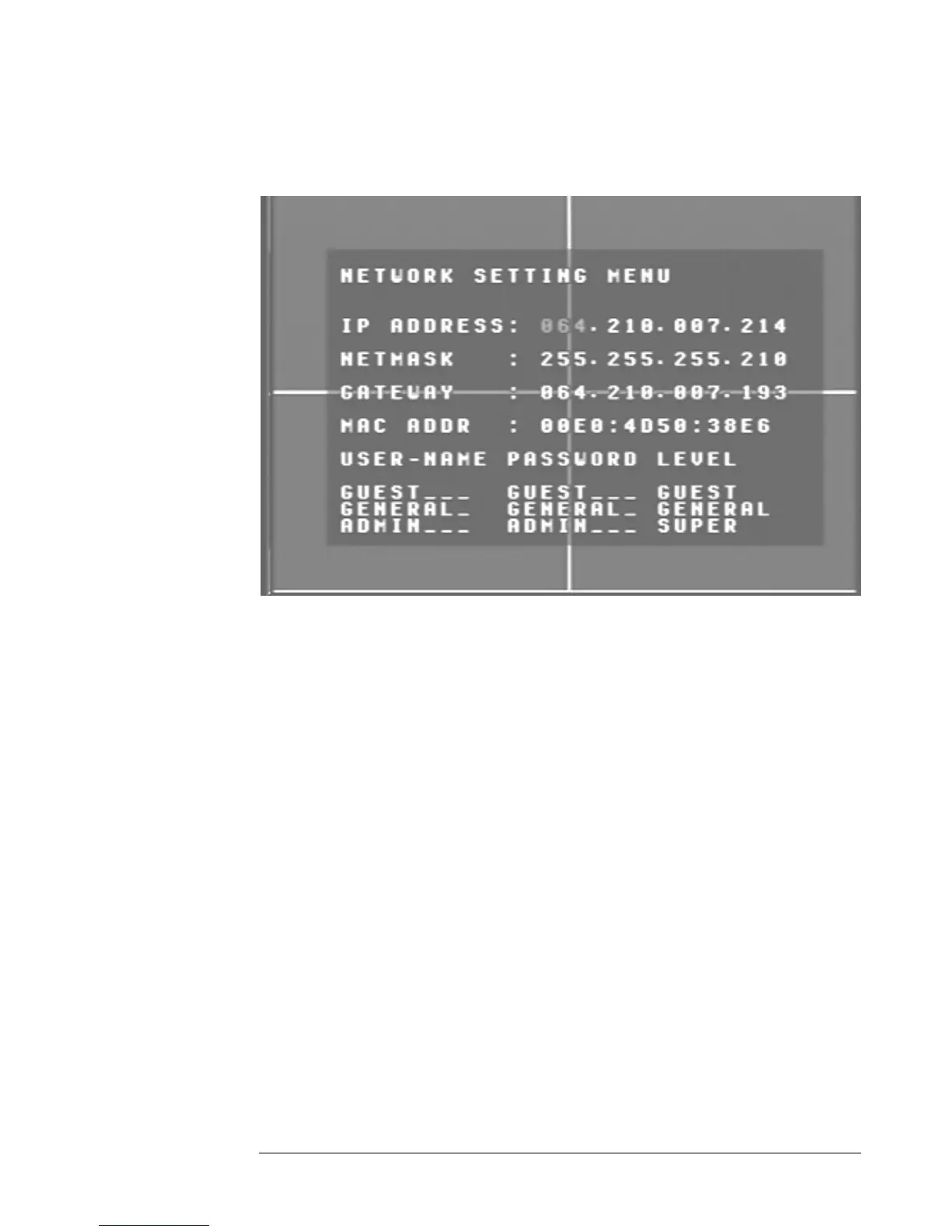
Diagram 10
iagram ten is a screen shot of the Network Setting Menu. This menu is for setting up
e configuration for networking to the DVR. Please refer to the Networking Chapter
f this manual to fully understand how to setup your network for this DVR. In the
etwork Setting Menu the following fields are defined as follows:
¾ IP Address: This field is to set a static IP Address for the DVR. A static IP
address is an IP address whose value does not change. EverFocus suggest
using a static IP address. If your Internet provider does not offer a static IP
address you have the option to use a dynamic IP address. For Example: A
Test IP address given to the machine by our engineers is 192.168.010.010.
Please Note: The Addresses in the machine are for our own testing
you must apply your own addresses to comply with your network.
Refer to Networking Chapter for more details.
To change this, simply use the arrow keys on the DVR which also
represent the CH1, CH
buttons). Use the up an lection.
D
th
o
N
2, CH3 and CH4 keys (These are the top four left
d down arrow keys to make your se
28





 To Next Page