EVERFOCUS ELECTRONICS CORPORATION
¾ Once you have a straight through ca
on the back of the recorder and the
ble plug one end into the LAN port
other into the router.
¾
If you have a Linksys Router:
Assign an IP address of 192.168.001.050 to the DV
of 255.255.255.000, and a default gateway of 192.168.001.001.
have a D-Link Router:
Assign an IP address of 192.168.0
, and a defa teway of 192.168.000.0
If you have a pre-existing LAN:
g:
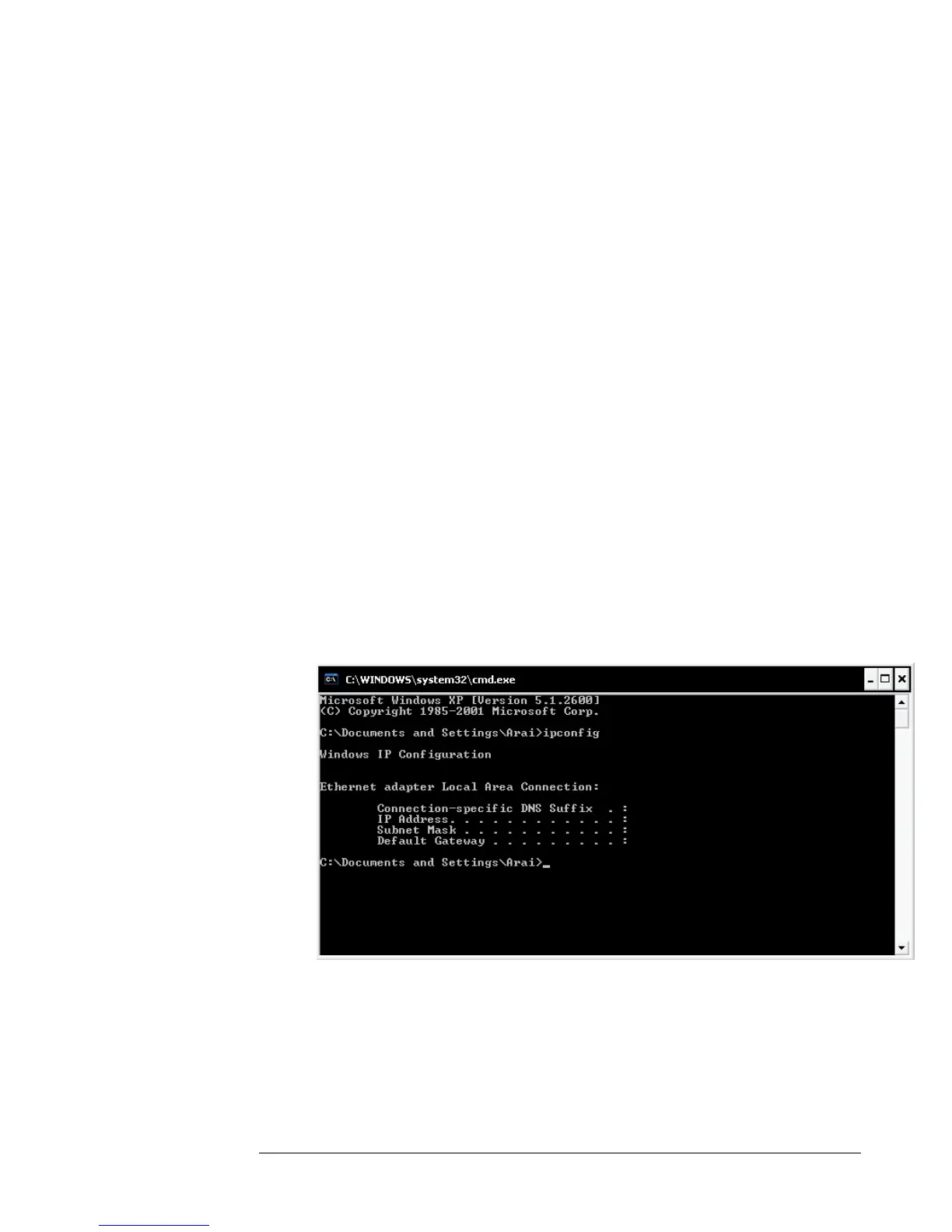
o Go to Start, then Run and type cmd and click on OK.
Then hit enter, type ipconfig and press enter this will give you the
information you will need.
Now Log into the Everfocus DVR menu and using the jog dial from the
previous chapter go to the Network Setting Menu. (See page 28 for more
instructions)
¾
R, a Subnet mask
If you
00.050 to the DVR, a Subnet mask
of 255.255.255.000 ult ga 01.
Go to a Computer on the pre-existing network and do the followin
Use the prior step to assign an IP address. For example, if you got the
IP address from the computer of 192.168.002.101. Assign the DVR’s
IP address as 192.168.002.050. Now Copy the subnet mask and default
gateway information you got from the prior step off the computer to
the DVR.














 To Next Page