EVERFOCUS ELECTRONICS CORPORATION
DVR 3333 to 3333 Both 192.168.1.50 Enable
DVR 4444 to 4444 Both 192.168.1.50 Enable
DVR 6666 to 6666 Both 192.168.1.50 Enable
¾ The next step is to open ports within your router. Open virtual ports in
the router.
o EDSR Ports to open: 80, 1111, 2222, 3333, 4444, 6666
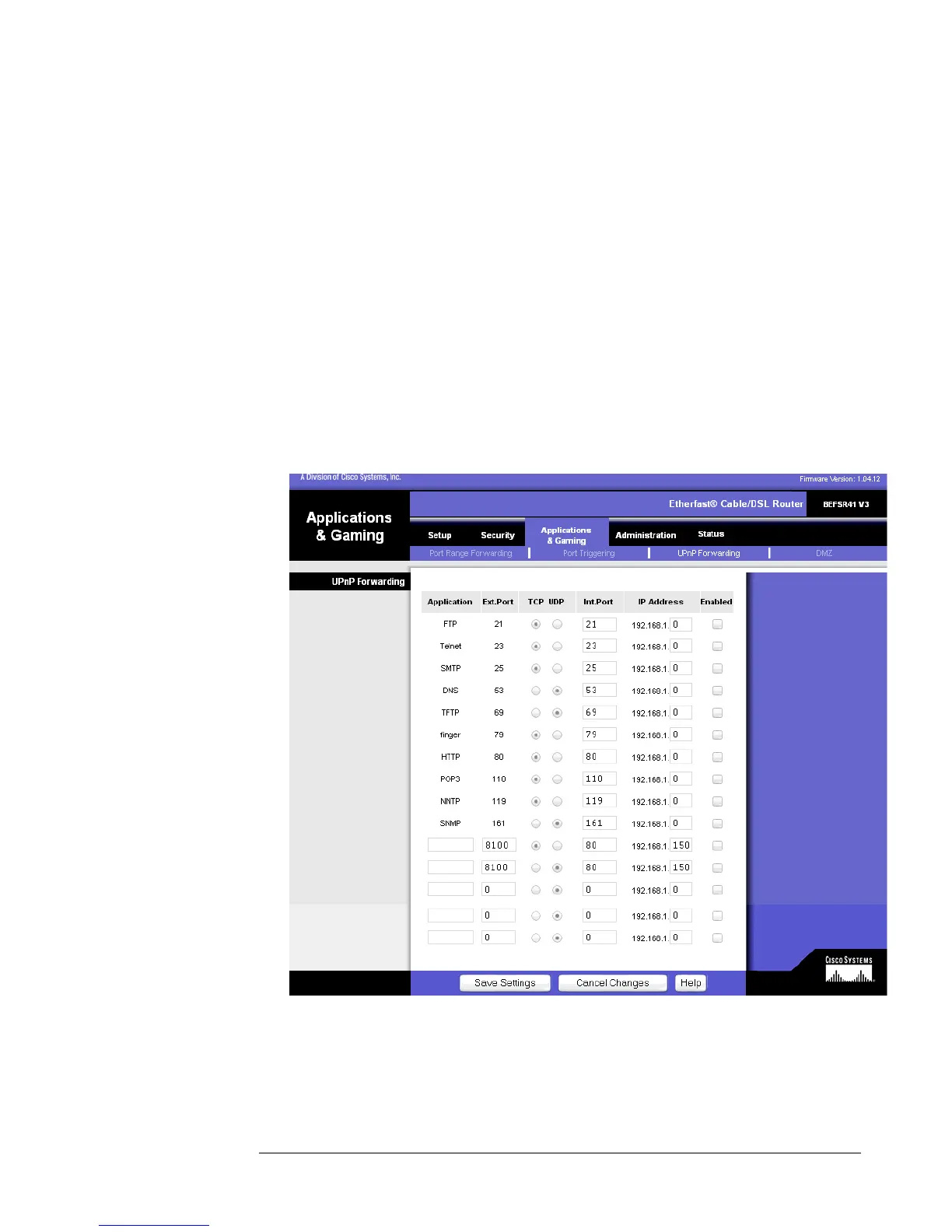
¾ If your Internet Service Provider Blocks port 80. Simply do the following:
Clicking the UPnP Forwarding button on the Port Range Forwarding tab
will display the UPnP Forwarding tab. The UPnP Forwarding tab displays
preset application settings as well as options for customization of port services
for other applications.
To add a server using UPnP Forwarding:





 To Next Page