EVERFOCUS ELECTRONICS CORPORATION
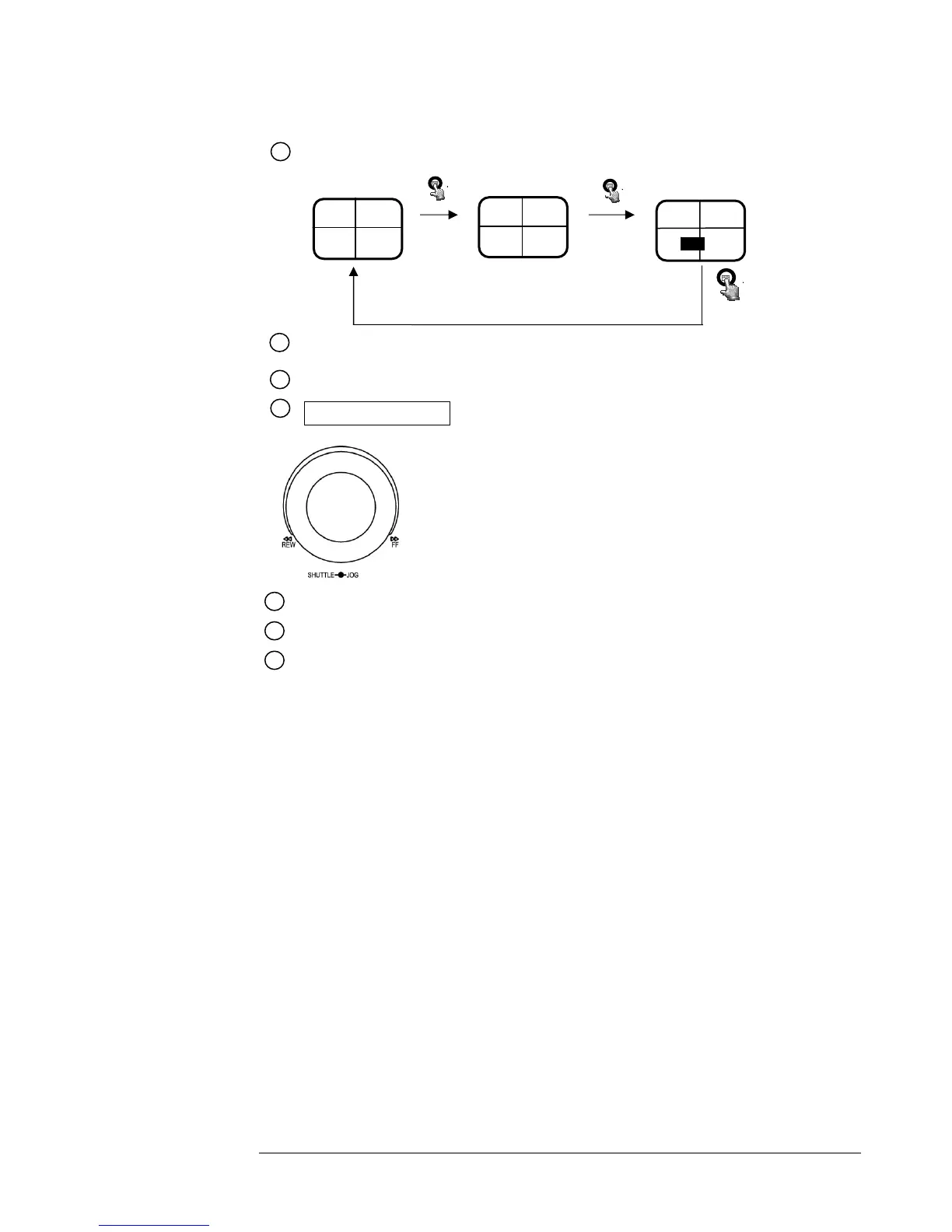
Display: Pressing this key once will turn the display on. Pressing it a second time will give you
Hard Disk Drive statistics.
16
Display OFF
Display Date/Time and Titles
Shuttle and Jog Dia
Shuttle : In Playback mode, turn the shuttle dial can fast
forward/rewind the picture.
In Pause mode, turn the shuttle dial can slow forward/rewind
the picture.
Jog Dial :
19
In Pause mode, turn the jog dial can forward/rewind the
Picture.
In Menu mode turn the jog dial to change setting Menu
page.
17
18
20
21
22
Compact Flash Card Slot: Insert a Compact Flash Card.
Hard Disk Tray: Hard Disk holder for HDD.
LEDs: LEDs for system active power ,LAN and ALARM access.
Remote Control: IR Remote receiver
HDD KEY: Turning this key to the lock position will activate the Hard Drive for recording
and keep it securely locked into the DVR.
2003/04/22
10:41:00
Disk:120 GB(0)
CH1 CH2
CH3 CH4
CH1 CH2
CH3 CH4
2003/04/22
10:42:00
LIVE: 60IPS
DISK:80G














 To Next Page