Customer Service 1-888-707-1880
Or email customerservice@dyaco.ca 17 Dyaco Canada Inc.©2021
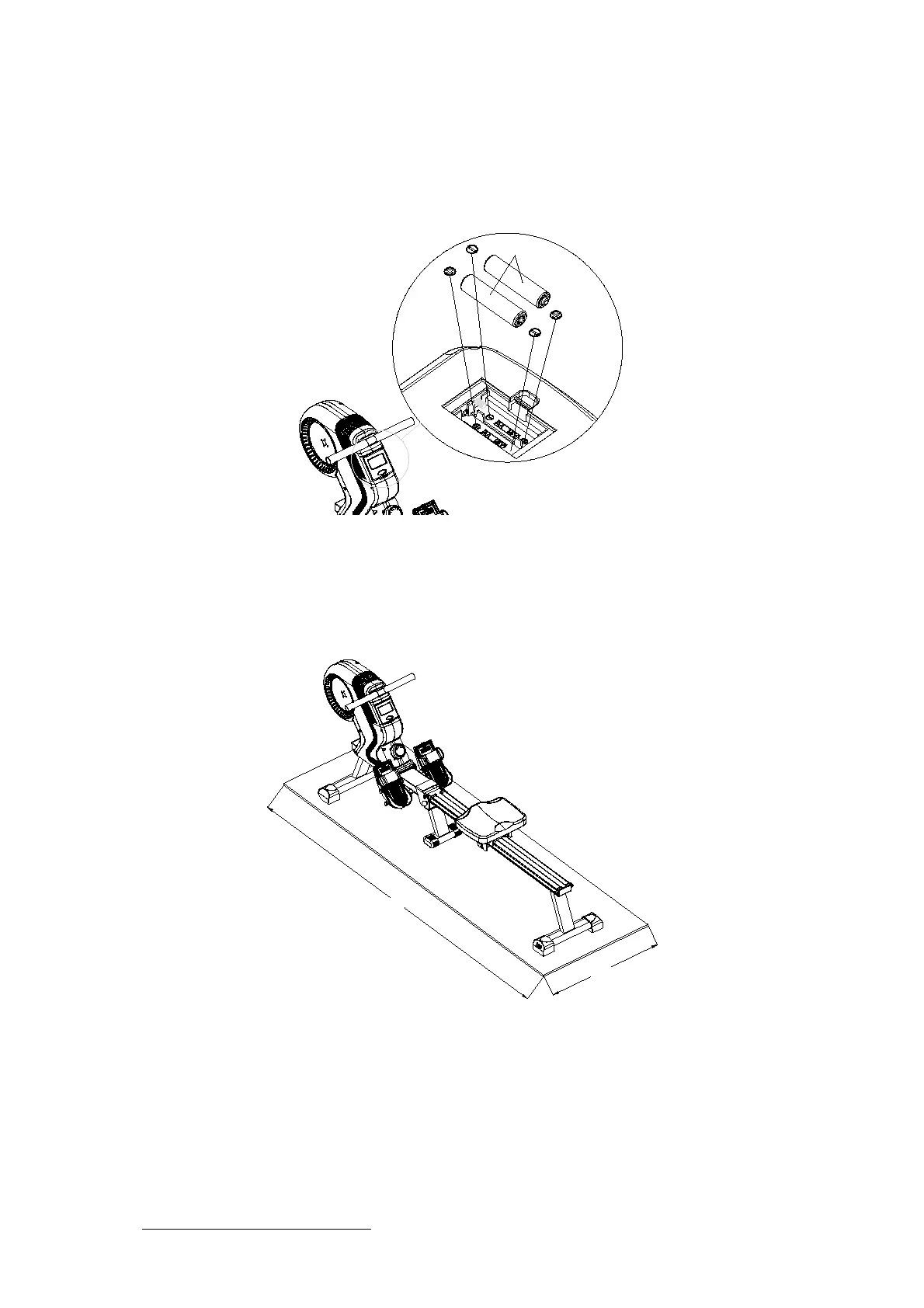
HOW TO INSTALL AND REPLACE BATTERIES
1. Open the Battery Door on the back of the monitor.
2. The monitor operates with two AA batteries; the batteries are not included. Refer to the
illustration to install or replace the batteries.
3. Do not mix a new battery with an old battery.
4. Use the same type of battery. Do not mix an alkaline battery with another type of battery.
5. Rechargeable batteries are not recommended
$$%DWWHULHV
SET UP INSTRUCTIONS
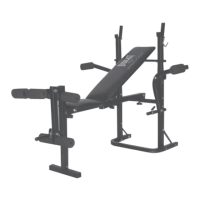
Place the Everlast rower in the area where it will be used. It is recommended that the Everlast
rower be placed on an equipment mat. The Everlast rower is approximately 80 inches long x 20
inches wide x 30 inches tall. (These dimensions may vary up to one inch.) An area 4 feet wide x
8.5 feet long is required for safe operation of the Everlast rower. Make sure that adequate
space is available for access to and passage around the Everlast rower.
2feet
8feet
FUNCTION INSPECTION:
Visually inspect the Everlast rower to verify that assembly is as shown in the illustration below.
Check the function of the Everlast rower by pulling the handlebar w/rope (5) slowly through one
complete revolution to verify that the drive train functions properly. Adjust the TENSION KNOB
(30) and verify that it functions properly.
CAUTION: Locate and read the CAUTION LABEL on Everlast rower. Make sure that all users
read the CAUTION LABEL before using the product.



 To Next Page