7700FR/7800FR MultiFrame
7800TR-32x24 Modular Tally Router
Revision 1.2 Page - 7
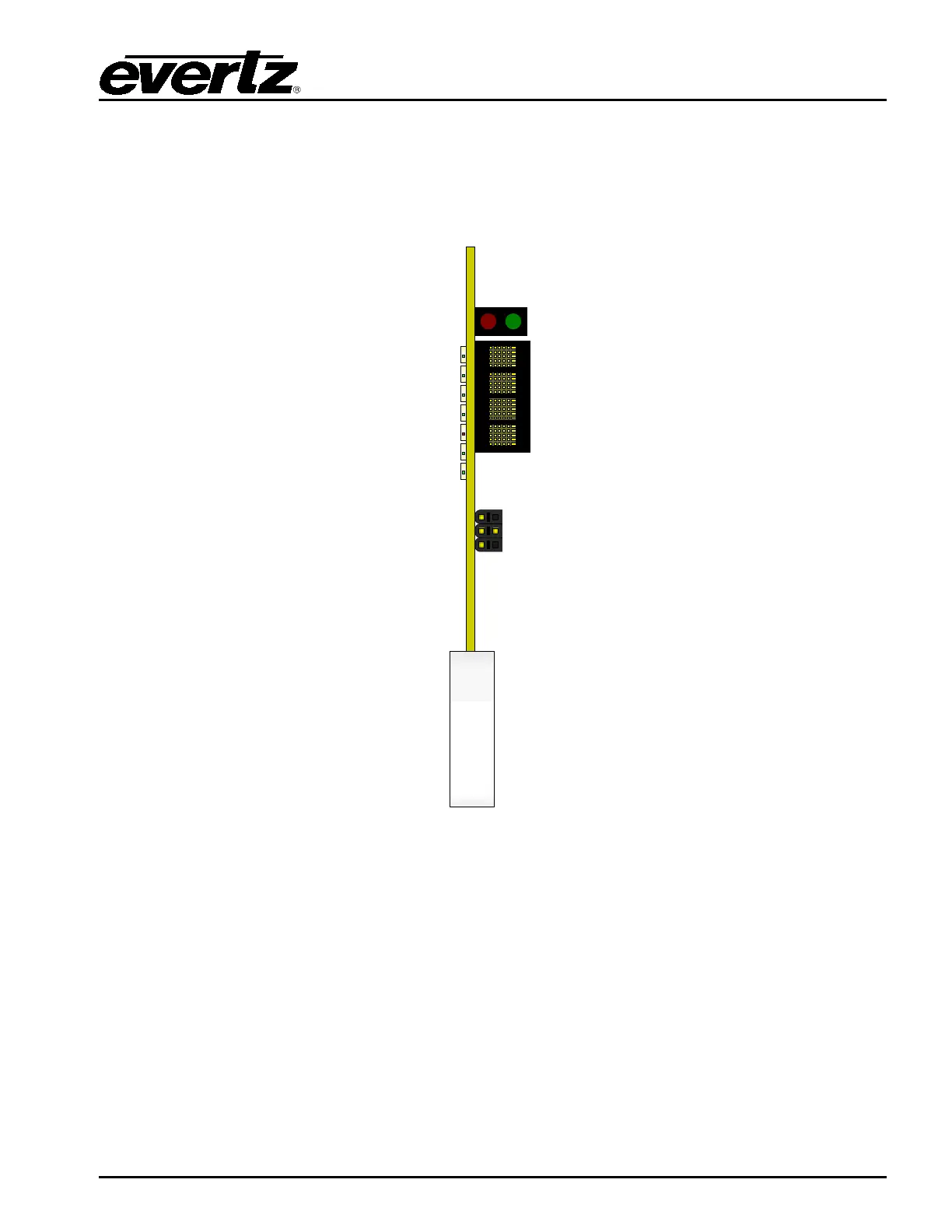
3.3 CARD EDGE
The front card edge of the module can be accessed by opening the frame door. There are several
diagnostic LEDs and a card edge serial port connection. This serial port is used to set the initial
configuration of the card and can also be used for debugging.
7800TR-
32x24
Frame Status LEDs
LED Display
J8 -
Serial Port
LD6 -
Ethernet
LD
7 – Power Good
LD10 – FPGA Done
LD
5 – Always Off
LD
4 –
Always Off
LD
3
– Always Off
LD2
– Always Off
Figure 3-2: Card Edge LEDs and Serial Port
3.3.1 LED Indicators
Most of the small LED indicators are currently reserved for factory use.
LD7 indicates the power status of the card. This LED should always be illuminated Green. If it is off,
this indicates a problem with the power supply of the card.
LD10 should always be off during normal operation. If this LED is Red, this indicates that the card is
not booting properly.
LD6 will illuminate Green where there is no Ethernet link. It should be off under normal operation.


 To Next Page