7700FR/7800FR MultiFrame
7800TR-32x24 Modular Tally Router
Revision 1.2 Page - 25
4.3.2 Configuring the GPI
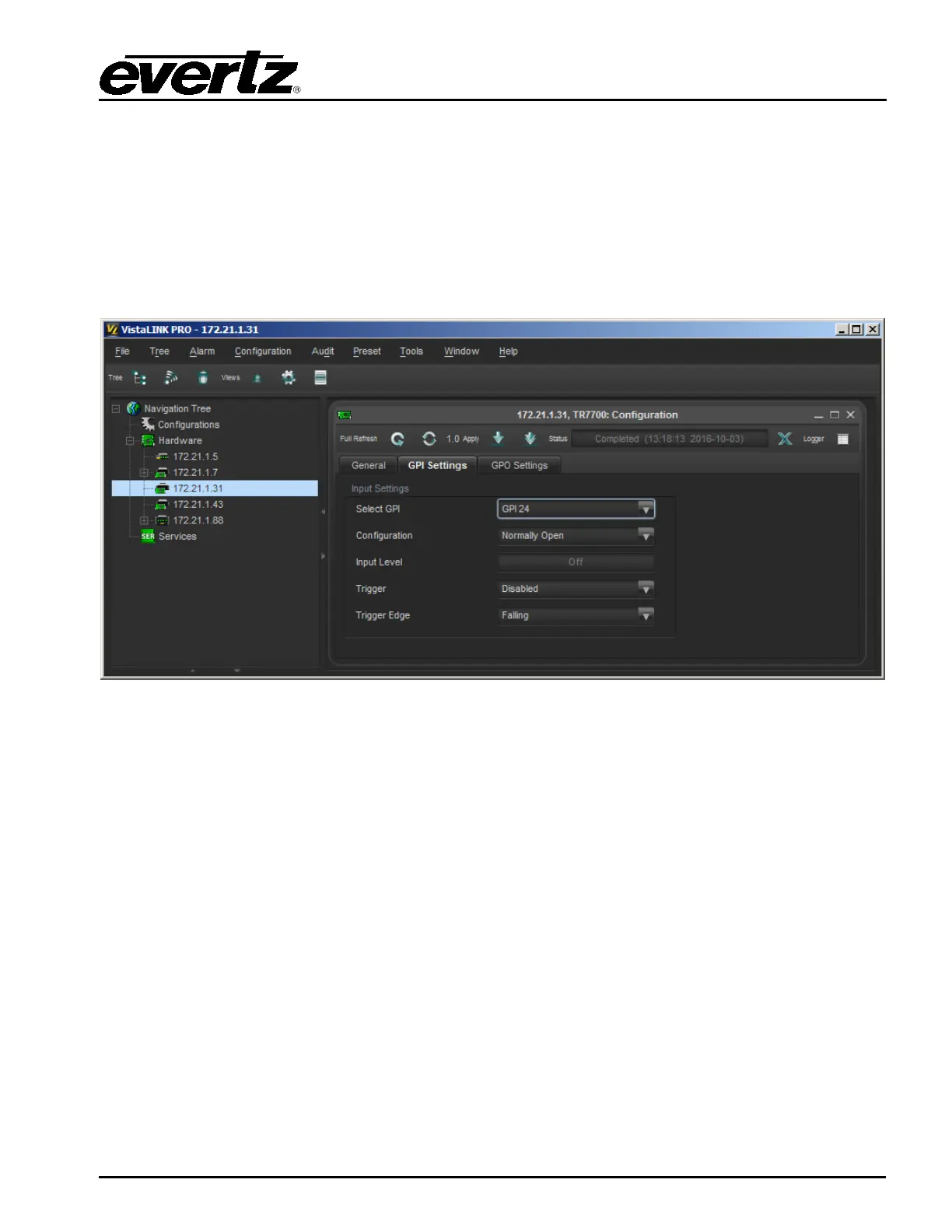
There are a total of 24 GPIs on the rear plate of the unit that are configured in the “GPI Settings” tab.
The GPI to be configured (1-24) is first select the “Select GPI” control. Once the GPI is selected, any
changes below will be applied to that GPI only. There are 2 controls that are used to configure the GPI:
1. A GPI may be put into “Edge Trigger” mode with the “Trigger” control.
2. When a GPI has edge triggering enabled, the “Trigger Edge” control selects which transition
the GPI will toggle its state upon.
3. The “Input Level” displays the current state of the selected GPI.
Figure 4-3: VistaLINK Pro GPI Settings Tab
4.3.3 Configuring the GPO
There are a total of 32 GPOs on the rear plate of the unit that are configured in the “Rear GPO
Settings” tab. The GPO to be configured (1-32) is first select the “Select GPO” control. Once the GPO
is selected, any changes below will affect that GPO only. There are 4 controls that are used to
configure the GPO:
1. The “Relay State” control can be used to manually turn the GPO On or Off.
2. A GPO may be put into “Pulse” mode with the “Pulse” control.
3. When a GPO has pulse mode enabled, the “Pulse Width” control selects how long the GPO will
turn On before turning back Off again. Note that all the GPO on a connector share the same
pulse width setting.
4. The “Output Busy” will indicate the GPO is busy if it is in the middle of a pulse in “Pulse” mode.


 To Next Page