7700FR/7800FR MultiFrame
7800TR-32x24 Modular Tally Router
Revision 1.2 Page - 23
4.2.2 Applying a JAR update VistaLINK® Pro
To update the VistaLINK® Pro software with a new JAR file, activate the “Help” menu then select the
“Apply Update” menu item. In the next pop-up menu, choose the “Product…” menu item. Browse to the
folder containing the JAR update and select the “VLProProd_7700TR.jar” file.
Once the file JAR file has been opened, a message will appear stating that the VistaLINK® Pro
software must be restarted before the update can be applied. The restart can be performed at any
convenient time by closing and re-opening the application. Note that when the server is restarted it will
force any clients that are currently connected to terminate.
4.2.3 Opening the Configuration View for the 7800TR-32X24 in VistaLI NK® Pro
When the VistaLINK® Pro software has been updated with the latest JAR, the client should
automatically detect any 7800TR-32X24 units connected to the network during the next discovery.
Open the “Tree” menu and select “Refresh” to perform a network discovery immediately. Discovered
devices are displayed on the left side of the screen in the Navigation Tree under the Hardware node. If
the navigation tree is not visible, check that it has not been hidden by opening the “Tree” menu and
selecting “Hide/Show Tree”. If the hardware node is not visible, check that it is enabled in the “Tree”
menu under “Properties”. The 7800TR-32X24 should show up as a 1RU network graphic, listed by its
IP address. The network tree entry for the 7800TR-32X24 can be renamed to any helpful description
by choosing the “Update Description” menu item.
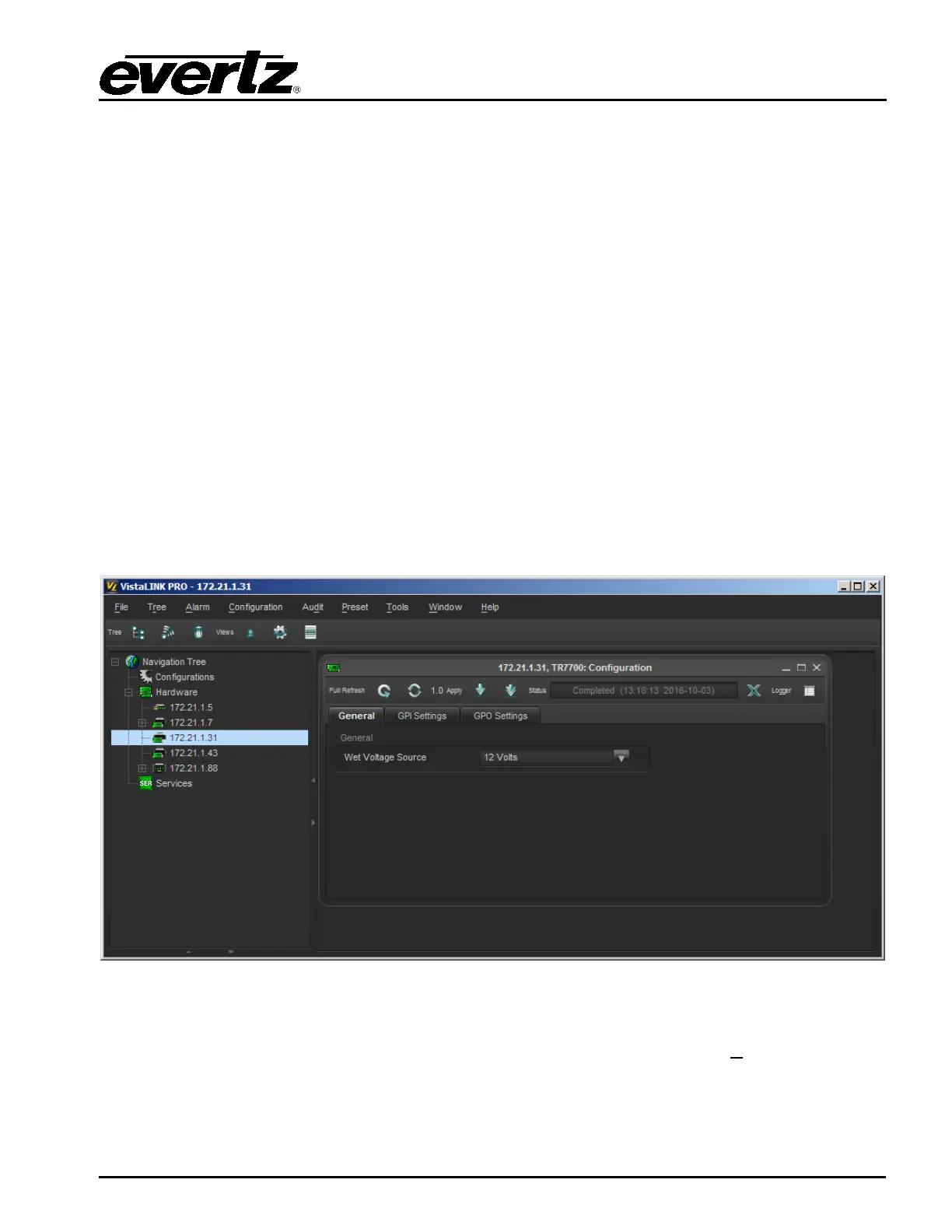
Figure 4-2: VistaLINK® Pro Configuration View
The configuration view is used to graphically configure and monitor the 7800TR-32X24. It can be
accessed by right-clicking on the device in the navigation tree and selecting “View C
onfiguration”. The
configuration view will appear and automatically load all settings from the tally router. The refresh
operation may take a few seconds, depending on network traffic conditions.


 To Next Page