95
ENGINE MANAGEMENT MODULE (EMM)
DIAGNOSTIC SOFTWARE FUNCTIONS
5
DIAGNOSTIC
SOFTWARE FUNCTIONS
The EMM stores valuable information about the
outboard and its running history. This information
can be used for troubleshooting, for checking
parts information, and for making adjustments to
the system.
Use Evinrude Diagnostics software, P/N 764642,
and a laptop computer to access program infor-
mation.
IMPORTANT: For software help, refer to the
“Help” menu in the software.
Communication
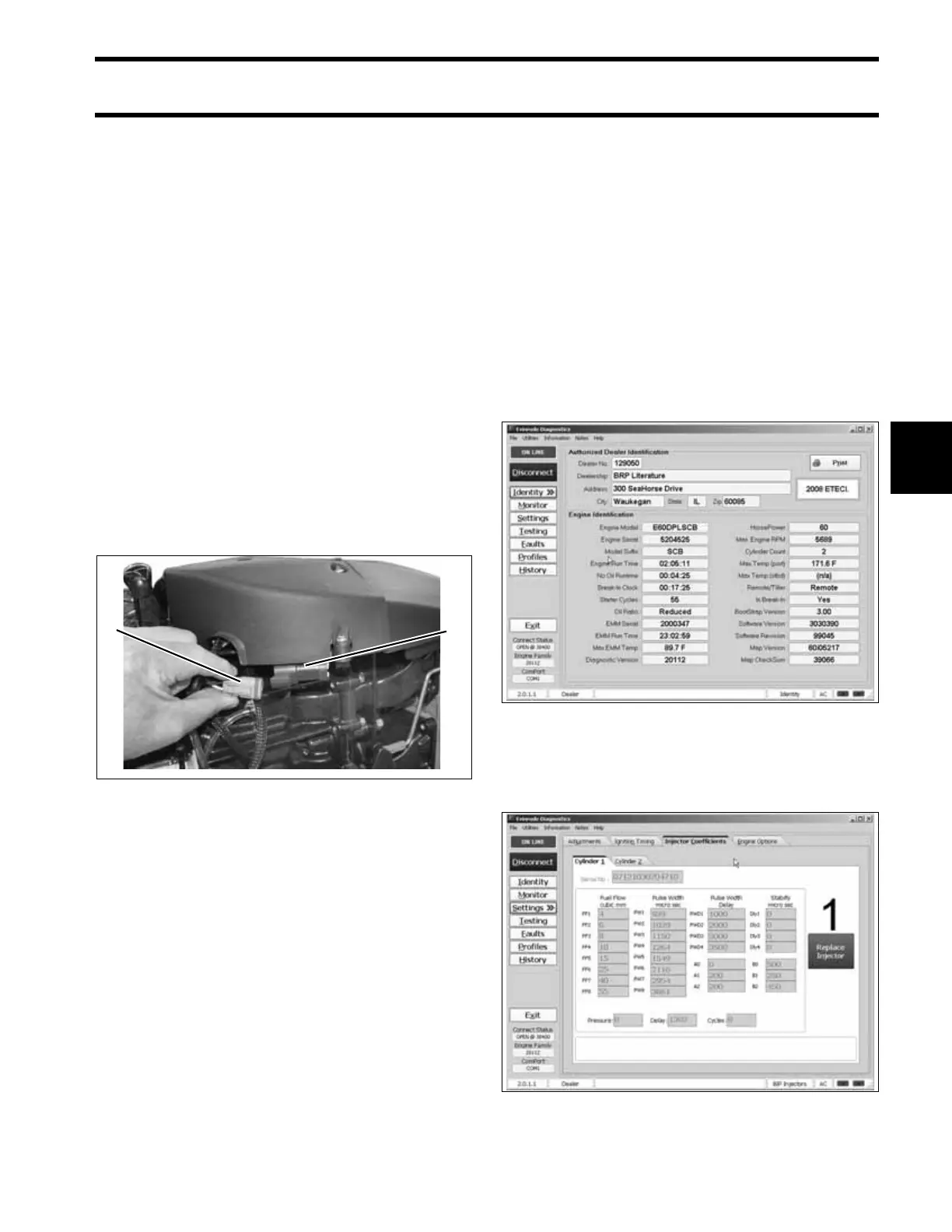
Locate the diagnostic connector on the engine.
Remove the cover and install the Diagnostic Inter-
face Cable, P/N 437955.
Connect the 9-pin connector of the interface cable
directly to the computer’s serial port.
The EMM must turn ON before it will communicate
with the computer. Power is normally supplied to
the EMM when the key switch is turned ON.
Switched B+ (12 V) enters the EMM at pin 28
(purple) of the EMM J1-B connector.
The EMM is also turned ON when it begins to
receive AC voltage from the stator while the out-
board is being cranked.
IMPORTANT: Diagnostic communications on
non-running rope start models requires temporary
installation of a key switch at the engine harness
connection and a 12 V battery and battery cables
at the solenoid.
Static Information
Static information is viewed when the outboard is
NOT running. This includes manufacturing infor-
mation.
The outboard model and serial numbers displayed
on the Identity screen must match the identifica-
tion label on the outboard swivel bracket.
The serial number and cylinder location displayed
on the Injector Coefficients screen must match the
actual cylinder placement for each injector.
1. Diagnostic connector
2. Cover
004973
21
Identity Screen 006534
Injector Coefficients Screen 006538





 To Next Page