10
Operation
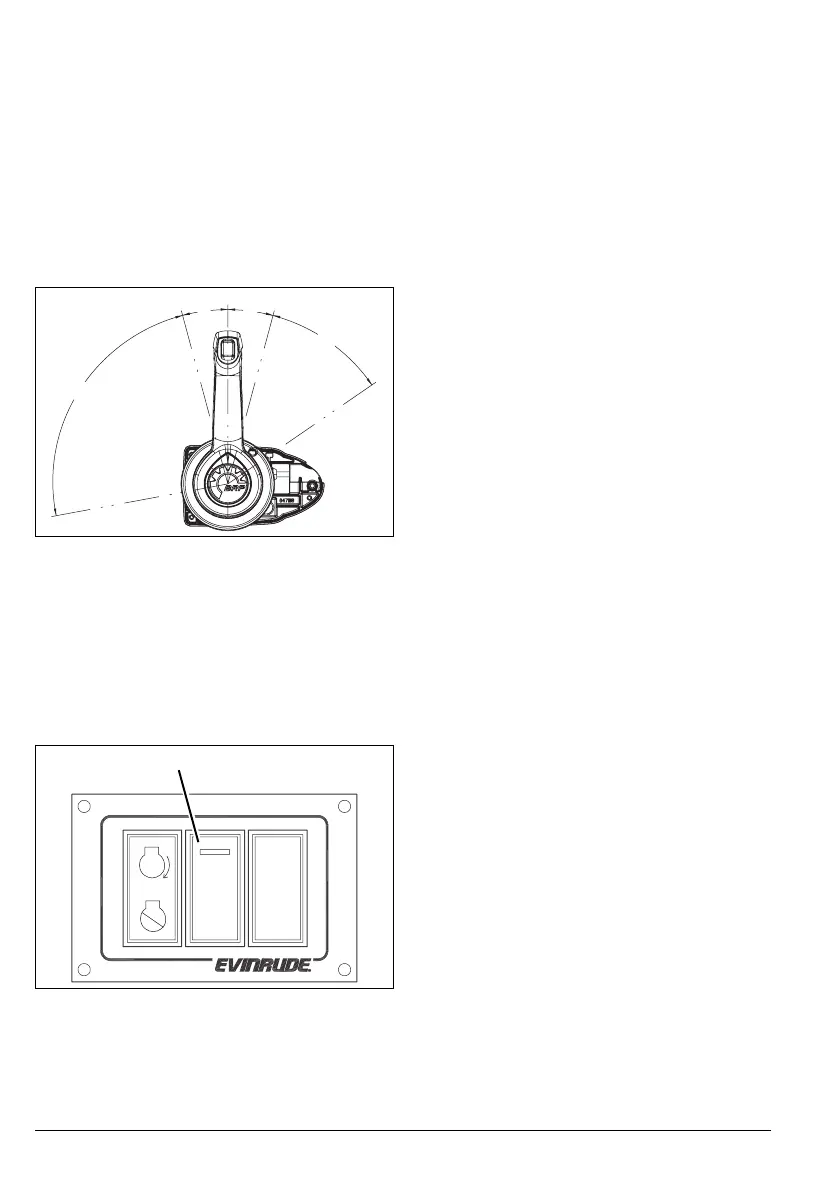
THROTTLE
After shifting, move the control handle slowly
in the same direction to increase speed.
For FORWARD gear, move control lever in a
forward direction to increase speed.
For REVERSE gear, move control lever in an
aft direction to increase speed.
Reverse throttle range is limited to a maxi-
mum of 60% power.
NEUTRAL Throttle Switch
The NEUTRAL throttle switch (N) allows op-
eration of the throttle without shifting the out-
board into FORWARD or REVERSE gear.
Press the N switch. The NEUTRAL indicator
LED flashes. Advance the control lever in a
forward direction to increase engine speed.
During normal operation, the Engine Manage-
ment Module (EMM) of the outboard limits en-
gine speed to 1200 RPM while in NEUTRAL.
Return the control lever to the NEUTRAL po-
sition and press the N switch to deactivate
NEUTRAL throttle switch. The NEUTRAL in-
dicator LED stops flashing.
Use NEUTRAL throttle for warm-up and to
perform the long-term storage (winterization)
procedure. See Outboard Operator’s Guide
and I-Command User’s Guide.
Note: During the long-term storage/winteriz-
ing procedure, engine speed will be between
1200 to 2600 RPM. Refer to LONG-TERM
STORAGE (WINTERIZATION) in outboard’s
Operator’s Guide.
RPM Adjustment
The RPM adjustment switch allows the oper-
ator to gradually adjust engine RPM.
RPM adjustment range is limited to 5% of the
throttle setting. Each press of the RPM switch
changes throttle setting 1%. The adjustment
range is approximately 100 to 200 RPM de-
pending on engine speed.
IMPORTANT: To use the RPM adjustment
feature, the control lever MUST be in FOR-
WARD gear and engine speed must be above
500 RPM.
Press the
+ side of the RPM switch to in-
crease engine speed. Press the – side of the
RPM switch to decrease engine speed.
008004
1. N switch
008003
15°
15°
40.5°
85.5°
F
u
l
l
T
h
r
o
t
t
le
R
E
V
F
u
l
l
T
h
ro
t
t
l
e
F
W
D
NEUTRAL
REVERSE
FORWARD
1
+
RPM
–
N



 To Next Page