8
Operation
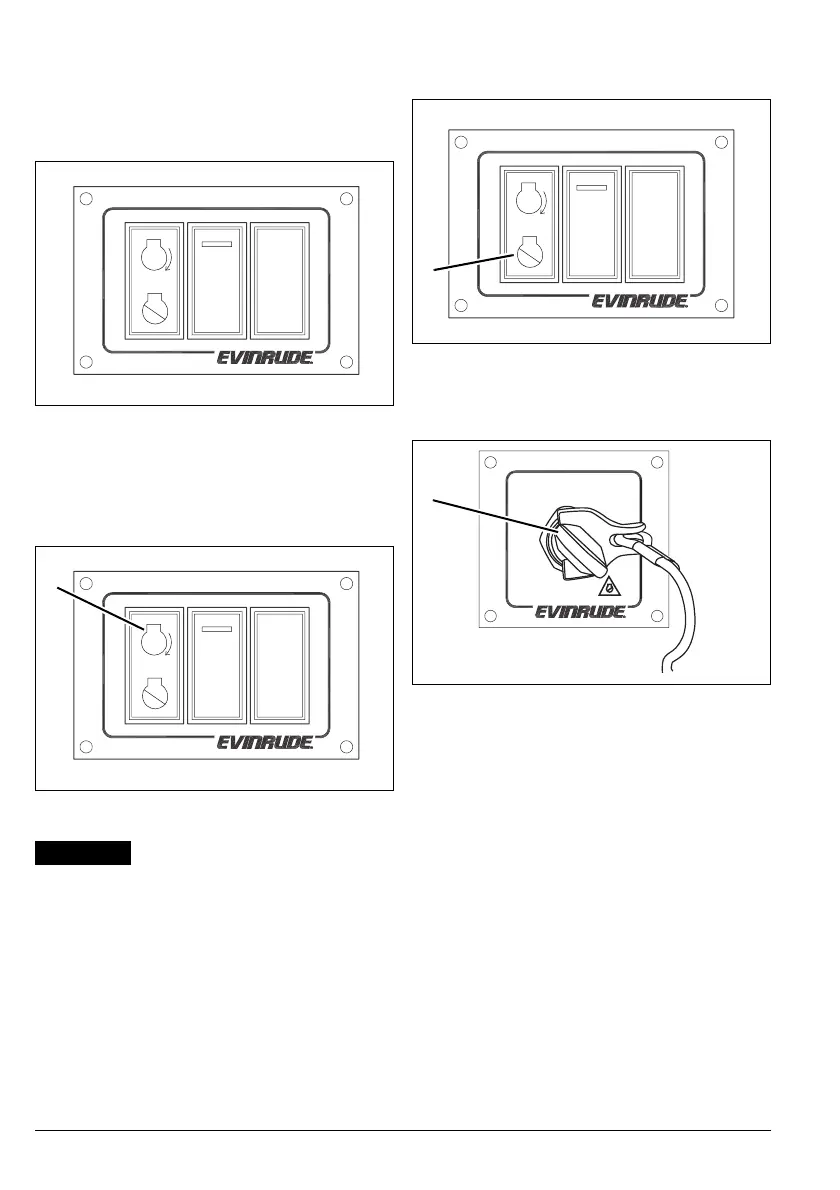
Switch Panel
A switch panel is located at the operator sta-
tion. The switch panel contains the START/
STOP switch, a NEUTRAL switch and an
RPM switch.
START/STOP Switch
Press the START symbol of switch to start the
outboard. Crank the engine no longer than 20
seconds.
The starter motor can be dam-
aged if operated continuously for more
than 20 seconds.
Upon start-up, release the switch.
Press and release the STOP symbol of switch
to stop the outboard.
Turn the master power/key switch to the OFF
position.
Note: Turning the master power/key switch to
the OFF position also stops the outboard and
to turns off power to the station.
Switch Panel
008003
1. START symbol
008003
+
RPM
–
N
1
+
RPM
–
N
NOTICE
1. STOP symbol
008003
1. OFF position
007895
+
RPM
–
N
1
OFF
RUN
1



 To Next Page