9
1-3b Ribbons
Evolis original ribbons optimize your printer’s operation and avoid causing damage to it. Ribbons from other suppliers are not compatible with your printer. Their use
is liable to damage your printer and voids the manufacturer’s warranty for the printer.
For optimum print quality, it is recommended that you fully clean the Badgy printer once a year, or after a period of inactivity. See the Servicing and Maintenance section of this
manual.
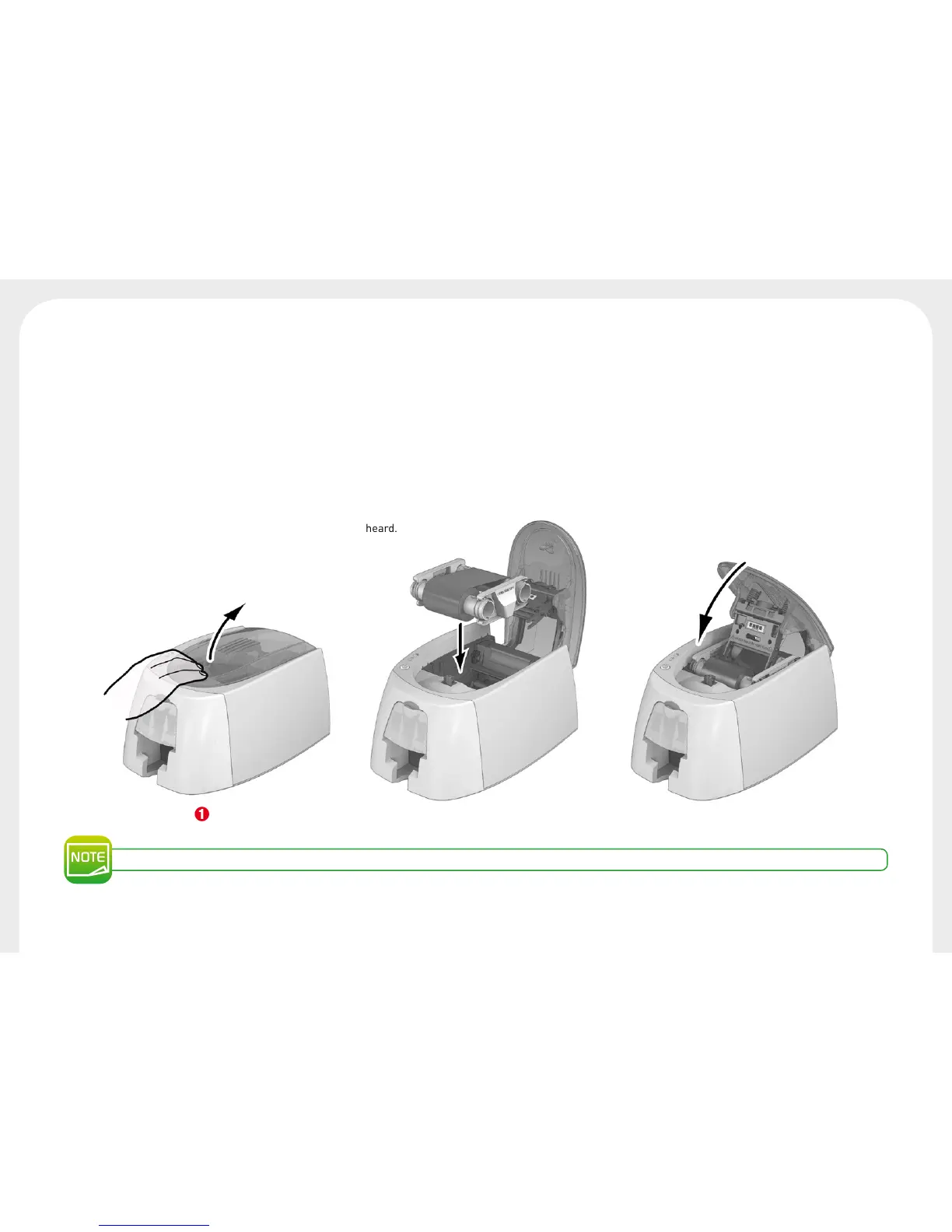
Fitting the ribbon
Ê
Open the cover.
Ë
Insert the ribbon as shown.
Ì
Close the cover and press until a click is heard.
The printer automatically recognizes the ribbon inserted.
Ê Ë Ì



 To Next Page