Examples of printer configuration
Page 19
6 - Examples of printer configuration
In this section, you will nd six conguration examples illustrating the settings to be congured, along
with the search method and selection of the printer on the network.
This list is not exhaustive, and your network administrator is free to contact
your Evolis reseller for further information.
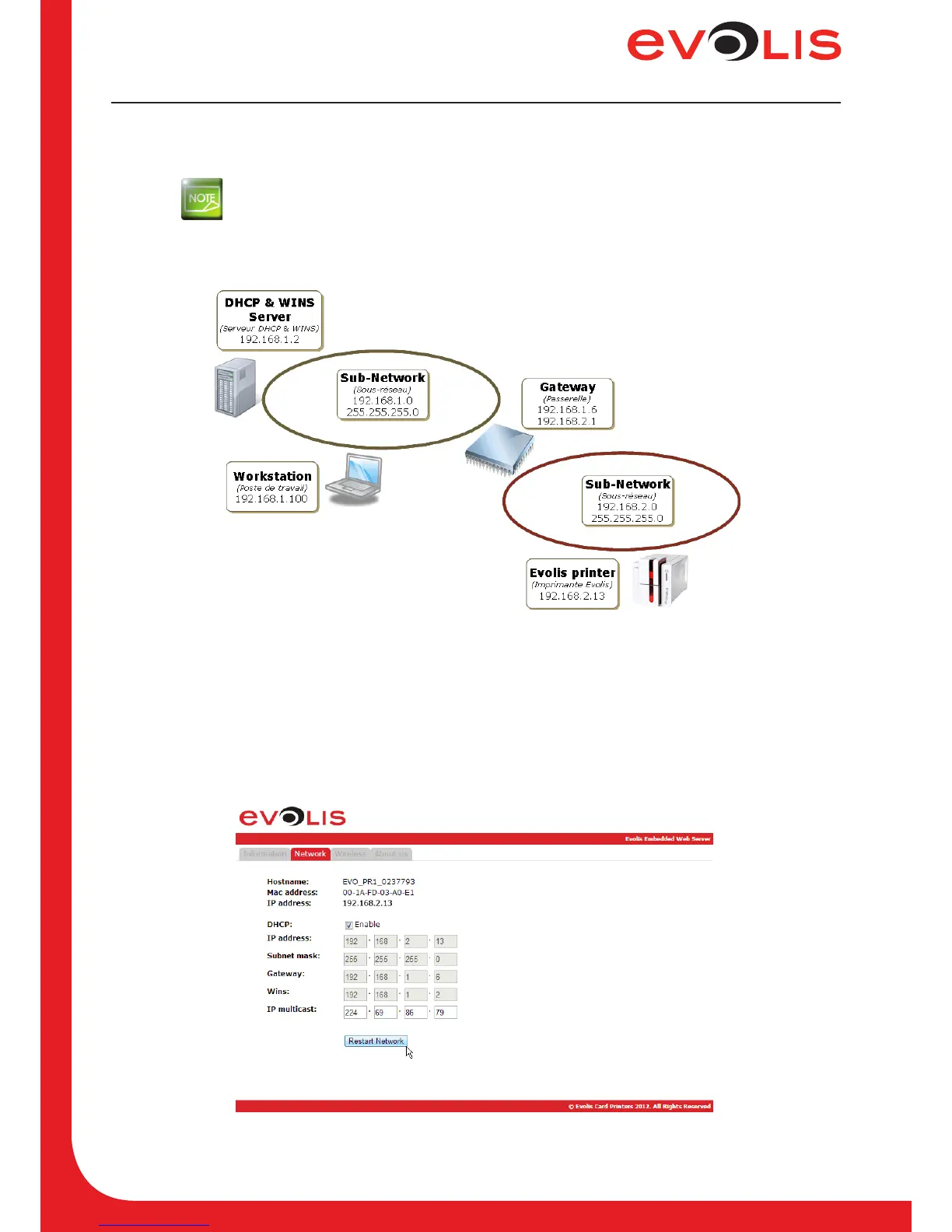
6.1 Configuring a printer in DHCP mode, located on a sub-network
Figure 8: DHCP mode configuration
6.1.1 With the embedded web server
1. Open the web server page.
2. Click on Network tab.
3. Check the DHCP checkbox to enable the DHCP mode.
4. Click on Restart Network button.
Figure 9: Web server (DHCP mode)



 To Next Page