Examples of printer configuration
Page 21
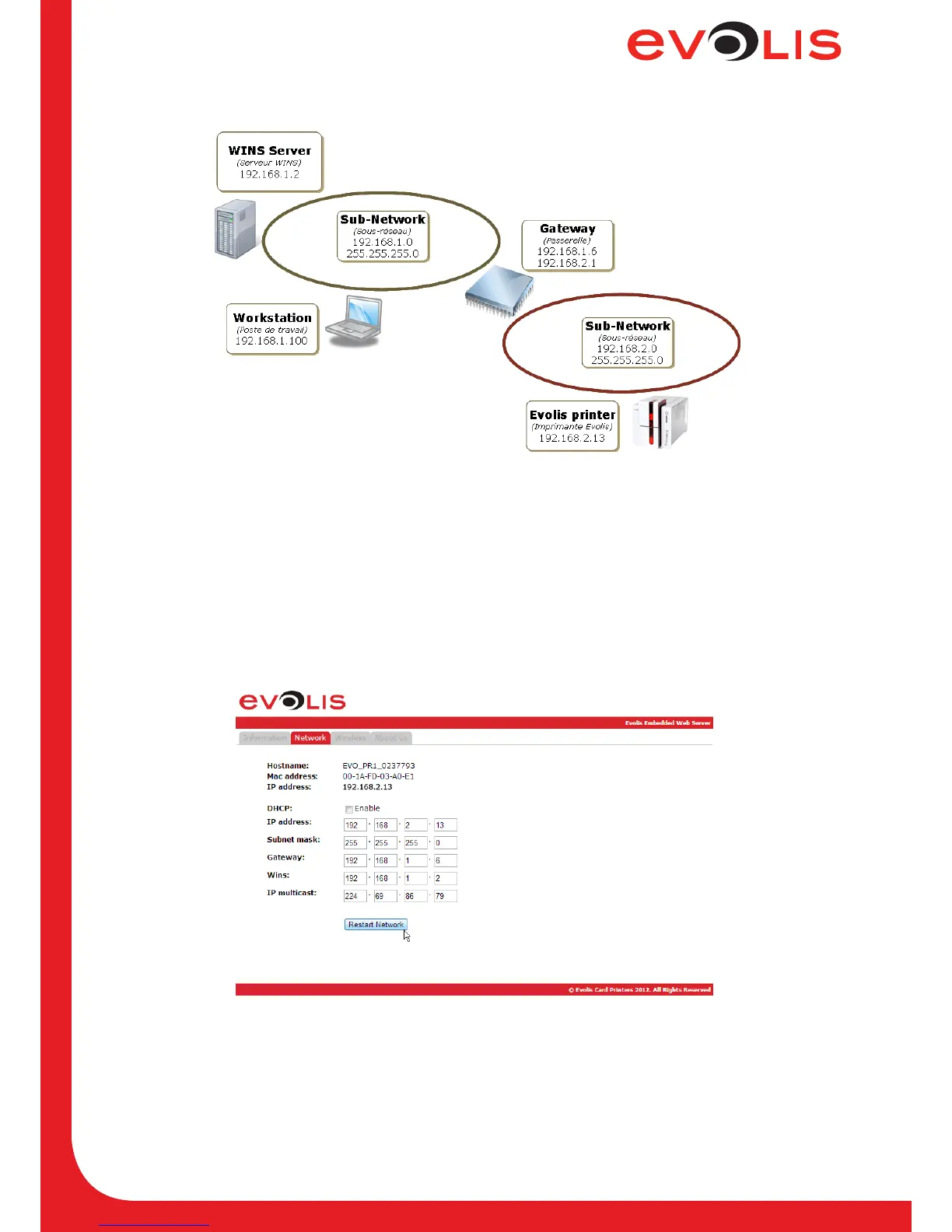
6.2 Configuring a printer with a static IP address, on a subnet with WINS resolution
Figure 10: Static IP configuration with WINS resolution
6.2.1 With the embedded web server
1. Open the web server page.
2. Click on Network tab.
3. Uncheck the DHCP checkbox to disable the DHCP mode.
4. Complete the elds IP address and WINS, you also have to complete Subnet mask and Gateway
elds.
5. Click on Restart Network button.
Figure 11: Web server (Static IP)



 To Next Page