Î
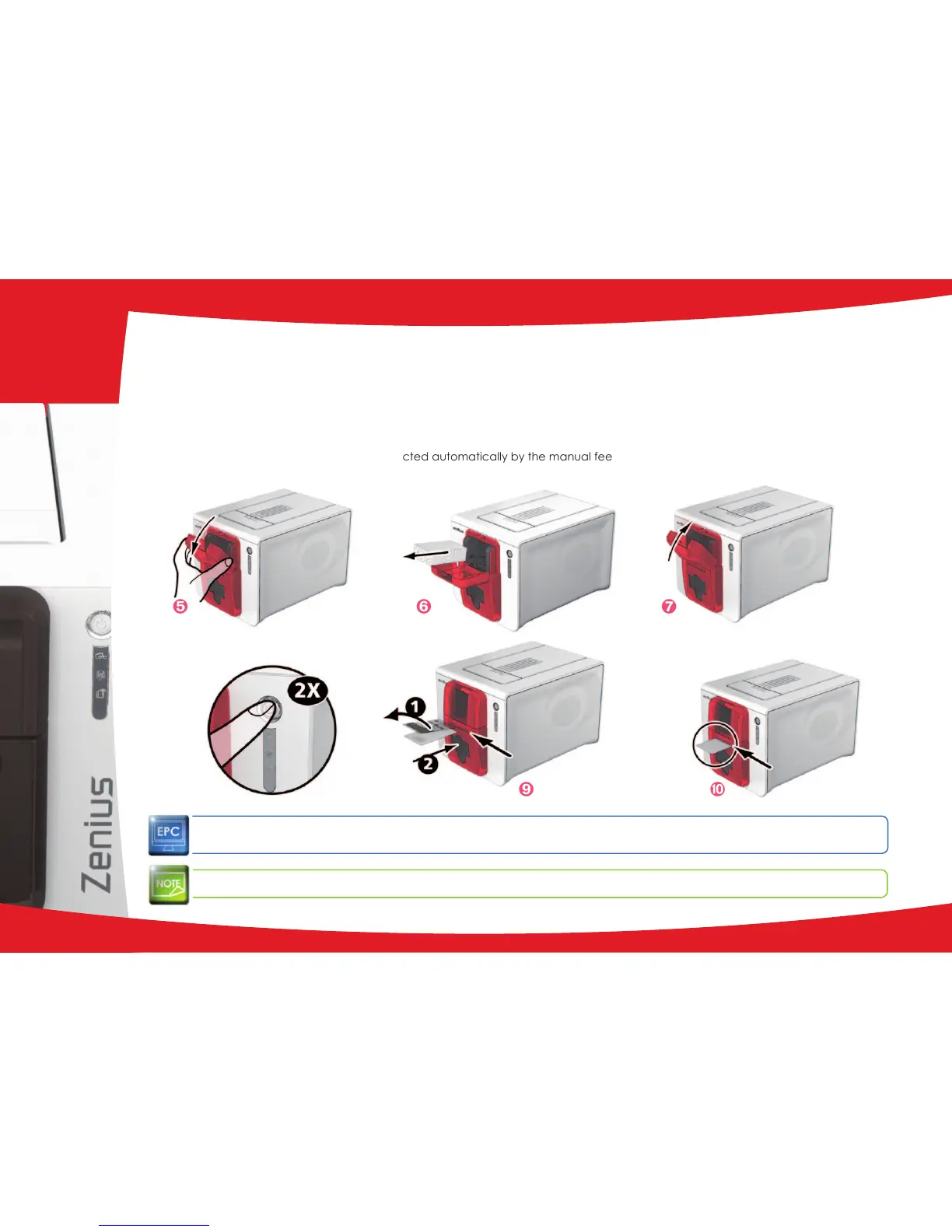
Open the feeder.
Ï
Remove any cards present in the feeder.
Ð
Close the feeder.
Ñ
Double click the cleaning button on the control panel before inserting the cleaning card.
Ò
Remove the lm from the adhesive card
Ê
and insert the cleaning card into the manual feeder as shown, adhesive
side up
Ë
. Cleaning starts.
Ó
The used cleaning card is ejected automatically by the manual feeder.
Routine cleaning may also be carried out from the Evolis Print Center by clicking on "Start cleaning".
Before using your printer, remember to reset the gauge to the desired card thickness.
Î Ï Ð
Ñ Ò Ó
23
3



 To Next Page