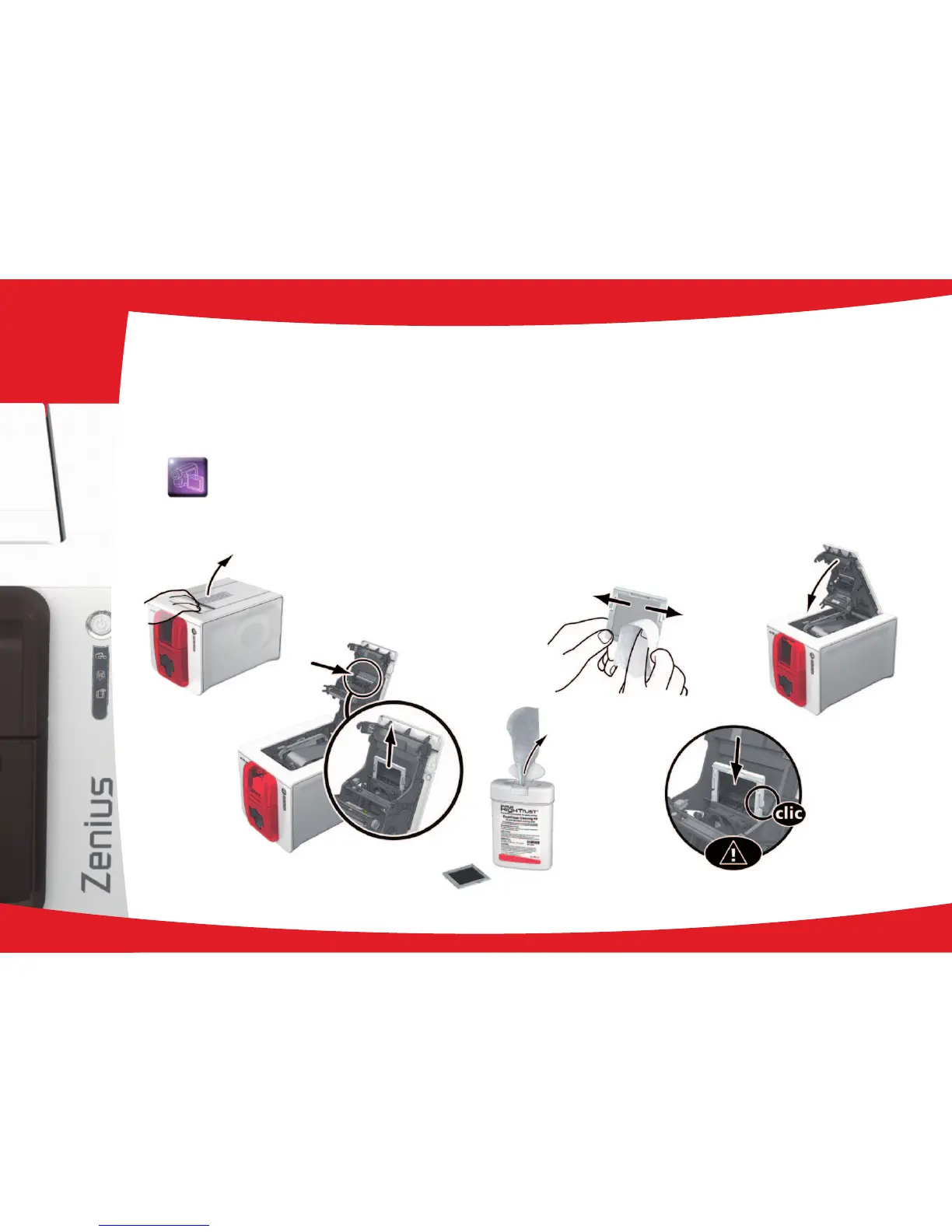
3-3c SERVICING THE DUST FILTER
The dust lter is located above the print head fan. This lter can become fouled up over time and it is recommended to clean it
once a year or every 10,000 cards depending on your working environment.
Ê
Open the printer cover. Locate the dust lter.
Ë
Remove the lter by pulling it upwards and slide it out to release it completely.
Ì
Once the lter is removed from its slot, obtain a cleaning wipe supplied by Evolis.
Í
Clean the lter by rubbing the wipe either side of it.
Î
To replace it, insert it in its slot (notch towards you) and lower it until you hear it click indicating it is correctly
positioned.
Ï
Close the cover.
Ê
Ë
Ì
Í
Î
Ï
29
3



 To Next Page