16
EVONIC - 104 INSTRUCTION MANUAL TEMPLATE ISS. 1EVONIC - 104 INSTRUCTION MANUAL TEMPLATE ISS. 1 INSETS. 1INSETS. 1
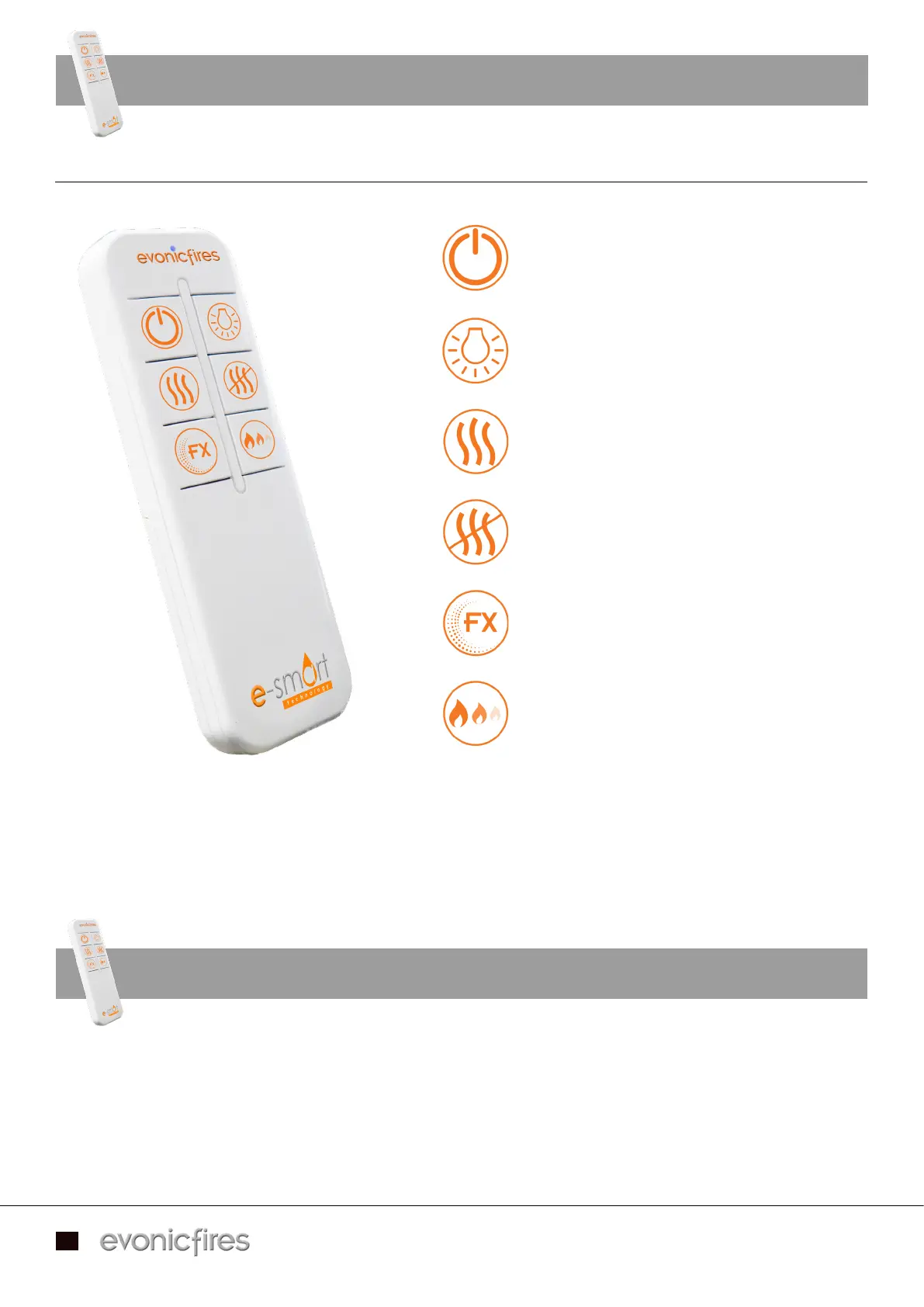
E-SMART REMOTE CONTROL
With the remote control the heater is pre-set to With the remote control the heater is pre-set to 28°28°, if you would like to adjust the temperature you need , if you would like to adjust the temperature you need
to do this through the app.to do this through the app.
The brightness button adjusts the brightness of the fire by The brightness button adjusts the brightness of the fire by 0%0%, , 25%25%, , 50%50%, and , and 100%100%..
Top Left - Turn your fire ON and OFF
Top Right - Turn your feature lights
and overbed illumination ON and OFF
Middle Left - Turn your heater ON
Middle Right - Turn your heater OFF
Bottom Left - Change the flame animation.
Not applicable with single colour models.
Bottom Left - Adjust the brightness.
SETTING TIMERS USING YOUR REMOTE
You can set up timers for your appliance easily by using your remote control.You can set up timers for your appliance easily by using your remote control.
Once you have turned your fire on using the remote, simply press the Once you have turned your fire on using the remote, simply press the Heater ONHeater ON icon to set a 15 minute icon to set a 15 minute
timer. Each click of the timer. Each click of the Heater ONHeater ON button adds another 15 minutes to the timer and this can be used for button adds another 15 minutes to the timer and this can be used for
a total of 90 minutes (6 clicks).a total of 90 minutes (6 clicks).
Applicable models - C1 / C2 / C3


 To Next Page