21
EVONIC - 104 INSTRUCTION MANUAL TEMPLATE ISS. 1EVONIC - 104 INSTRUCTION MANUAL TEMPLATE ISS. 1 INSETS. 1INSETS. 1
PROGRAMMING THE TIMER
UPDATING YOUR FIRE AND LOGGING OUT
1
2
3
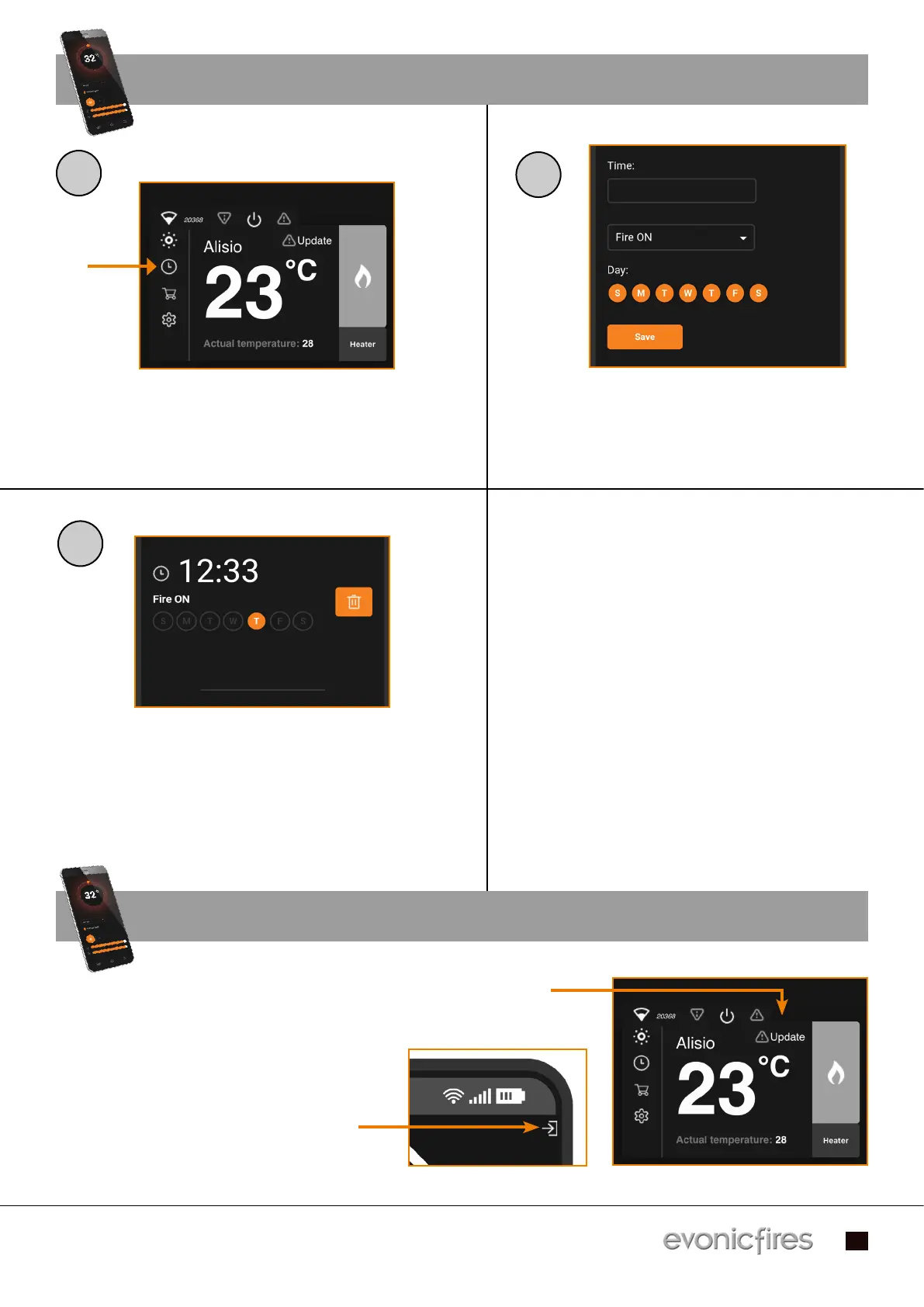
Single press the clock icon on the Home Page Single press the clock icon on the Home Page
to begin programming the Timer.to begin programming the Timer.
Input your desired time in the Time box, Input your desired time in the Time box,
select the action (Fire On/Off/, Heater On/Off) select the action (Fire On/Off/, Heater On/Off)
you want. Deselect the day/s you don’t want it you want. Deselect the day/s you don’t want it
to apply to, and press the Save button.to apply to, and press the Save button.
The above screen will now show your set The above screen will now show your set
timer. To delete the timer press the bin icon. timer. To delete the timer press the bin icon.
To add an additional timer scroll down and To add an additional timer scroll down and
repeat the process. Press the Back button to repeat the process. Press the Back button to
return to the Home Page.return to the Home Page.
Update your fire by clicking on the triangular icon.
Do not turn your fire off until it is complete
It may take up to 10 minutes to update.
To log out of the e-smart cloud app, on your
home screen you need to press the ‘log out’
icon.


 To Next Page