23
EVONIC - 104 INSTRUCTION MANUAL TEMPLATE ISS. 1EVONIC - 104 INSTRUCTION MANUAL TEMPLATE ISS. 1 INSETS. 1INSETS. 1
RETRO-FITTING THE REMOTE CONTROL
In order to retro-fit your remote on older models, please ensure you follow these steps BEFORE you
attempt to use the remote control system.
1
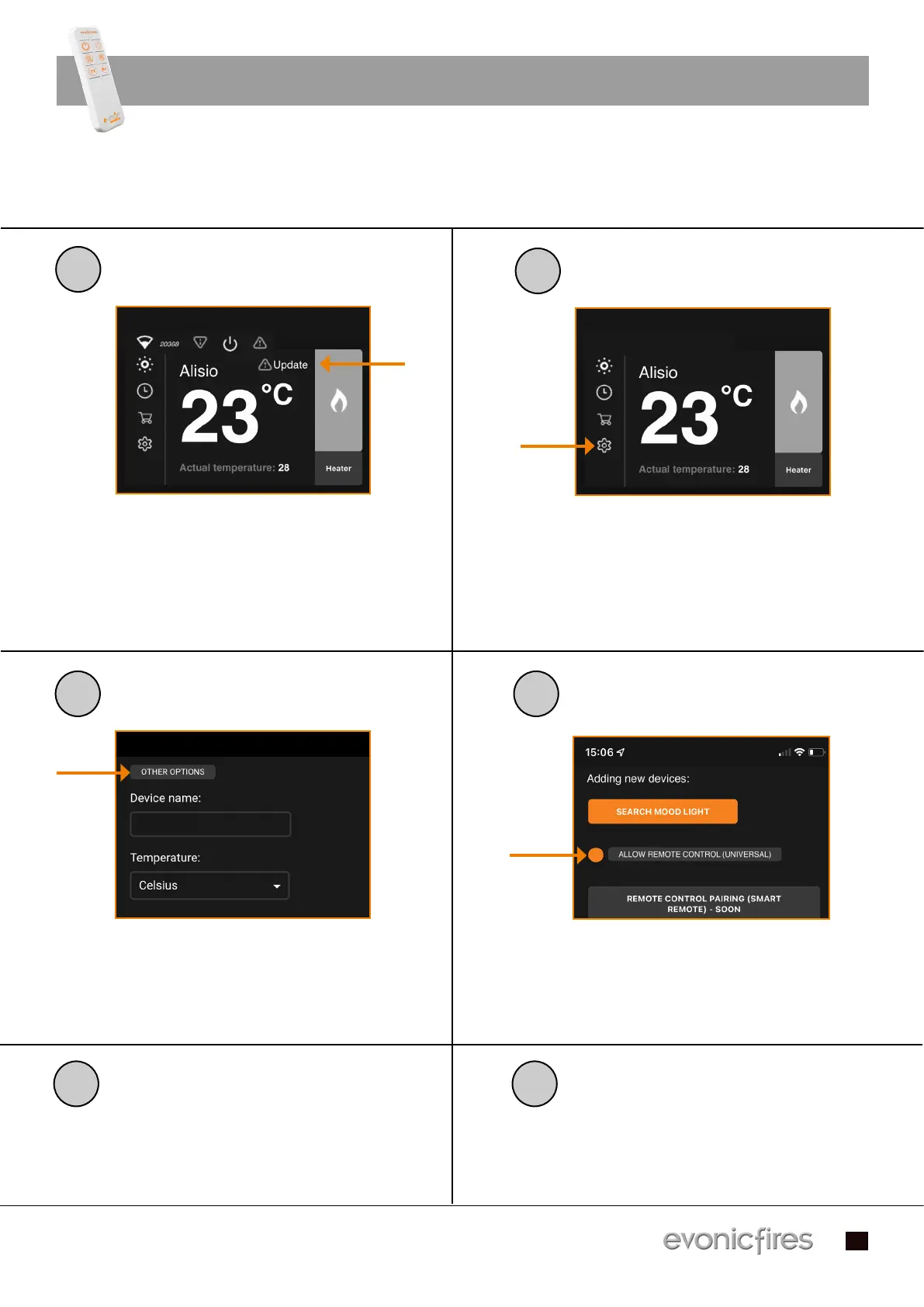
To begin the retro-fit of the remote control, To begin the retro-fit of the remote control,
press the ‘update’ icon on the e-smart cloud press the ‘update’ icon on the e-smart cloud
app home screen.app home screen.
2
Once the fire has updated, select the Once the fire has updated, select the
settings icon on the home screen.settings icon on the home screen.
3
Once the settings panel is open, click ‘other Once the settings panel is open, click ‘other
options’.options’.
Scroll down to the section that states Scroll down to the section that states
‘allow remote control (universal)’. Ensure ‘allow remote control (universal)’. Ensure
this is highlighted and press save.this is highlighted and press save.
4
5
6
Press save. You will then hear an audible Press save. You will then hear an audible
beep to notify you of the pairing.beep to notify you of the pairing.
Turn your fire OFF, then back ON. You Turn your fire OFF, then back ON. You
remote will now be paired and ready to use.remote will now be paired and ready to use.


 To Next Page