17
EVONIC - 104 INSTRUCTION MANUAL TEMPLATE ISS. 1EVONIC - 104 INSTRUCTION MANUAL TEMPLATE ISS. 1 INSETS. 1INSETS. 1
Applicable modelsApplicable models - C1 / C2 / C3 - C1 / C2 / C3
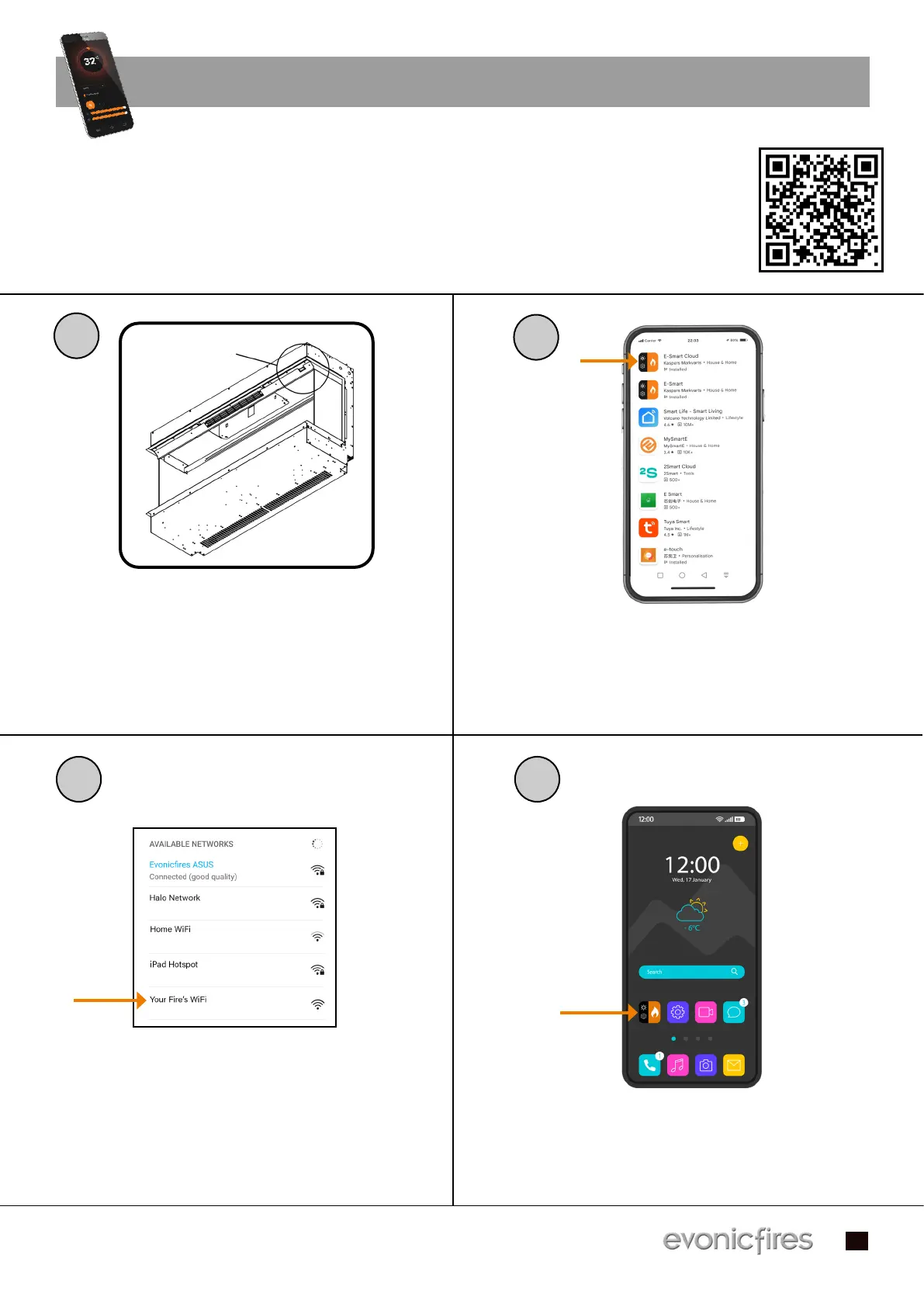
To begin using the app you first need to pair your appliance to the app, we have created a To begin using the app you first need to pair your appliance to the app, we have created a
video on our Youtube channel to guide you through the process of pairing your appliance video on our Youtube channel to guide you through the process of pairing your appliance
to your smart phone or tablet. Scan the QR code to be taken to the video and get started. to your smart phone or tablet. Scan the QR code to be taken to the video and get started.
Alternatively follow the step-by-step guide below.Alternatively follow the step-by-step guide below.
E-SMART APP SETUP
Make sure that your fire is plugged in
and the switch is on. Then turn on your
fire by pressing the ON/OFF switch to
the ‘ON’ position.
Download the E-Smart Cloud app from
the Apple Store, or Google Play Store.
Open the Settings panel on your device
and connect to the fire’s wireless
connection. The name of the fire’s wi-fi
will vary depending on the model.
Open the E-Smart app on your device
1
2
3 4
ON/OFF SWITCH


 To Next Page