25
EVONIC - 104 INSTRUCTION MANUAL TEMPLATE ISS. 1EVONIC - 104 INSTRUCTION MANUAL TEMPLATE ISS. 1 INSETS. 1INSETS. 1
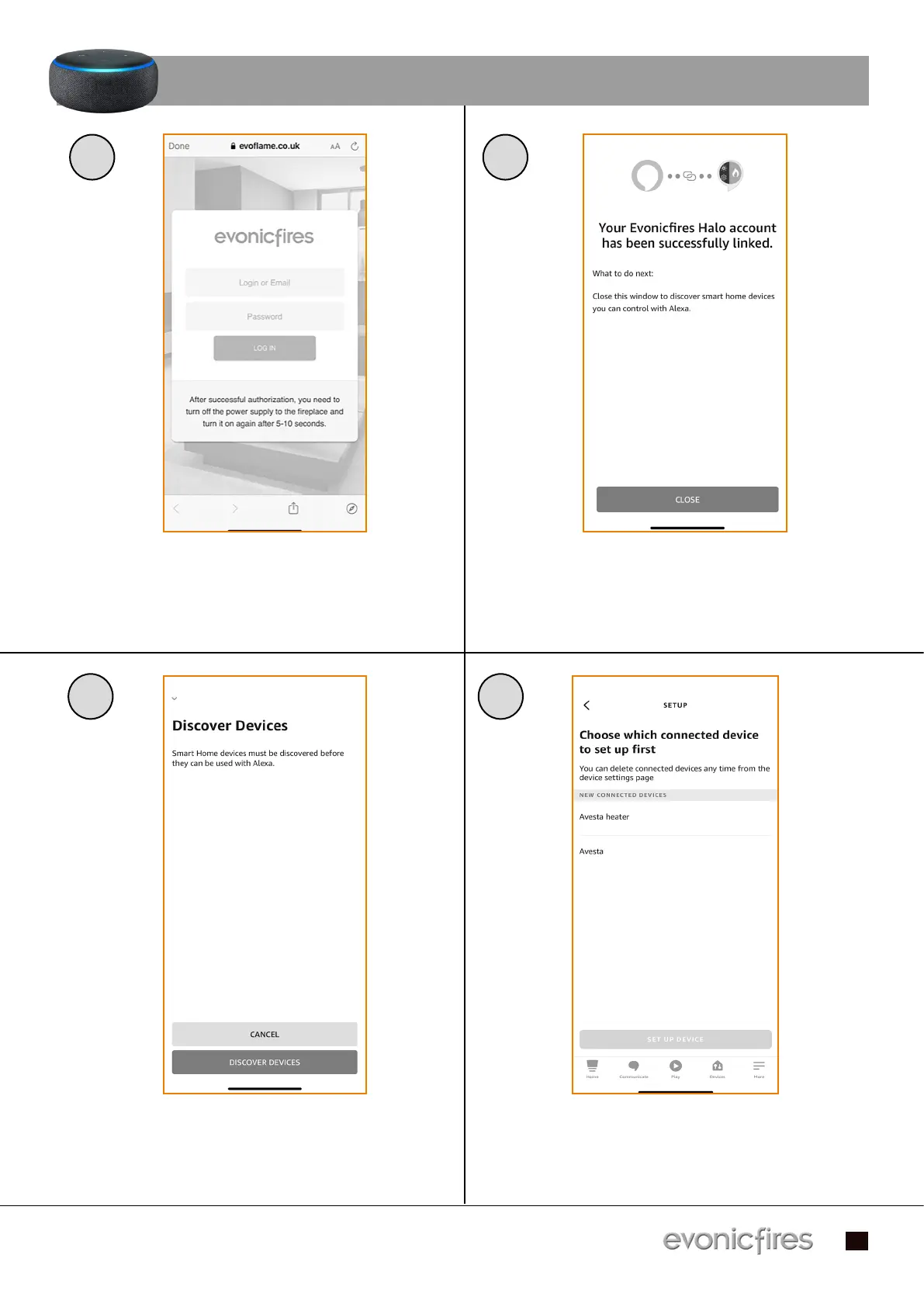
Enter the log in details that you previously Enter the log in details that you previously
entered in the app set up process, and single entered in the app set up process, and single
press Log In.press Log In.
After a few moments your account will be After a few moments your account will be
linked, once this is done you can single press linked, once this is done you can single press
Close. Close.
5 6
7
Single press Discover Devices to search for Single press Discover Devices to search for
your fire.your fire.
Your fire will show up as two devices, allowing Your fire will show up as two devices, allowing
you to programme the heater separately to you to programme the heater separately to
the effects. Single press the second option, the effects. Single press the second option,
and Set up Device.and Set up Device.
8
CONTINUED...


 To Next Page