Managing Data
Compact Modular Platform 135
Using the USB to RS-232 Adapter
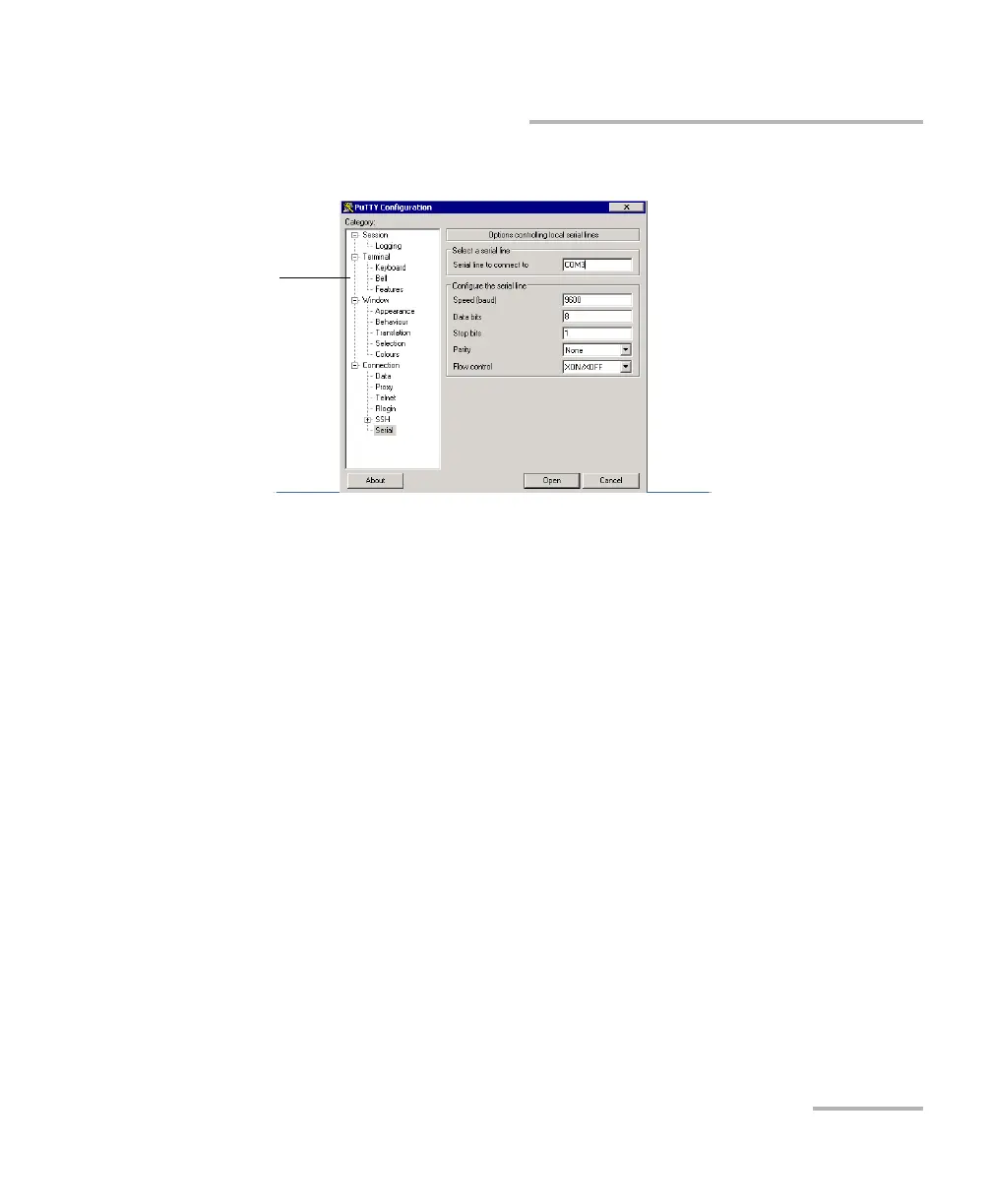
4b. Configure the parameters.
From the tree view, select Connection > Serial and set the
parameters as needed. Ensure that the COM port that you specify
corresponds to the one that you wrote down at step 3c.
If you want to view the characters that you type on screen, from the
tree view, select Terminal. Under Local echo, set the value to
Force on.
From the tree view, select Session. Select Serial. The COM port
number and the speed should correspond to those that you have
previously entered.
4c. Tap Open. The unit is now ready to receive or send data.












 To Next Page