Setting Up Your Unit
Compact Modular Platform 69
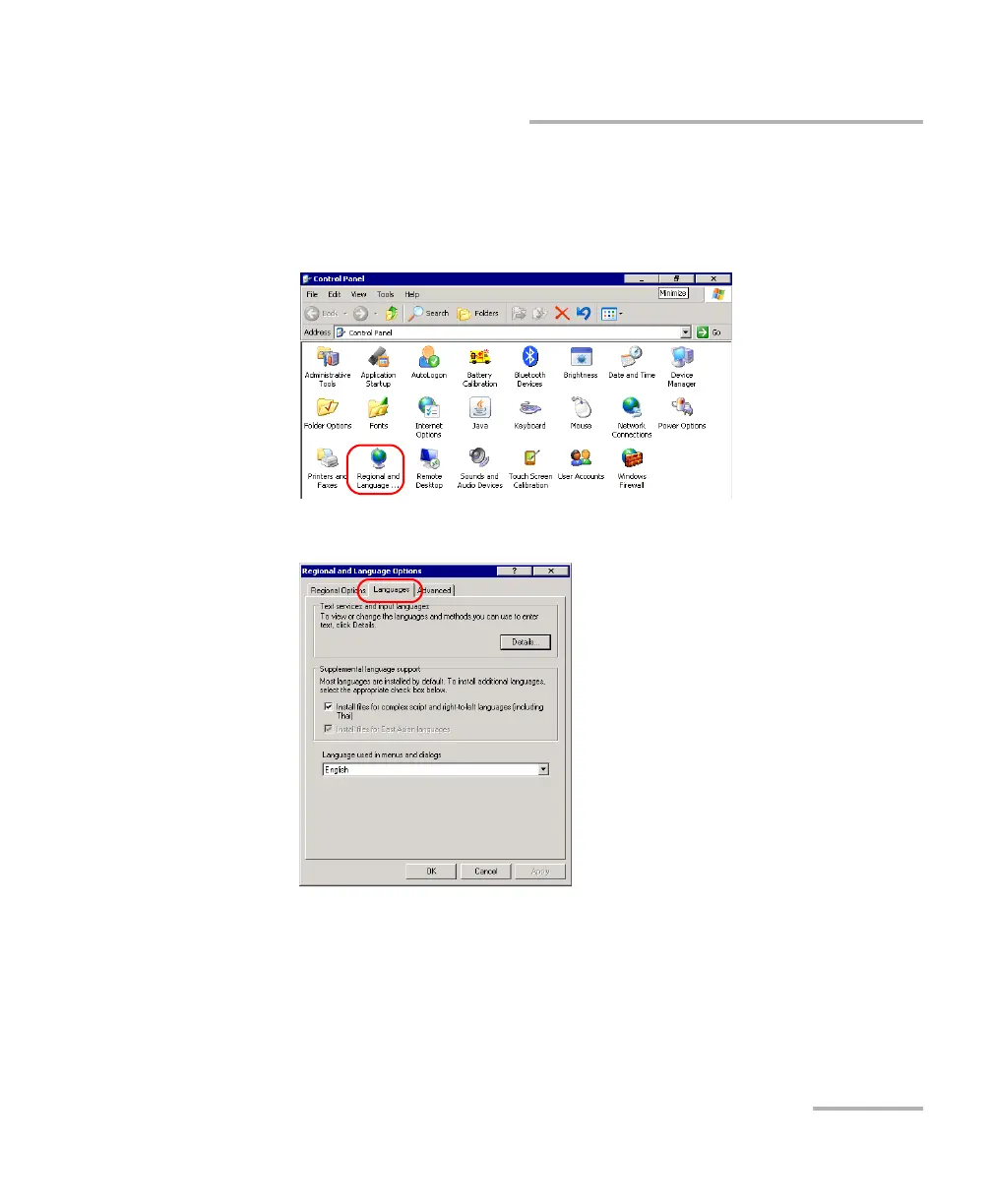
Selecting the Language of Operation
To select a new interface language:
1. From the Main Menu, tap Setup.
2. Double-tap Regional and Language Options.
3. Select the Languages tab.
4. From the Language used in menus and dialogs list, select the
desired language.
5. Tap Apply to confirm the changes, and then OK to return to the
Control Panel window.
The new interface language will become available at the next startup.












 To Next Page