Setting Up Your Unit
70 FTB-200 v2
Selecting the Language of Operation
To add new input languages:
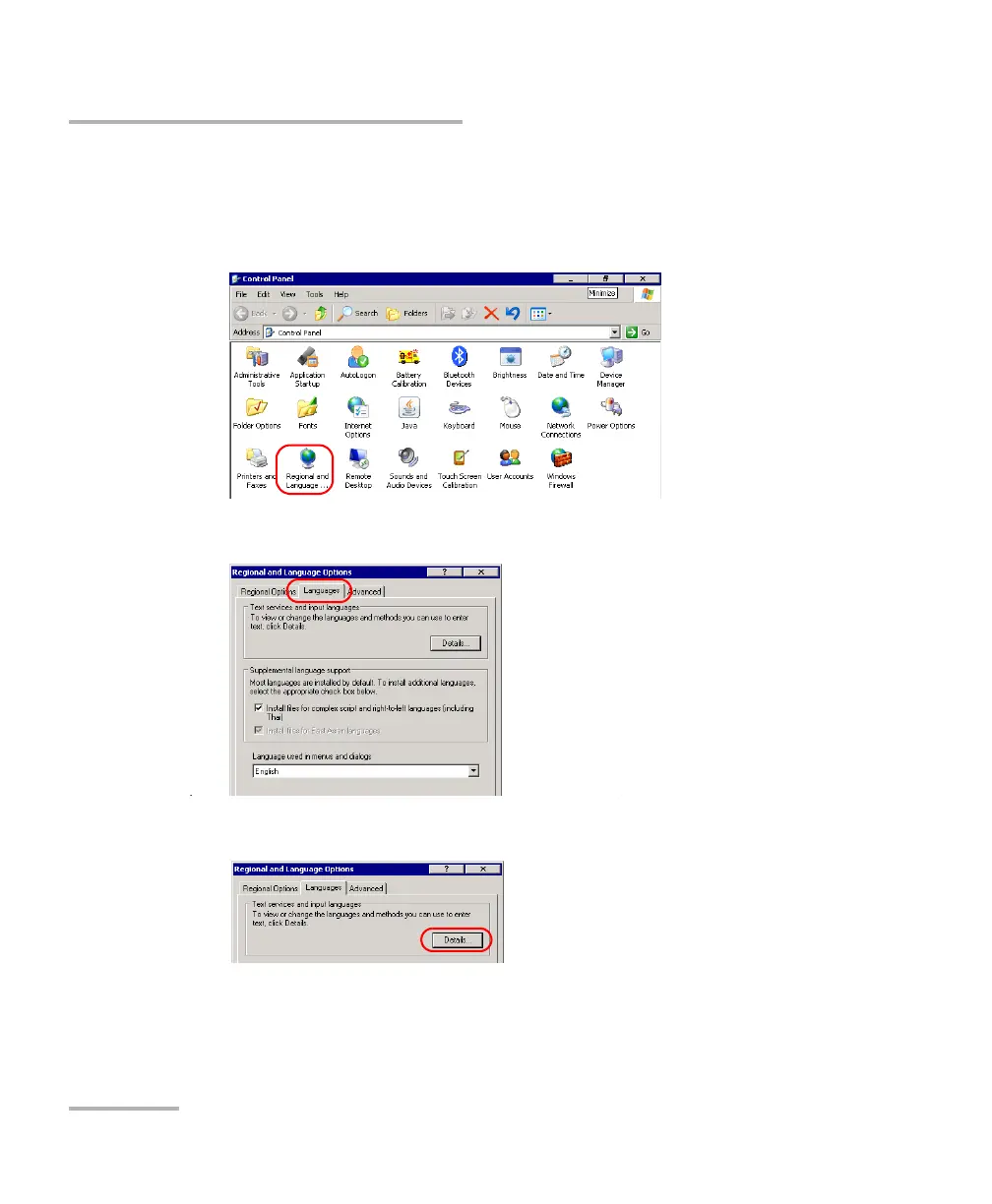
1. From the Main Menu, tap Setup.
2. Double-tap Regional and Language Options.
3. Select the Languages tab.
4. Under Text services and input languages, tap Details.












 To Next Page