Accessing Your Unit Remotely
FTB-2/FTB-2 Pro and FTB-4 Pro 205
Working with Remote Desktop
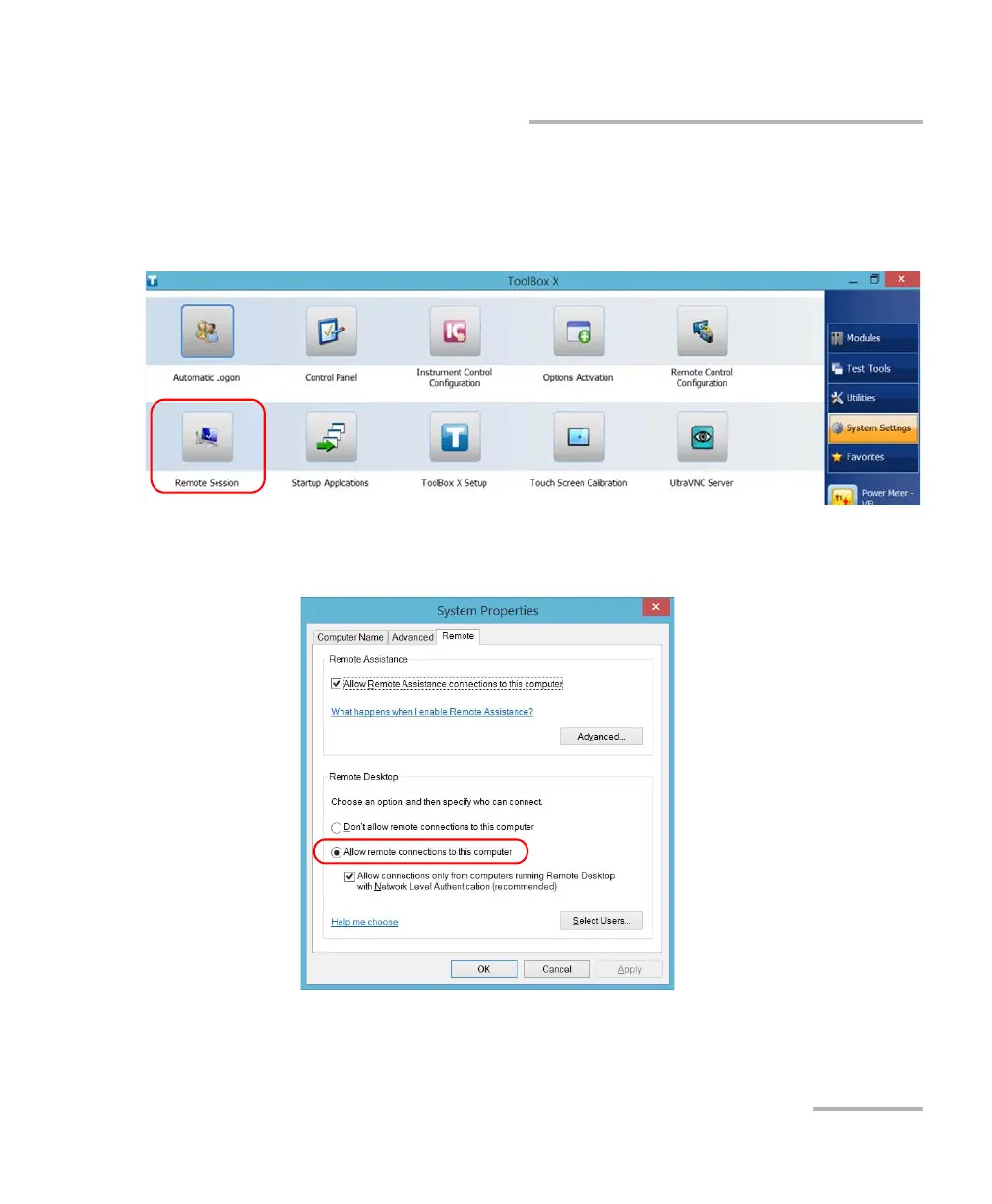
To allow the remote access to your unit with Remote Desktop:
1. From the main window, tap the System Settings button.
2. Tap Remote Session.
3. Under Remote Desktop, select Allow remote connections to this
computer.
4. Tap OK to confirm the changes and return to the System Settings
window.
ООО "Техэнком" Контрольно-измерительные приборы и оборудование www.tehencom.com



 To Next Page