Troubleshooting
FTB-2/FTB-2 Pro and FTB-4 Pro 343
Restoring Your Unit to Normal Operation
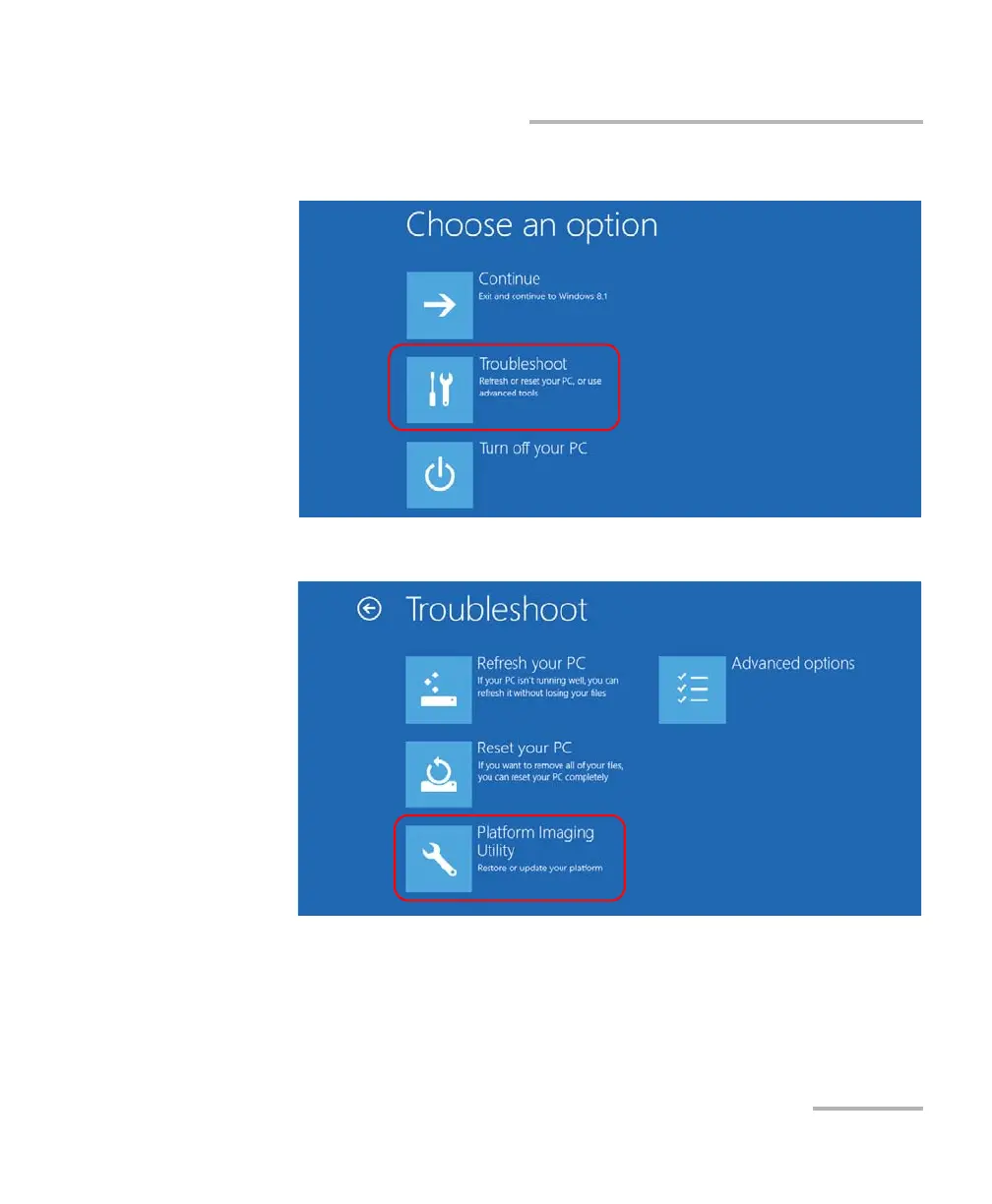
7. Under Choose an option, tap Troubleshoot.
8. Tap Platform Imaging Utility to display the corresponding application.
9. Connect the USB key with the desired WIM file to your unit.
ООО "Техэнком" Контрольно-измерительные приборы и оборудование www.tehencom.com



 To Next Page