Maintenance
70 Optical Switch
Cleaning and Inspecting MPO-Type Connectors
To clean and inspect an MPO-type connector:
1. Insert the cleaning tip into the optical adapter, and push the outer shell
into the cleaner.
Note: The cleaner makes a clicking sound to indicate that the cleaning is done.
2. Verify connector surface with a Fiber Inspection Probe. From the
dedicated FIP application, ensure to select either a 2 x 8 configuration
or a 2 x 12 configuration if no 2 x 8 configuration is available.
Note: For the exact inspection procedure, refer to the FIP-400 Fiber Inspection
Probe and ConnectorMax2 user guide.
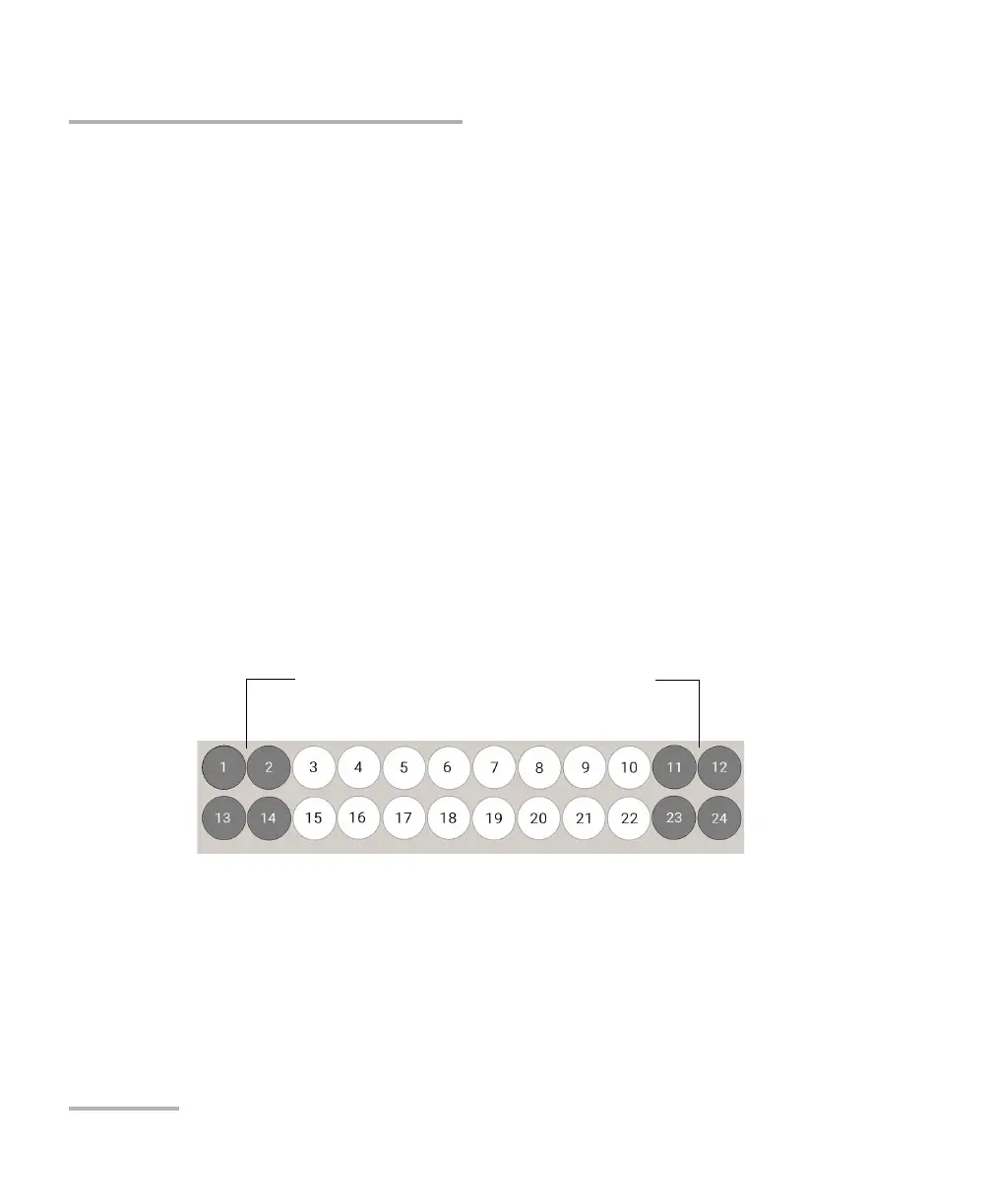
Note: If you have selected a 2 x 12 configuration and the dedicated application
returns a Fail status, you may want to have a closer look at the exact fibers
with a Fail status. Since the four fibers at each end of the connector are not
used, a Fail status on these fibers can be disregarded. If the sixteen central
fibers all have a Pass status, you can then consider the whole connector to
have a Pass status.
Note: If you have selected a 2 x 12 configuration, the fiber numbers shown in the
dedicated FIP application will not correspond to the actual fiber numbers
on your RTUe-9120 switch.
Fibers with Fail status shown in dark grey below
(in red in the ConnectorMax2 application)



 To Next Page