Operating the Optical Switch
44 Optical Switch
Installing the EXFO Universal Interface (EUI)
Installing the EXFO Universal Interface (EUI)
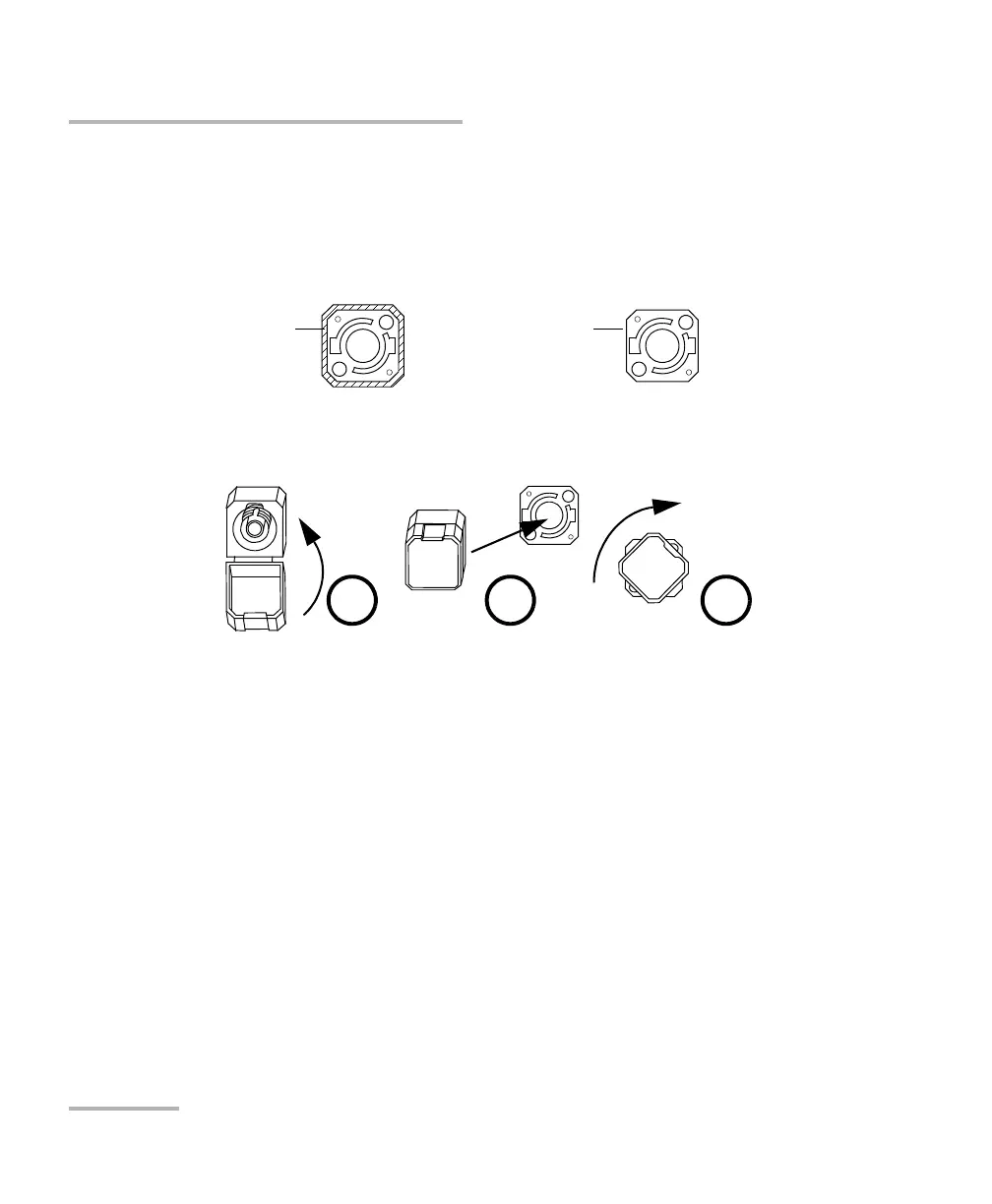
The EUI fixed baseplate is available for connectors with angled (APC) or
non-angled (UPC) polishing. The type of border around the baseplate
indicates which type of connector it is designed for.
To install an EUI connector adapter onto the EUI baseplate:
1. Hold the EUI connector adapter so the dust cap opens downwards.
2. Close the dust cap in order to hold the connector adapter more firmly.
3. Insert the connector adapter into the baseplate.
4. While pushing firmly, turn the connector adapter clockwise on the
baseplate to lock it in place.
Bare metal, or a
black or dark gray
border indicates
UPC option
Green border
indicates APC
option



 To Next Page