Operating the Optical Switch
40 Optical Switch
Connecting RTUe-9120 External Switches to the RTU-2 Unit
Connecting RTUe-9120 External Switches to
the RTU-2 Unit
Depending on your testing needs, you may want to connect external
switches to your RTU-2 unit to increase the number of optical ports
available.
You can connect several RTUe-9120 external switches on a single RTU-2
unit. In such a case, each of these external switches will receive its optical
signal from one of the ports of an FTBx switch with a sufficient number of
ports (Ex.: FTBx-9160 for up to four external switches), inserted in the
RTU-2.
If you want to remove an external switch from the system, ensure that no
test is underway, and then simply disconnect the optical fibers and the USB
cable.
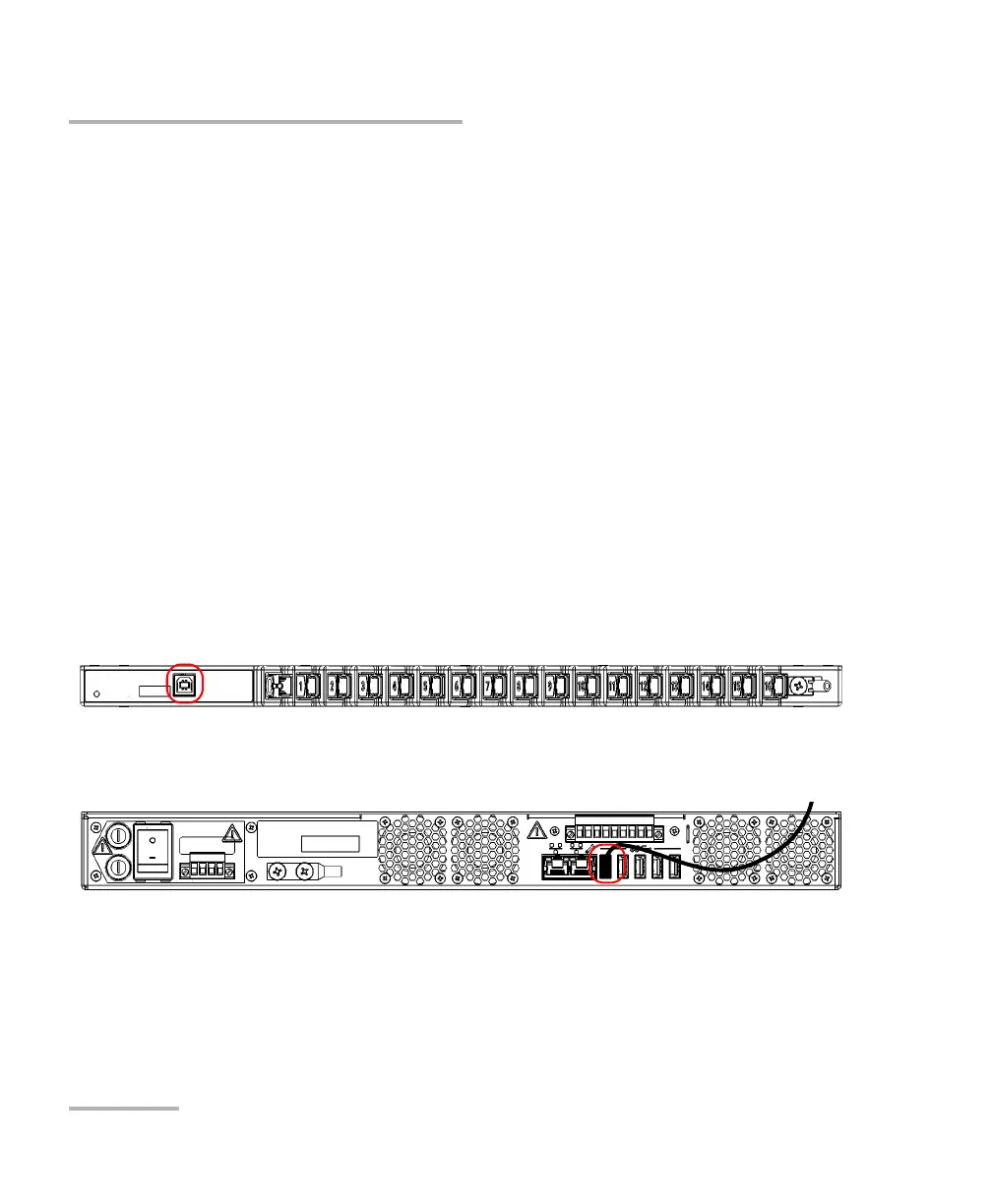
To connect a single RTUe-9120 switch to your RTU-2 unit:
1. Connect the provided USB cable to the USB port (B type) located on
the front panel of the switch.
2. Connect the other end of the USB cable to one of the USB ports located
on the back panel of the RTU-2 unit.



 To Next Page