FX15 Controller Technical Bulletin
8
Assembling the Integrated MUI
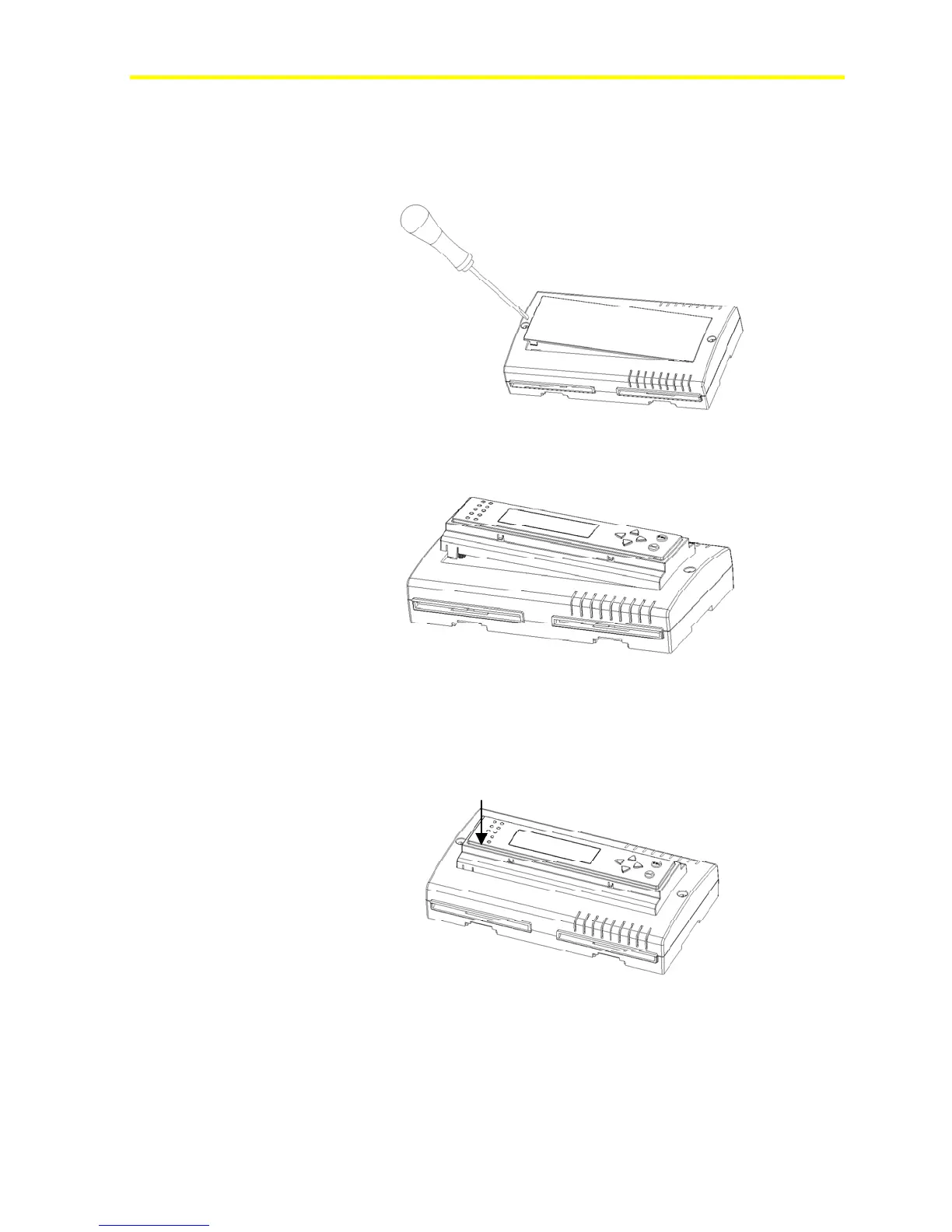
To assemble the integrated MUI:
1. Remove the controller front cover.
Figure 4: Open the Controller
2. Hook the display to the top FX15 cover.
Figure 5: Display Installation
3. Push down until it locks.
PUSH
Figure 6: Display Locking


 To Next Page