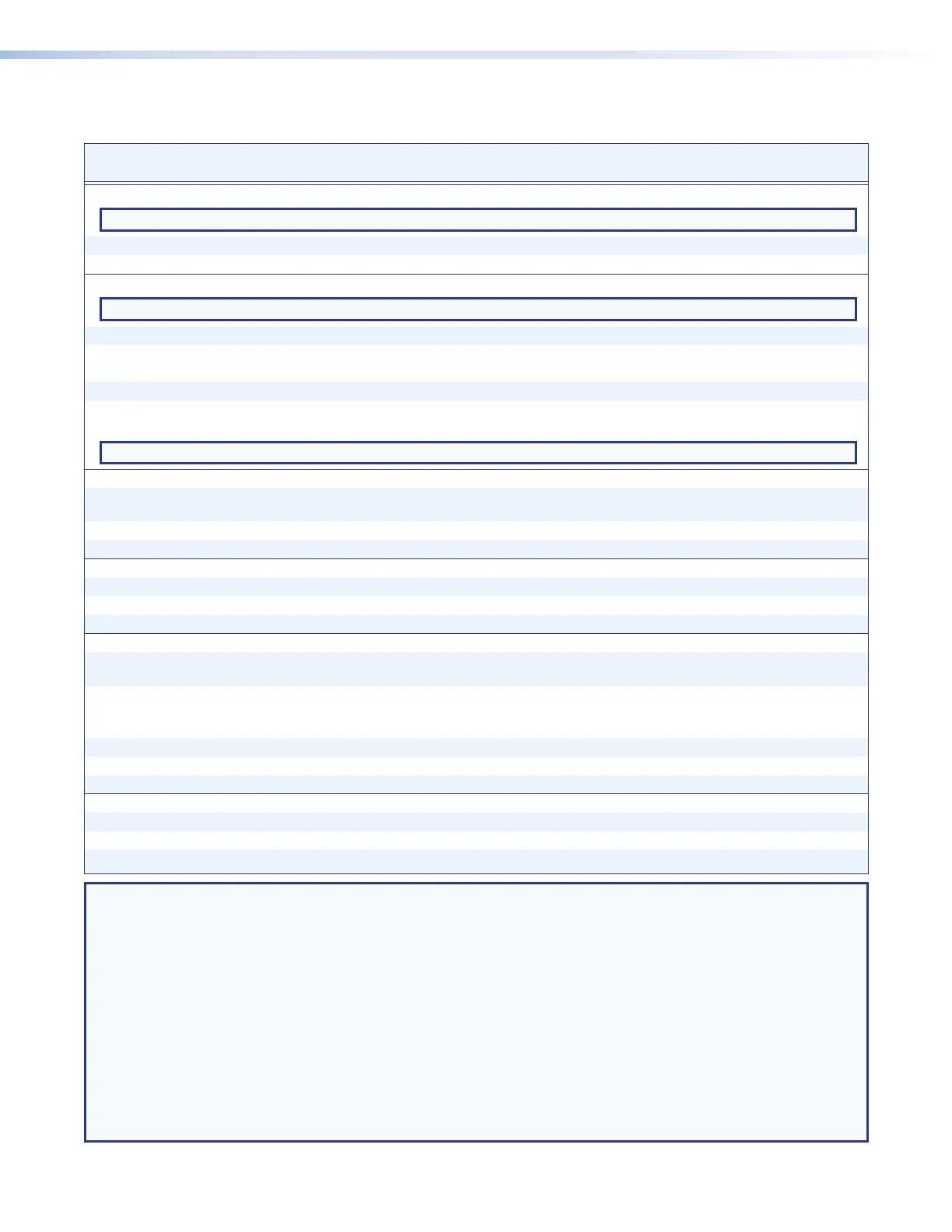
Command and Response Table for Matrix Switcher Commands (continued)
DTP CrossPoint 4K Series Matrix Switchers • Programming Guide 66
Command Function
SIS Command
(Host to Unit)
Response
(Unit to Host)
Additional description
Overscan
NOTE: The Overscan command applies to SMPTE input rates only (NTSC or PAL, 480p to 1080p, 50 Hz or 60 Hz).
Set overscan value
E
6*
X3$
OSCN
}
Oscn6*
X3$]
Read overscan value
E
6OSCN
} X3$]
Save and recall scaler presets
NOTE: If you try to recall a scaler preset that is not saved, the matrix switcher responds with the error code E13.
Save a scaler preset
2*
X2!
*
X2#
, 2Spr
X2!
*
X2#]
Command character is a comma.
Recall a scaler preset
2*
X2!
*
X2#
. 2Rpr
X2!
*
X2#]
Command character is a period.
Example:
2*6*5.
2Rpr6*005
]
Recall scaler preset 5 for output 6.
Erase a scaler preset
E
X2*
X2#
PRST
}
PrstX2*
X2#]
Show scaler preset availabilities
51#
Each
X3^
is the availability status of a
scaler preset, starting from preset 1.
PreI
X3^
1
X3^
2
X3^
3
...
X3^
128
]
NOTE: The “PreI” portion of the response appears only when the switcher is in Verbose mode 2 or 3.
Auto memories
Enable auto memories
EX2!
*1AMEM
}
Amem
X2!
*1
]
Set auto memories on. Previous settings
for the incoming signal are recalled.
Disable auto memories
EX2!
*0AMEM
}
Amem
X2!
*0
]
Set auto memories off.
Show auto memory status
EX2!
AMEM
} X^]
Default = 0.
Test pattern
Enable a test pattern
EX2!
*
X3%
TEST
}
Test
X2!
*
X3%]
Disable test patterns
EX2!
*0TEST
}
Test
X2!
*0
]
View test pattern selection
EX2!
TEST
} X3%]
Screen saver timeout and status
Set screen saver to go black
immediately
E
T
X2!
*0SSAV
}
SsavT
X2!
*000
]
Disable sync whenever no input video is
detected.
Set screen saver timeout duration
E
T
X2!
*
X3&
SSAV
}
SsavT
X2!
*
X3&]
Blank output
X2!
after
X3&
seconds.
Example:
E
T6*300SSAV
}
SsavT6*300
]
Blank output 6 after 300 seconds
(5 minutes).
Set screen saver to never go black
E
T
X2!
*501SSAV
}
SsavT
X2!
*501
]
Do not blank output
X2!
.
View screen saver timeout duration
E
T
X2!
SSAV
} X3&]
View screen saver status
E
S
X2!
SSAV
} X3*]
Freeze
Freeze the output
X2!
*1F Frz
X2!
*01
]
Unfreeze the output
X2!
*0F Frz
X2!
*00
]
View the freeze status
X2!
F
X1)]
NOTE: X^
= Auto memory status enable and disable 0 = Disable 1 = Enable
X1) = Freeze 00 = Off (default) 01 = On
X2! = TP (scaled) and insertion output number 05 – 08
X2# = Scaler preset 001 – 128
X3$ = Overscan percentage 0 = 0% (default) 1 = 2.5% 2 = 5.0%
X3% = Test pattern 00 = Disable (default)
01 = Crop 04 = Color bars
02 = Alternating pixels 05 = Grayscale
03 = Crosshatch 06 = Blue mode
X3^
= Scaler preset available 0 = Unavailable 1 = Available
X3& = Duration 0 = Output sync instantly disabled when no active video input is selected
001 through 500 (seconds)
501 = Output sync never times out (default)
X3* = Screen saver status 0 = Active input detected, timer is not running
1 = No active input, timer is running, output sync is still active
2 = No active input, timer is expired, output sync is disabled.


 To Next Page