ShareLink Pro 500 • Operation Using a Computer 16
Presenting a Desktop Using WebShare
The WebShare feature allows users to present a computer desktop without installing the
ShareLink Pro software. Follow these steps to present using WebShare:
1. Open a web browser on the computer or mobile device, and enter the IP address of the
ShareLink Pro 500. The landing page opens as shown in figure 14 on the previous page.
2. Click the Share button on the landing page (see figure 14,
2
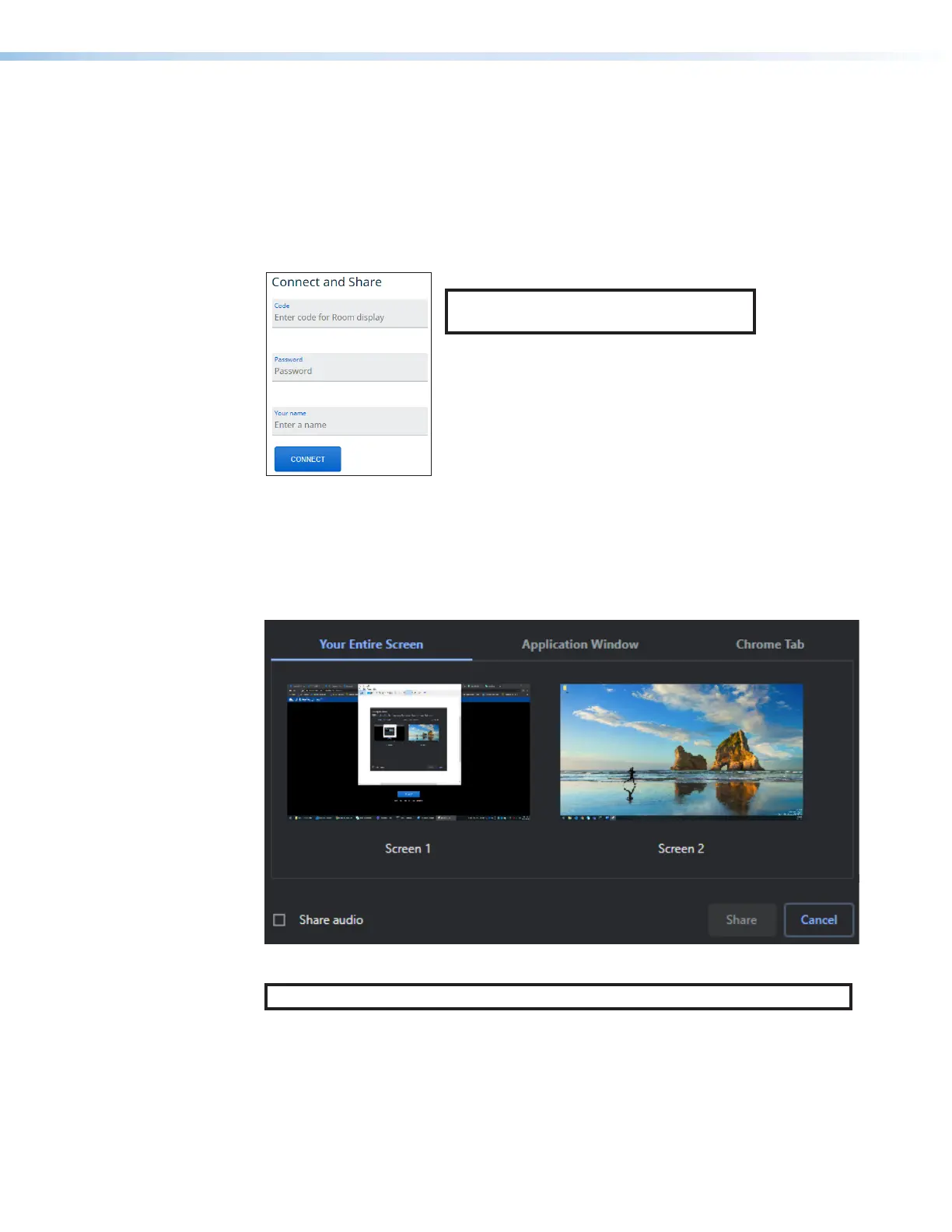
). The login page opens as
shown below:
NOTE: The Code and Password fields are
shown only if they are enabled in PCS.
3. Enter a name in the Your name field. This name is displayed to the audience during
presentation.
4. If required, enter the login code in the Code field (the login code is shown on the standby
screen; see figure 6 on page 9), and enter the participant password in the Password field.
5. Select what you would like to share (Your Entire Screen, Application Window, or
Chrome Tab).
6. Click the Share button to start sharing.
NOTE: To share your computer audio, check the Share audio checkbox.



 To Next Page