ShareLink Pro 500 • Operation Using a Mobile Device 22
App Menu
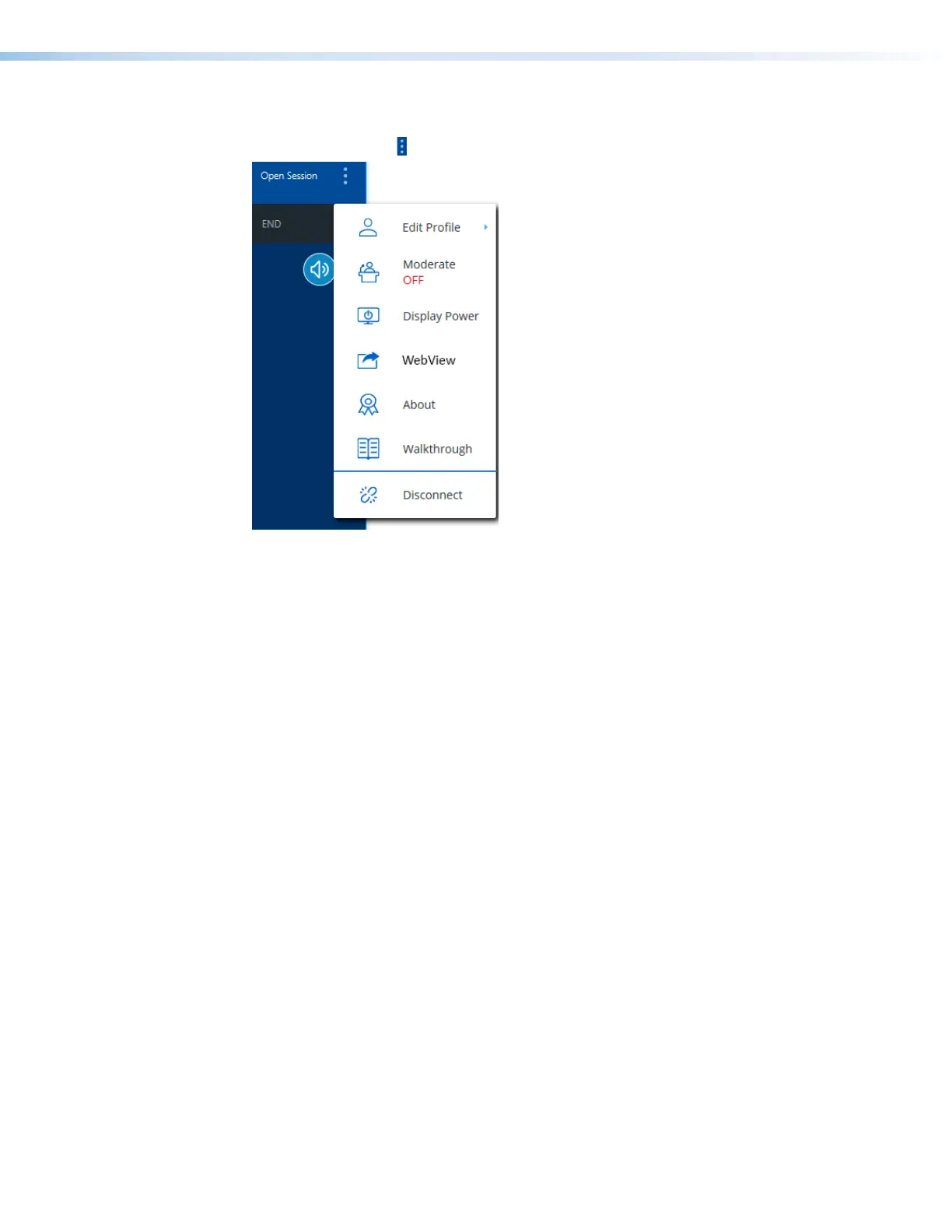
Press the menu icon ( ) on the top right corner to see the following options:
11
22
33
44
55
66
77
Figure 18. App Menu
1
Edit Profile — Select this option to edit your Username and Login Settings.
2
Moderate — Select this option to enable Moderator mode (see Moderating a
Presentation on page 14 for details).
3
Display Power — This option opens a page with two buttons (ON and OFF). If the
display connected to the output of the ShareLink Pro supports CEC, the ON and OFF
buttons may be used to send out unidirectional Power ON and Power OFF commands
to the display via CEC.
4
WebView — Select this option to enable or disable WebView.
5
About — Select this option to see the app version number, Licenses, Terms of Use,
and Privacy Policy.
6
Walkthrough — Select this option to see the introductory walkthrough that is shown
when the app is first installed.
7
Disconnect — Select this option to disconnect from the ShareLink Pro.



 To Next Page