ShareLink Pro 500 • Operation Using a Computer 17
Using the Admin Page
To access the ShareLink Pro admin pages:
1. Click the settings icon on the top right corner (see figure 14,
3
on page 15).
2. Enter the user name and password, and click Login.
• Default user name: admin
• Default password: extron
NOTE: The factory configured password for this device has been set to the device
serial number. Passwords are case sensitive. Performing a Reset to Factory
Defaults (see page 7) sets the password to extron.
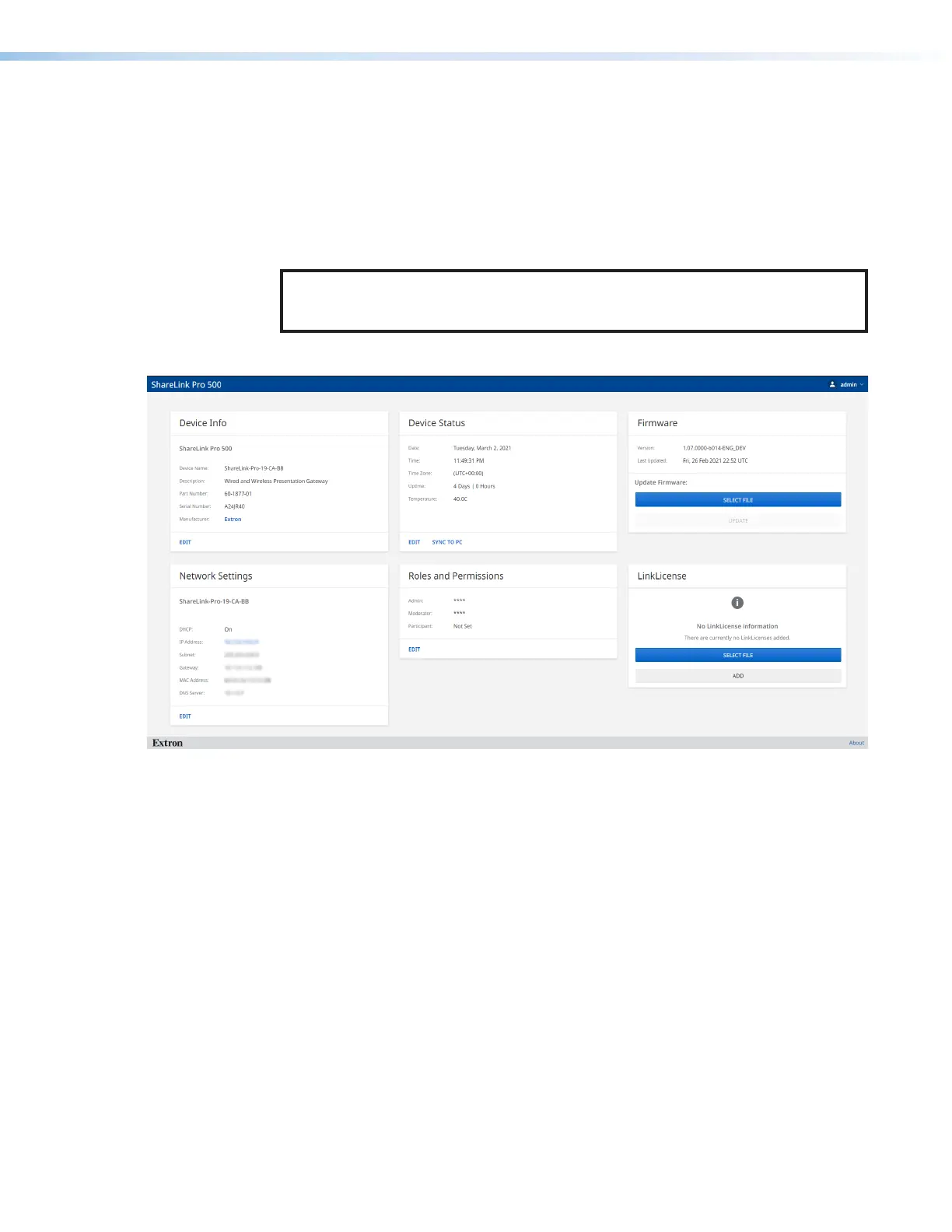
The admin page contains the following panels:
55
66
44
11 22
33
Figure 15. ShareLink Pro 500 Admin Page
1
Device Info (see next page)
4
Network Settings
2
Device Status
5
Roles and Permission
3
Firmware
6
LinkLicense



 To Next Page