21
4-2. Hard-wire Installation
4-2-1. ECB series provides the flexibility of hard-wire connection, and this function
will make external control panel wiring easier.
【Version 1】General model
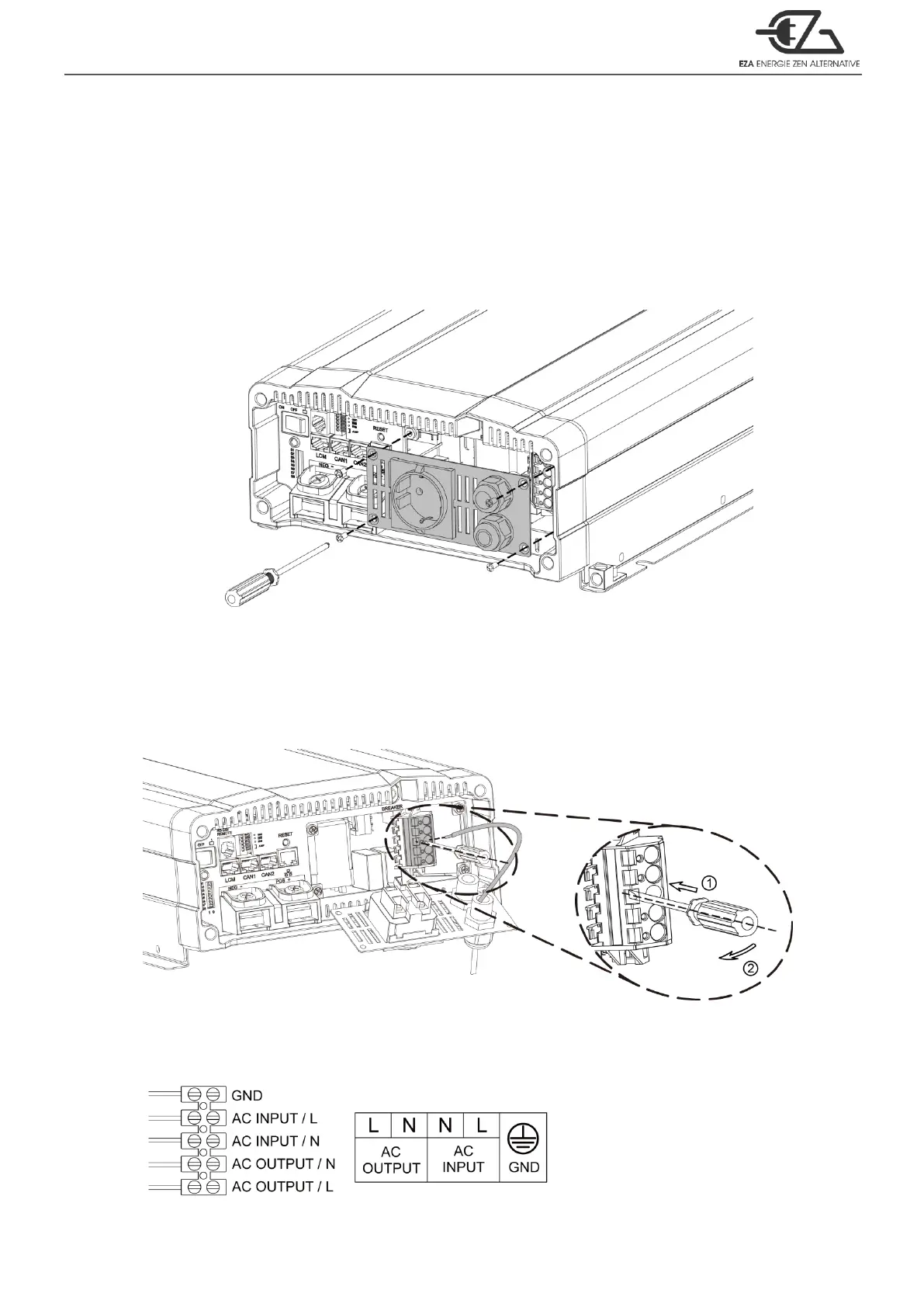
Step 1.
Remove the four screws of AC wiring compartment and pull it out with care.
Figure 17. General model setting
─
Step 1
Step 2.
Pull the line through the snap bushing of the AC wiring compartment cover then
follow below picture operation.
Figure 18. General model setting
─
Step 2
100VAC~120VAC / 200VAC~240VAC System
Figure 19. General model setting
─
AC wiring



 To Next Page